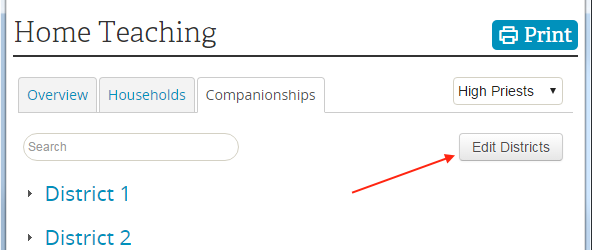
I see edit buttons for companionships but not for the district. As the HP Group Leader I was able to create the district so I'm assuming I should be able to delete it. I have attached a screen shot showing what I see.
There should be an 'Edit Districts' button to the right of the Search box just above the part of the screen you are showing. If you use that button then you'll see a list of districts and supervisors and the icon to delete each district.
I don't know how I missed this before. I guess I was looking for it with each district similar to how the companionship editing is done. This solved my problem. Thanks for your patience and help.