Topical Guide & the Bible Dictionary

8 postsstarted by johansenva 3,897 viewsoriginal topic

New Member
#1
1) Bible Dictionary: When will the "Preface" be available?
2) Topical Guide & Bible Dictionary: It would be much more convenient to have an initial A, B, C, etc., screen which would enable faster access to topics rather than having to scroll through the whole alphabet each time. Is this a future possibility?
Thanks for all your work!
Senior Member
#2
1) Bible Dictionary: When will the "Preface" be available?
Whenever the content team makes it available. We don't control content, just the app.
2) Topical Guide & Bible Dictionary: It would be much more convenient to have an initial A, B, C, etc., screen which would enable faster access to topics rather than having to scroll through the whole alphabet each time. Is this a future possibility?
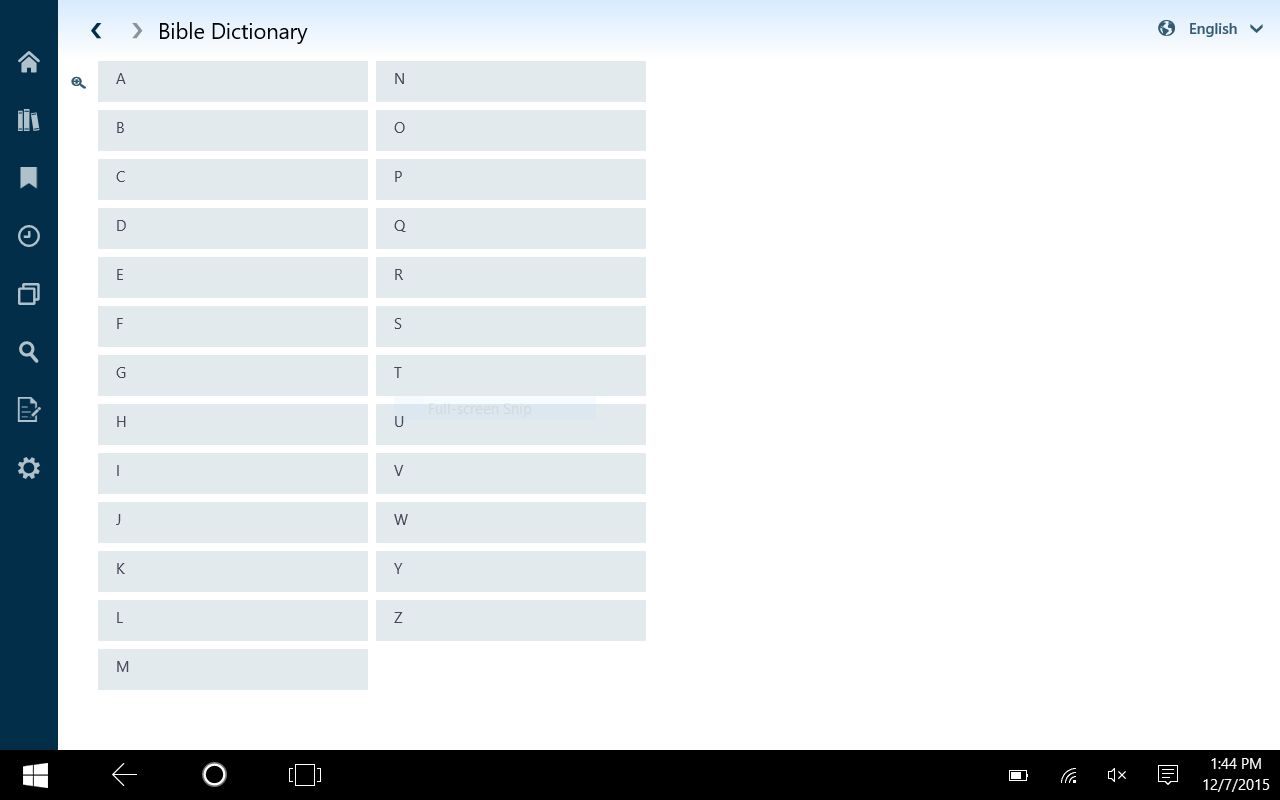
This is already in the app. When you first open either, the screen moves to the ABC list. On phones, you can tap the letter and it will similarly bring up the jump list.
Learn more about Gospel Library for Windows 10 Beta at the link below:
https://tech.lds.org/wiki/Gospel_Library_for_Windows_10
Senior Member
#3
This is already in the app. When you first open either, the screen moves to the ABC list. On phones, you can tap the letter and it will similarly bring up the jump list.
The letter tapping also works with the library flyout on the tablet/desktop version of the app.
Learn more about Gospel Library for Windows 10 Beta at the link below:
https://tech.lds.org/wiki/Gospel_Library_for_Windows_10
New Member
#4
Thanks for the quick reply -
However, when I open the Bible Dictionary or the Topical Guide on my Samsung Tablet, the initial screen lists ALL of the topics and I have to scroll through all of them each time. Is there a settings change I need to implement so that just the ABC list comes up first?
Senior Member
#5
johansenva wrote:Thanks for the quick reply -
However, when I open the Bible Dictionary or the Topical Guide on my Samsung Tablet, the initial screen lists ALL of the topics and I have to scroll through all of them each time. Is there a settings change I need to implement so that just the ABC list comes up first?
No, there is no setting to disable the jump list. It is the default behavior on Gospel Library for Windows. The screen should look like the attached screenshot below. What are you seeing?
Capture.PNG
(26.01 KiB) Not downloaded yet
Learn more about Gospel Library for Windows 10 Beta at the link below:
https://tech.lds.org/wiki/Gospel_Library_for_Windows_10
Community Moderators
#6
@johansenva, could you attach a screenshot or picture of your screen?
Samuel Bradshaw • If you desire to serve God, you are called to the work.
Member
#7
ToManyLetters wrote:
1) Bible Dictionary: When will the "Preface" be available?
Whenever the content team makes it available. We don't control content, just the app.
Does anyone on the content team follow these forums? If not, what is the best place to ask questions like this?
Senior Member
#8
Does anyone on the content team follow these forums? If not, what is the best place to ask questions like this?
At present, there is no way. They are developing a new content platform for all of the Gospel Library apps. As they're tied up with that, they aren't really as concerned with issues present on the soon-to-be legacy versions of their content source. I expect they will make themselves more available in the future.
Learn more about Gospel Library for Windows 10 Beta at the link below:
https://tech.lds.org/wiki/Gospel_Library_for_Windows_10