Videos won't play full screen in Chrome

9 postsstarted by bfltsnik 215,381 viewsoriginal topic

New Member
#1
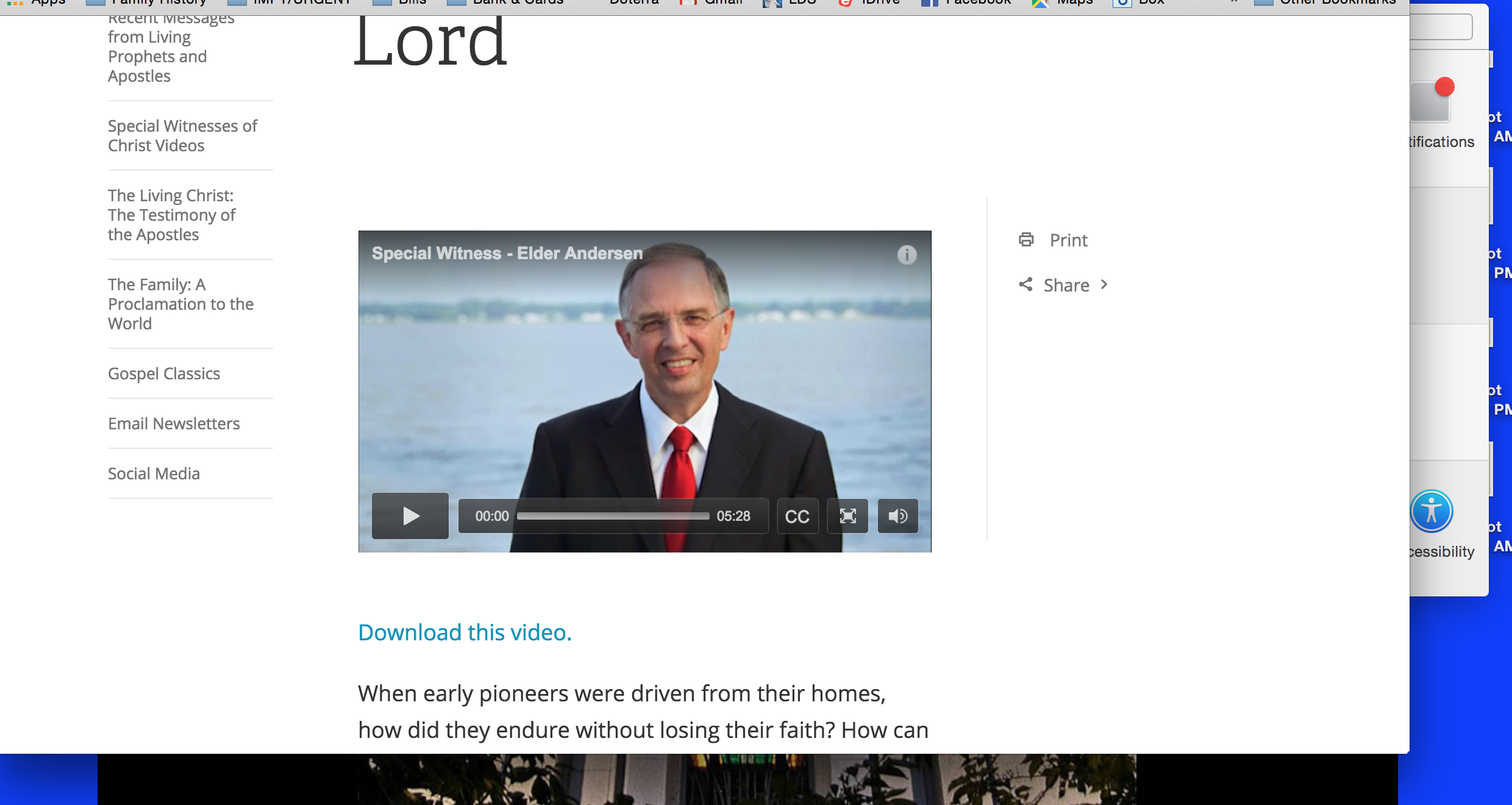
Please see attached screenshots. First is of video on lds.org in Chrome (latest version, OSX 10.10.5). The second is what happens when I click the full screen button. The screen goes "full" but the video remains small, in the upper left corner. I don't know how to fix it. Please help!
Community Administrator
#2
Works fine for me in Chrome. I'm not sure what the difference is. I wonder if it sense the available bandwidth and won't go full screen unless there's enough bandwidth for the higher resolution.
Have you searched the Help Center? Try doing a Google search and adding "site:churchofjesuschrist.org/help" to the search criteria.

So we can better help you, please edit your Profile to include your general location.
Senior Member
#3
It happens for me in Chrome, also on 10.10.5. In Safari it works fine.

See this post. It may explain the problem: https://tech.lds.org/forum/viewtopic.php?f=30&t=22030
Community Administrator
#4
mevans wrote:See this post. It may explain the problem: https://tech.lds.org/forum/viewtopic.php?f=30&t=22030
If that was it, it should happen for everyone - at least for the same browser. But the link in that post works just fine in full-screen for me, as does the OP in this thread.

You might want to right-click on the video and explore the flash settings. One in particular - hardware acceleration. Which makes me think this might be dependent on your computer's hardware.
Have you searched the Help Center? Try doing a Google search and adding "site:churchofjesuschrist.org/help" to the search criteria.

So we can better help you, please edit your Profile to include your general location.
Senior Member
#5
Or could it be something strange with the Mac version of Chrome vs. Windows? I don't have Windows on at the moment to test if it works for me there. I'll have to try that later.
New Member
#6
Happening now intermittently on chrome with and before newly upgraded flash 20.0.0.306 Windows 10.
Mark Deason
former STS Vancouver WA North Stake
Community Moderators
#7
msd360 wrote:Happening now intermittently on chrome with and before newly upgraded flash 20.0.0.306 Windows 10.
Chrome comes with its own sandboxed version of Flash, that gets updated automatically when Chrome is updated. Installing or upgrading Flash with the regular installer won't affect Flash within Chrome. Are you using the newest version of Chrome?
Samuel Bradshaw โ€ข If you desire to serve God, you are called to the work.
New Member
#8
Chrome comes with its own sandboxed version of Flash, that gets updated automatically when Chrome is updated. Installing or upgrading Flash with the regular installer won't affect Flash within Chrome. Are you using the newest version of Chrome?
Touche. I'm running Chrome 48.0.2564.116, which appears to be up to date. Symptoms occur intermittently both on Mac OSX 10.11.3 and Windows 10 Pro with current updates. Problem is not present on Safari.
Mark Deason
former STS Vancouver WA North Stake
New Member
#9
Been seeing this for several months. Interestingly, the General Conference beta site is immune from this issue. Perhaps they are shifting to a newer version of the video player which will fix this?