Music section no longer useful

22 postsstarted by moeajeune 9,112 viewsoriginal topic

New Member
#1
The music sections used to be so much more pliable ! You could set it to play each part in a hymn or all parts, change the pitch and speed, choose music , or vocals or both, now nothing!!! A step backward is what I think ! Those options are so vital to enjoy singing, learning parts, in FHE, not only for full families , but also for 1 person family or empty nesters , or even for those of the outer edge of the church, the far reaches of the isles of the sea, to actually have parts supplementing your own singing! It makes hymn singing something to look forward to.
Member
#2
I still see all that, for example, here:

https://www.lds.org/music/library/hymns ... s?lang=eng

...where are you going that those features are missing?

Liz
Senior Member
#3
I can see the confusion with the new interface. You now have to click on Parts to open the menus that control the volume of each of the four parts, or on Audio to select music with parts, music only, or words and music. If a user doesn't see those widgets and know they have to click on them to drop down a menu, they would assume those features have been removed.
Dana Repouille, Plattsmouth, Nebraska
Member
#4
Ah, I didn't realize that interface was new (I have a terrible sense of time when it comes to duration). Anyway, maybe the confusion also comes from the fact that at some point they changed from a navigator (in the left column, I think) to showing a list view from which you can play selected hymns, like this page:

https://www.lds.org/music/library/hymns?lang=eng

...that page just lets you play the hymn - it doesn't include all the fancy features. For those, you have to click the hymn name and open a separate page, then open the "Parts" or "Audio" tab which hang under the control bar.

But with the new navigation, there may even be other pages we don't realize, and those don't have the interactive features, not sure.

HTH,

Liz
Community Moderators
#5
In other languages PDF sheet music is displayed instead of the interactive music player. But the interactive music player has always only supported English.
Samuel Bradshaw • If you desire to serve God, you are called to the work.
Senior Member
#6
I just looked and it seems to be the same interface I've seen for a while. I do occasionally use the music site and have used it within the last month. I see drop-down menus where I can change some of the options.
Church Employee
#7
The Music Player (https://www.lds.org/music/library/hymns ... s?lang=eng) uses Flash, which many new browser updates are turning off by default (Chrome, Firefox). Flash can be re-enabled on each page, as needed.

I wonder if moeajeune's Flash is out-of-date, thus causing the new interface to not work as programmed (drop-down tabs for parts and audio)?
Community Administrator
#8
nmecantwin73 wrote:The Music Player (https://www.lds.org/music/library/hymns ... s?lang=eng) uses Flash, which many new browser updates are turning off by default (Chrome, Firefox).
In the case of Chrome, I think it's using an internal copy of Flash rather than turning it off.
Have you searched the Help Center? Try doing a Google search and adding "site:churchofjesuschrist.org/help" to the search criteria.

So we can better help you, please edit your Profile to include your general location.
Community Moderators
#9
Some mobile devices (like iPhones and iPads) don't even let you install Flash.
Samuel Bradshaw • If you desire to serve God, you are called to the work.
New Member
#10
Sorry, been on vacation, I still don't see any drop down menus for parts, even when I followed the first link in comments. I am controlling it from my iPad 3 so I can project the mirror image to my tv for FHE music and GC talks, does it allow flash now? Better check..
Come to think of it, when it used to work perfectly with parts and stuff, we were using the same set up with the same iPad, so it can't be that( flash).
Here's what I see: https://www.lds.org/music/library/hymns ... d?lang=eng
Music and vocal
Music
ASL
ASL
Community Moderators
#11
Could you take a screenshot of what you see on your iPad? You can take a screenshot by pressing the home button and the power button simultaneously. The screenshot will save to Photos, and from there you can upload it into a post on the forum.
Samuel Bradshaw • If you desire to serve God, you are called to the work.
Member
#12
image.jpg
Iphone 6
(160.75 KiB) Not downloaded yet
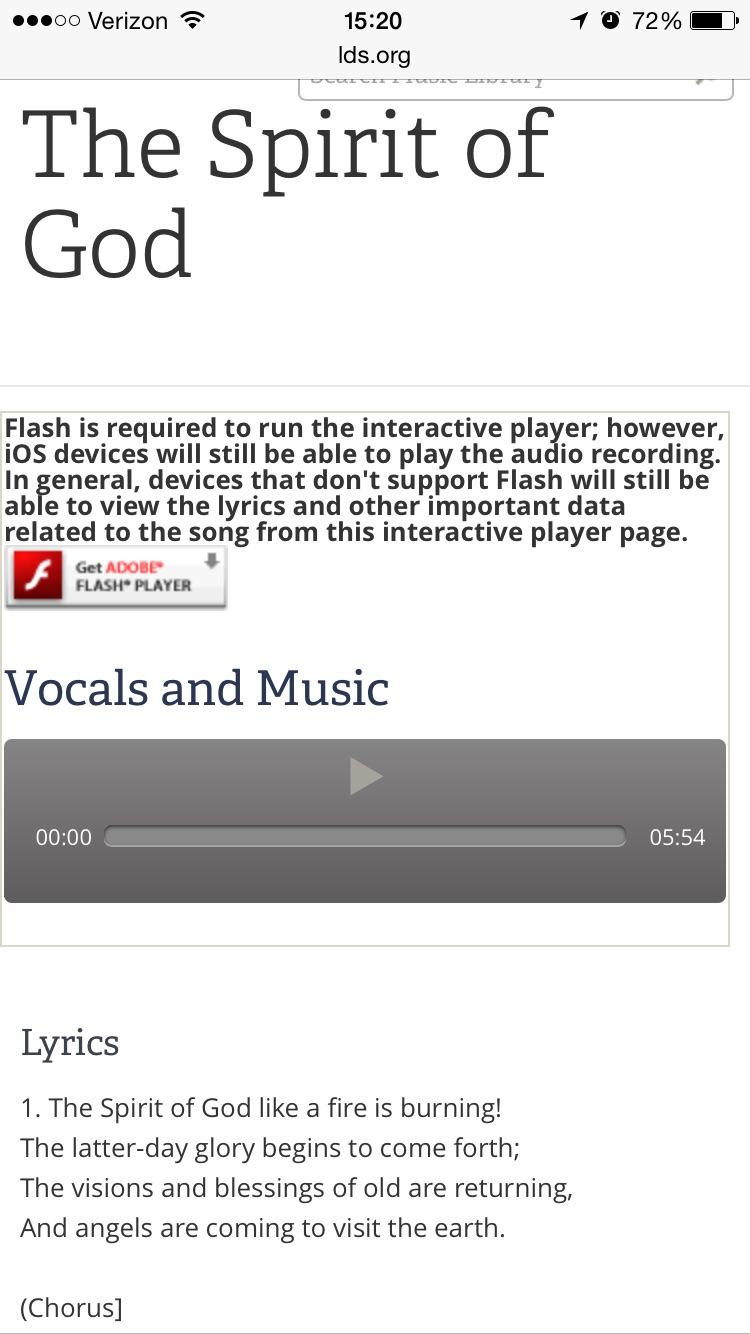
This is what I see on my iPhone when I go to the interactive player online. Was the previous player really flash?
Community Moderators
#13
Edited 2 times, last by sbradshaw on
The interactive music player hasn't seen any changes since the Church music site was updated in late 2012 (a few months ago the music site switched to the new white LDS.org theme, but the music player stayed the same):
https://web.archive.org/web/20121128133 ... s?lang=eng

The previous version of the interactive music player was also done in Flash:
https://web.archive.org/web/20110630121 ... seqend=ZZZ
Samuel Bradshaw • If you desire to serve God, you are called to the work.
New Member
#14
Here's the screen shot of what's see:how do I post the a screenshot from my photos into a post on this forum?
Community Moderators
#15
Click the "Full Editor & Preview" button at the bottom of this page. When the full editor loads (in a new page), scroll below the text area and click where it says "Attachments." Then, click "Add Files."
Samuel Bradshaw • If you desire to serve God, you are called to the work.
New Member
#16
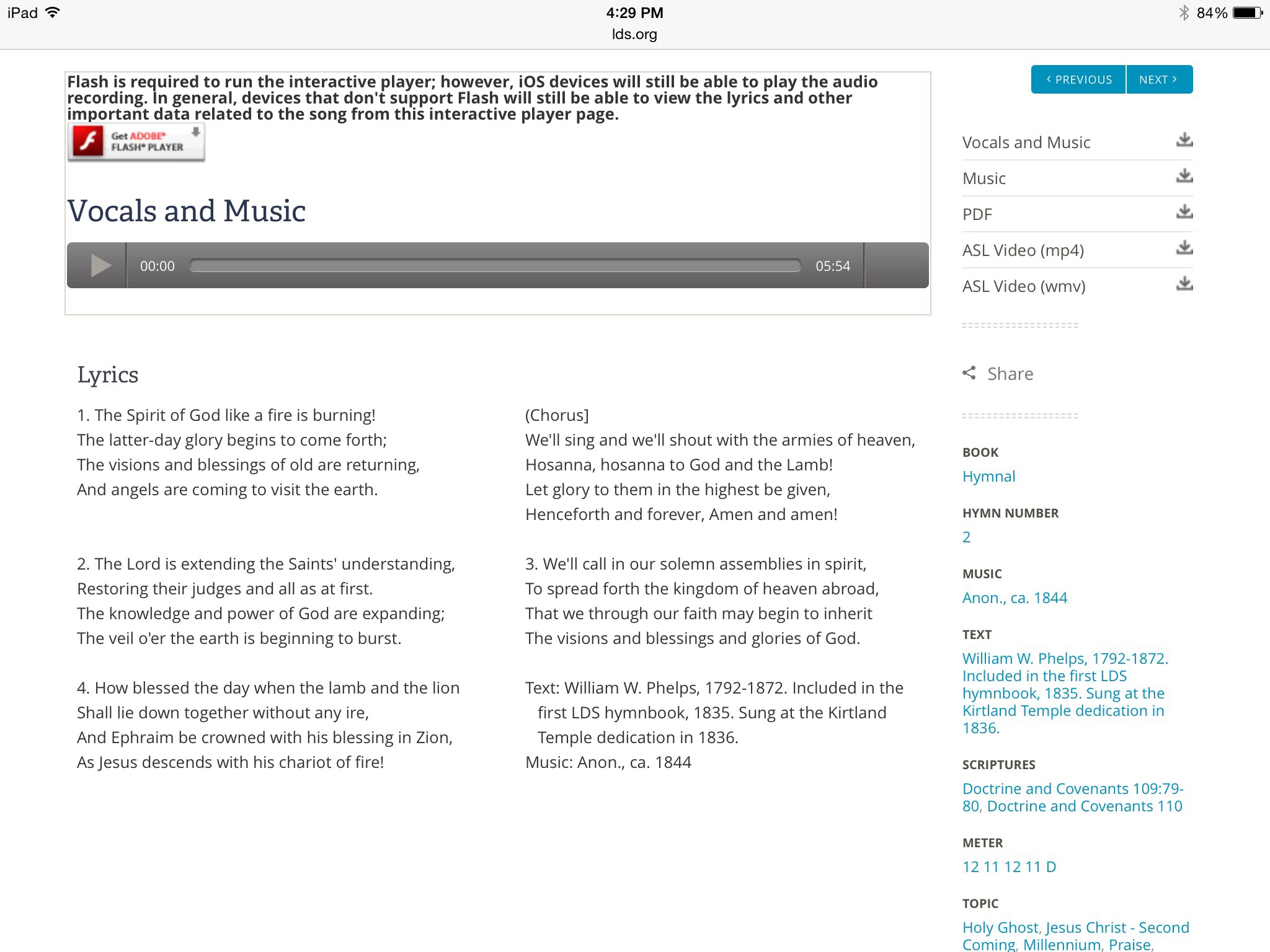
Here it goes, didn't know if I should choose place inline since my other choice was delete file I chose the former.
image.jpg
Music screenshot
(397.27 KiB) Not downloaded yet
Community Moderators
#17
moeajeune wrote:Here it goes, didn't know if I should choose place inline since my other choice was delete file I chose the former.
image.jpg
OK. Yes, as you can see at the top of the page:
Flash is required to run the interactive player; however, iOS devices will still be able to play the audio recording. In general, devices that don't support Flash will still be able to view the lyrics and other important data related to the song from this interactive player page.
The web site recognizes that you're on an iPad so it loads the simple audio recording instead of the full interactive music player. The interactive music player doesn't work on iOS (that is, iPads and iPhones) because iOS doesn't support Flash, and the interactive music player is written in Flash.

I get the same message on my computer because I don't have Flash installed (for my main browser).
Samuel Bradshaw • If you desire to serve God, you are called to the work.
New Member
#18
But I remember distinctly that we used to have all that capability on our tv screen projected from the same iPad a while back like more than a year ago at least. There would have been no other way I could have projected it on the TV screen without the iPad...
Well, maybe my old brain is being delusional, let me check my laptop and see if we just watched it from that from where I usually sit before I got my iPad 3..
New Member
#19
Alright, the mystery is solved , thank you so much sbradshaw and others for sticking with me. My laptop did indeed play all the parts and things but I don't remember having to click on the title again in order for them to drop down , so thanks for that tip.
Now I know why we dumped it ( hp Pavilion notebook PC) for the iPad 3 ( that can use the Bose dock or sound bar), the music sound could never be loud enough if we sang at full voice( 2 people only at that!), we had to almost whisper, or sing like we didn't care to sing.
Community Moderators
#20
Glad the mystery's solved! :)
Samuel Bradshaw • If you desire to serve God, you are called to the work.
#21
The music section is very very difficult to use because the hymn page is displayed as FLASH content, and even on my large monitor I always have to scroll down near the end of every verse because the hymns don't fit the page.

Playing the words and music together is not helpful because if you're on verse 3 and want to start verse 3 over again, you CAN'T. You have to start over with verse 1.
Senior Member
#22
If you're playing parts, the player automatically scrolls for you. I haven't tried the music only or music + words options until today and now I see that it does not automatically scroll.

I, too, have a large monitor and am often times frustrated that LDS.org seems to think everyone is on a phone or a tablet these days (which they probably are) and I can't effectively use my large monitor on many pages on lds.org.

I suggest submitting feedback of your frustrations. Use the Feedback link at the bottom of the music player. That's the proper way to voice your opinions to those to make decisions. I'm guessing with Flash's continuing saga of problems (Firefox blocks it by default now) that the church is going to have to come up with some plans to replace all flash content. Your feedback may be valuable input to their decisions.

Overall, though, I really like the music player. It's a great tool and I'd hate to see it go away. As far as I know, it's only available in English. Be grateful for what we have (and submit Feedback for what we don't have).