Sync from an not authorized calendar

9 postsstarted by Tiganita 2,560 viewsoriginal topic

New Member
#1
Hello,

I've recently changed my calling from Stake Executive Secretary to Bishop.
Now I try to sync my calendar with google.
Unfortunately I can see entries in google from calendars I'm not authorized anymore.

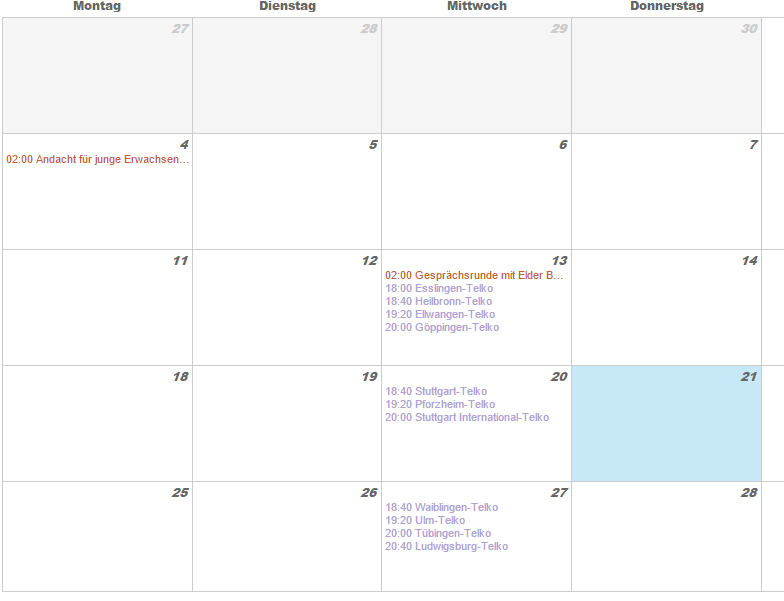
LDS calendar:
LDS_Calendar.PNG
(25.45 KiB) Not downloaded yet
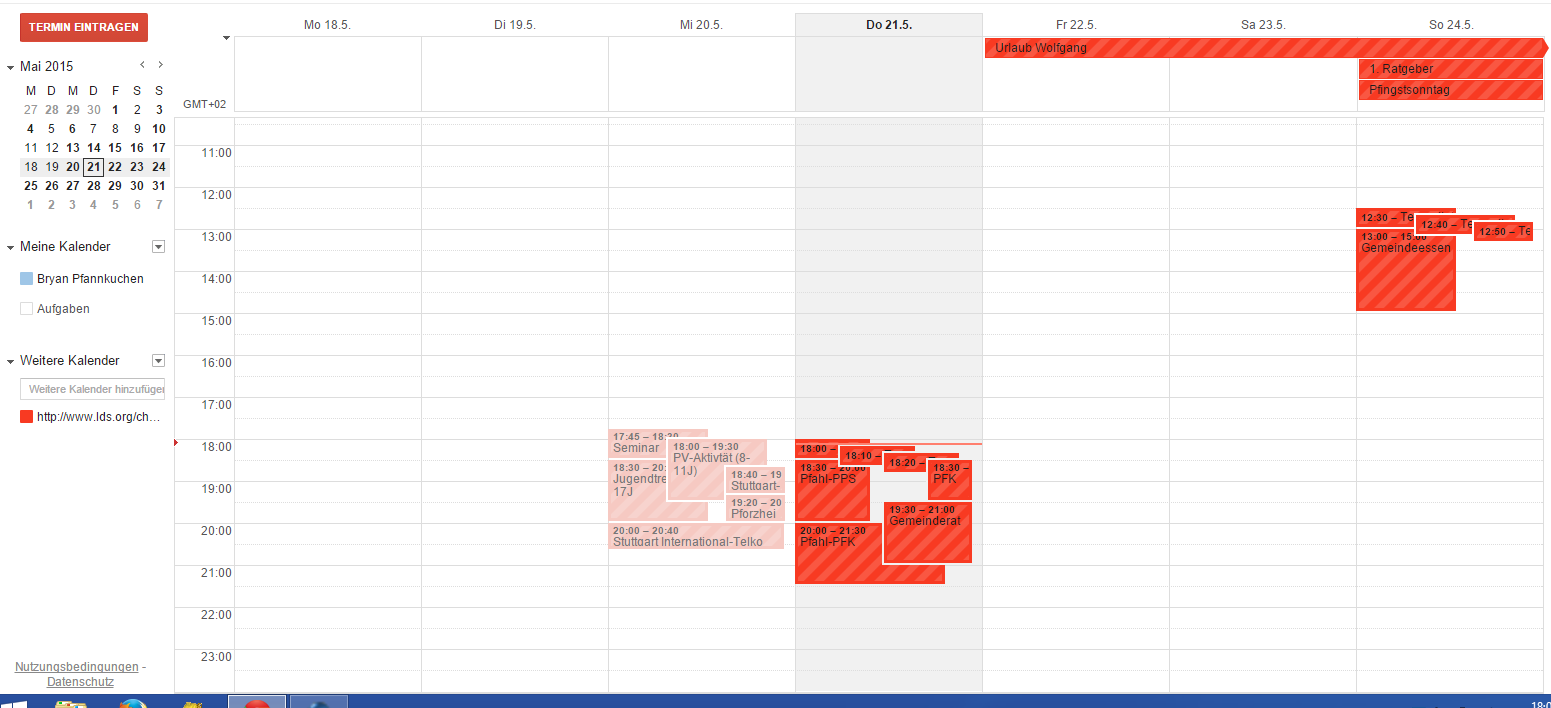
Google calendar:
Google_Calendar.PNG
(85.17 KiB) Not downloaded yet
As you can see, for today there are actually none items (I disabled the ward calendars, which are only 2 entries).
In google I can see much more like interviews with the stake presidency.

I tried the following:

- unsubscribed all calendars from stake (abonnements) and subscribed again
- created a new URL
- used a different google account

Nothing did help.

What might be the problem here?

Regards
tiganita
Community Administrator
#2
It's cover the basics first:

It's possible that you still have access to the calendars because you were added by name, and not by calling. I think this is common if you were the one to create the calendar. If you still have edit access, you can probably remove yourself. Otherwise it will have to fixed by someone in the stake.

Do you see the calendars listed on the left side of the calendar main page? If so, then you really haven't unsubscribed. That's a common misunderstanding of "subscribe". You have to expand the left hand side and slide the switch. Unchecking the "show" box doesn't change your sync.
Image

However, if you don't see the stake calendars on the left side and you're still getting the sync, then we're dealing with something else.
Have you searched the Help Center? Try doing a Google search and adding "site:churchofjesuschrist.org/help" to the search criteria.

So we can better help you, please edit your Profile to include your general location.
New Member
#3
Hello,

thank you for the explanation.

1. I was added only by calling (I changed this also for everyone else).
2. I cannot see the calendars where the events originate from. (And I did the unsubscribe exactly as you mentioned)
3. As you might have seen, the events are not visible in the calendar on lds.org or at the app BUT when I use the URL for sync with google or outlook (I use both) they are visible there.
Community Administrator
#4
Can you go to https://www.lds.org/header and copy and paste the results into a PM to me? I'll pass that on to the developers.
Have you searched the Help Center? Try doing a Google search and adding "site:churchofjesuschrist.org/help" to the search criteria.

So we can better help you, please edit your Profile to include your general location.
New Member
#5
Done.
Community Administrator
#6
And done.
Have you searched the Help Center? Try doing a Google search and adding "site:churchofjesuschrist.org/help" to the search criteria.

So we can better help you, please edit your Profile to include your general location.
New Member
#7
I hope I did understand your "done" correctly: You did send it to the developers but there isn't a solution yet? Right?
Community Administrator
#8
Tiganita wrote:You did send it to the developers but there isn't a solution yet? Right?
Correct.
Have you searched the Help Center? Try doing a Google search and adding "site:churchofjesuschrist.org/help" to the search criteria.

So we can better help you, please edit your Profile to include your general location.
Community Administrator
#9
The developers have found the problem and it will be in a future release - but not the one coming next week. When it is released, the problem will fix itself the next time you log into the calendar.
Have you searched the Help Center? Try doing a Google search and adding "site:churchofjesuschrist.org/help" to the search criteria.

So we can better help you, please edit your Profile to include your general location.