letters.lds.org not working

22 postsstarted by jwhatcott 5,780 viewsoriginal topic

New Member
#1
I logged into letters.lds.org and clicked on this letter:

https://letters.lds.org/document/pdf?it ... 5853640615

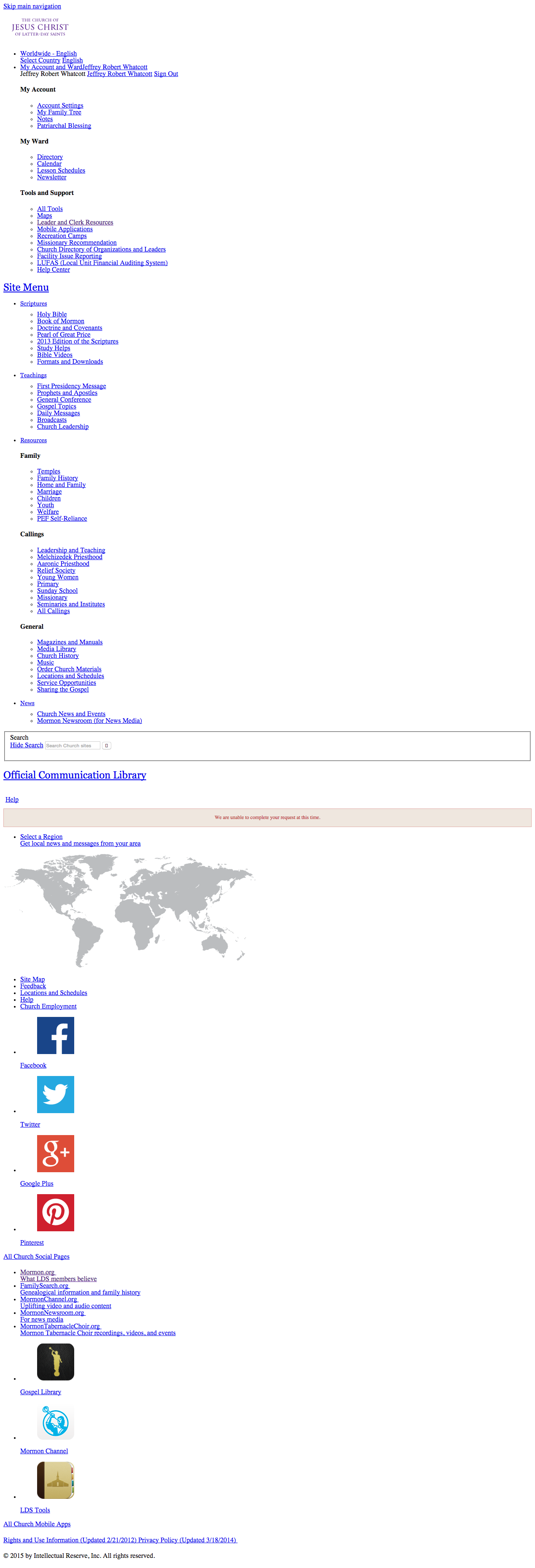
The page returned came sans style sheet and the PDF was nowhere to be found.

This problem occurs on both Safari and Chrome, latest versions. Mac OS X 10.10.2.

JRW
Community Administrator
#2
jwhatcott wrote:I logged into letters.lds.org and clicked on this letter:
Which letter is that?
Have you searched the Help Center? Try doing a Google search and adding "site:churchofjesuschrist.org/help" to the search criteria.

So we can better help you, please edit your Profile to include your general location.
Community Administrator
#3
jwhatcott wrote:I logged into letters.lds.org and clicked on this letter:

https://letters.lds.org/document/pdf?it ... 5853640615

The page returned came sans style sheet and the PDF was nowhere to be found.
It might have been temporary. The posted link works for me. Both IE11 and Chrome.
Have you searched the Help Center? Try doing a Google search and adding "site:churchofjesuschrist.org/help" to the search criteria.

So we can better help you, please edit your Profile to include your general location.
Senior Member
#4
Nope. I can't see anything on letters.lds.org using either Chrome or IE.
Dana Repouille, Plattsmouth, Nebraska
Community Administrator
#5
I did a ctrl-F5. Still works for me. I do notice that they've switched to the "new" layout. Perhaps the new layout doesn't play well with old cache?
Have you searched the Help Center? Try doing a Google search and adding "site:churchofjesuschrist.org/help" to the search criteria.

So we can better help you, please edit your Profile to include your general location.
Community Moderators
#6
I cannot get it, even by clearing the cache. I get the no style sheet version, along with an error message that says, "We are unable to complete your request at this time."

The error message appears right where the list of letters would begin.

[Win 8.1, FF 36.0.4]
Community Moderators
#7
I am also running Windows 8.1 & Firefox 36.0.4. I have no problems.

Rather than clearing the cache using the "Clear Recent History..." menu item, I prefer to use Ctrl+F5. This method does a refresh of cached data for the web page from the site's server rather from locally cached data. I have had better results with this method than the "Clear Recent History..." because "Clear Recent History..." does not clear other web site cached data that I want to keep and replaces all cached data for the current page.
JD Lessley
Have you tried finding your answer on the ChurchofJesusChrist.org Help Center or Tech Wiki?
New Member
#8
I'm having the same issue. Screen capture exactly the same as of the original OP.

What's happening to the Communications Library???
Community Moderators
#9
I just checked from another computer running Win 7 and IE 11. No OCL here, either. Just the basic links and an error message where the letters and notices should appear.
Community Moderators
#10
jdlessley wrote:I am also running Windows 8.1 & Firefox 36.0.4. I have no problems.
. . . I prefer to use Ctrl+F5.
That method did not work for me.

I wonder if it has to do with a page loading speed issue. Some sites, when the Internet is a little slower, quit trying to load after a certain point, and appear as this one now does for me on both of the computers I regularly use.
Community Moderators
#11
I am taken straight to the page titled: "Official Communication Library - Error"
I wonder if there is a page titled: "Official Communication Library" that would work better.

And the part that says:
/************* DO NOT ALTER ANYTHING BELOW THIS LINE ! **************/
is right in the middle of a script.

I have not seen that before.
New Member
#12

Official Communication Library not working in LCR

I have discovered that the Official Communication Library page does not render correctly. It comes up as a outline of the header and then fails, a strong symptom of a problem in the html code. I have tried it in Firefox 36.0.4 and also IE 11 on Windows 7 and on two different PCs. It was working about 3/22 but not working on 3/30/15. As the Church officially supports both browsers and they are in extensive use, I hope it can be fixed soon. Chrome is not an alternative for us.
Community Administrator
#13

Re: Official Communication Library not working in LCR

busman wrote:I have discovered that the Official Communication Library page does not render correctly. It comes up as a outline of the header and then fails, a strong symptom of a problem in the html code. I have tried it in Firefox 36.0.4 and also IE 11 on Windows 7 and on two different PCs. It was working about 3/22 but not working on 3/30/15. As the Church officially supports both browsers and they are in extensive use, I hope it can be fixed soon. Chrome is not an alternative for us.
You post was merged into an existing topic on the subject.
Have you searched the Help Center? Try doing a Google search and adding "site:churchofjesuschrist.org/help" to the search criteria.

So we can better help you, please edit your Profile to include your general location.
Community Moderators
#14
I just upgraded to Firefox 37.0.1 and still have the problem.
I suspect all work to resolve this is on hold for General Conference weekend support.

Edit: I tried to use the Feedback link from the non-css page to report the problem. I was not able to do so because that version of the page does not provide a referring URL, another indication that the page is not loading propoerly.

I went to another LDS.org page and provided the Feedback report.
Community Moderators
#15
lajackson wrote:I have not seen that before.
One thing I have seen before at many web sites is that every <script> tag seems to have a </script> tag to close it. I don't know if that might be an issue with the OCL page or not.
New Member
#16

Re: Official Communication Library

I am not able to access the OCL. When I log into lds.org and go to Leader and Clerk Resources, it doesn't matter whether I go into the Applications drop down menu or simply select it on the left or direct my browser to letters.lds.org, every option takes me to a navigation tree and way down at the bottom, it states "We are unable to complete your request at this time" in a pretty pink box.

I have tried different computers (laptops and desktops), Ipad, and I have tried different browsers (Mozilla, Chrome, IE 11, Puffin, Safari). I have cleared cookies and retried as well.

Is there a work around for this?
Community Administrator
#17

Re: Official Communication Library

jrandall001 wrote:I am not able to access the OCL. When I log into lds.org and go to Leader and Clerk Resources,
I've moved your post from an old thread to a current thread on the problem. OCL and letters.lds.org are one in the same.
Have you searched the Help Center? Try doing a Google search and adding "site:churchofjesuschrist.org/help" to the search criteria.

So we can better help you, please edit your Profile to include your general location.
Community Moderators
#18
As a follow up, I am able to access the Official Communication Library once again. There is a slightly new design to the page, and the display problem appears to have been fixed.
New Member
#19
Still not working for me. I tried multiple computers and multiple browsers.
Senior Member
#20
"We are unable to complete your request at this time."
Dana Repouille, Plattsmouth, Nebraska
Community Moderators
#21
lajackson wrote:. . . and the display problem appears to have been fixed.
Well, I guess I spoke too soon and should have stopped at what I am able to do. Sorry.

I just checked again and it still works (for me). It started working this morning, and I didn't have to clear the cache or anything. I am using IE 11 over Windows 7 through a work firewall. I haven't tried yet at home.

And there are a couple of display glitches still. But it is functional for me.

Edit: I checked at home with Windows 8.1 and Firefox 37.0.1 with success. The same two display glitches appear exactly as they did from work.
Senior Member
#22
Tonight is the first time letters.lds.org has worked for me since this problem began.
Dana Repouille, Plattsmouth, Nebraska