It's easy enough to find the closed captioning button for the Sunday Afternoon Session. That's the session you are taken to when you follow the
Watch Live link from the
Player Features and How to Watch page.
See the CC button in the yellow circle below (which appears a couple of seconds after the video starts playing):
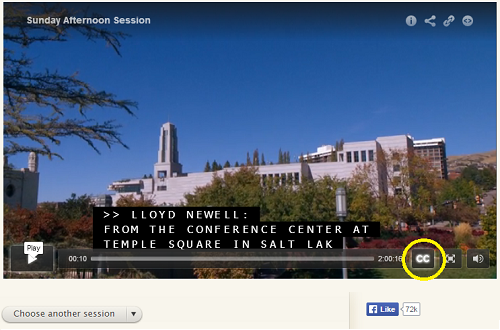
- SundayAfternoon.png (214.17 KiB) Viewed 3307 times
This will allow you to watch Elder Carlos Godoy's talk (delivered in Portuguese) with English subtitles (at about the 40:05 mark at the above link).
However, as soon as I use the "Choose another session" dropdown to choose the Saturday Morning session, the player no longer has a CC button. At least I can't find any way to make it reappear. So I can't find a way to see the closed captioning on any session other than Sunday Afternoon, Saturday Afternoon, and the General Women's Meeting at this point.
Questions that can benefit the larger community should be asked in a public forum, not a private message.

