New Member
Help! I’m stumped and before I contact Adaptec (I couldn’t find a Canon person knowledgeable a few weeks ago), I thought I would see if anybody has any suggestions.
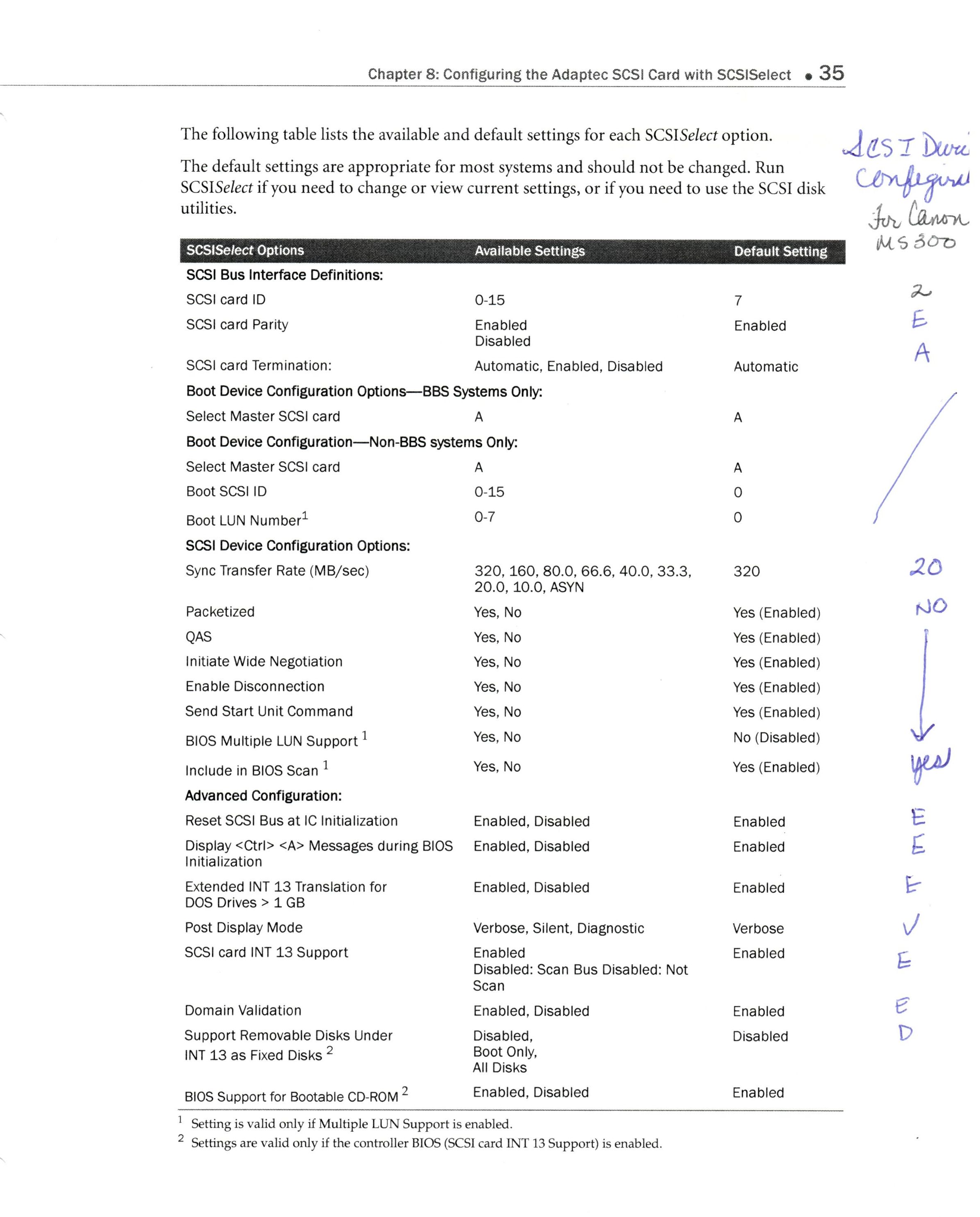
DanPass & their FHC director were kind enough to send our FHC their Adaptec 29320LPE PCI-Express Ultra320 SCSI Controller Card. I downloaded the drivers & utility program from Adaptec and SCSI controller installed fine. Adaptec Utility sees the Canon MS300 on Channel A , Slot 2 and the Adaptec Card on Channel A, Slot 7. Also it shows at it boots up. But it does not show in Device Manager.
I have downloaded the Capture Perfect software 1.063 and the Canon drivers MS300ii from both the FHC Application Finder which, from DIS on older computer, and Canon Europe website, all of which supposedly had the Win 7, 64 bit drivers. I have installed and reinstalled software, but cannot get the two to work together. Ran the setup for the all drivers.
What’s interesting is when I go into the CapturePerfect software, if I go under File, Select Twain source it sees Canon MS300 (& 350), but if I select it – screen pops up and says “Scanner Error”, can’t locate SCSI, check cable and power (-4536). I know the cables are ok as it shows up ok in Adaptec Utility.
Any ideas or suggestions?
DanPass & their FHC director were kind enough to send our FHC their Adaptec 29320LPE PCI-Express Ultra320 SCSI Controller Card. I downloaded the drivers & utility program from Adaptec and SCSI controller installed fine. Adaptec Utility sees the Canon MS300 on Channel A , Slot 2 and the Adaptec Card on Channel A, Slot 7. Also it shows at it boots up. But it does not show in Device Manager.
I have downloaded the Capture Perfect software 1.063 and the Canon drivers MS300ii from both the FHC Application Finder which, from DIS on older computer, and Canon Europe website, all of which supposedly had the Win 7, 64 bit drivers. I have installed and reinstalled software, but cannot get the two to work together. Ran the setup for the all drivers.
What’s interesting is when I go into the CapturePerfect software, if I go under File, Select Twain source it sees Canon MS300 (& 350), but if I select it – screen pops up and says “Scanner Error”, can’t locate SCSI, check cable and power (-4536). I know the cables are ok as it shows up ok in Adaptec Utility.
Any ideas or suggestions?
 .