Network Printing at Family History Centers

9 postsstarted by keith.steurer 4,631 viewsoriginal topic

New Member
#1
Could someone please point me to posts or info pages that describe how to set up network printing for a family history center? What hardware is needed and how it should be connected?
Thank you in advance!
Community Administrator
#2
Assuming this is an official FHC and not something created by local leaders, the church should have supplied a Lexmark printer. I will have a Ethernet jack built-in and ready for connection. The STS should work to connect it and assign it a static IP address. The information is then recorded on a worksheet and faxed off to the church so they can monitor the toner levels and send a new cartridge when it needs one.

That's the quick overview. Where is the process falling apart for your center?
Have you searched the Help Center? Try doing a Google search and adding "site:churchofjesuschrist.org/help" to the search criteria.

So we can better help you, please edit your Profile to include your general location.
Senior Member
#3
If you are using printers that have Ethernet ports, and which are connected to your network, then you should be able to connect to them using either their static IP address, or their hostname, as described in their user manuals.

If you are sharing printers in a peer-to-peer fashion using Windows, then you can follow Windows help topics (Start, Help), or just open your printers folder in Control Panel, and open the Sharing tab on the printer property sheet.

I'm sorry if that is too technical. Do you have a Stake Technology Specialist to configure your computers and printers?
Dana Repouille, Plattsmouth, Nebraska
Community Administrator
#4
ksteurer wrote:Could someone please point me to posts or info pages that describe how to set up network printing for a family history center? What hardware is needed and how it should be connected?
The Help Center on FamilySearch.org has many knowledge documents about printers.
Questions that can benefit the larger community should be asked in a public forum, not a private message.
Community Administrator
#5
drepouille wrote:then you should be able to connect to them using either their static IP address, or their hostname, as described in their user manuals.
Host name is unreliable if the church firewall has more than one IP pool assigned. It's best to go with static IPs.
Have you searched the Help Center? Try doing a Google search and adding "site:churchofjesuschrist.org/help" to the search criteria.

So we can better help you, please edit your Profile to include your general location.
New Member
#6
Thanks for the responses so far. I should have clarified : I am the stake technology specialist for our stake. I have not had any education in computer networking, so I am figuring this out as I go. I am trainable, though! Looking for step by step layout on how to network the printer to 3 computers in a family history library in a branch in our stake. Thanks for your help!
Keith
New Member
#7
aebrown wrote:
ksteurer wrote:Could someone please point me to posts or info pages that describe how to set up network printing for a family history center? What hardware is needed and how it should be connected?
The Help Center on FamilySearch.org has many knowledge documents about printers.

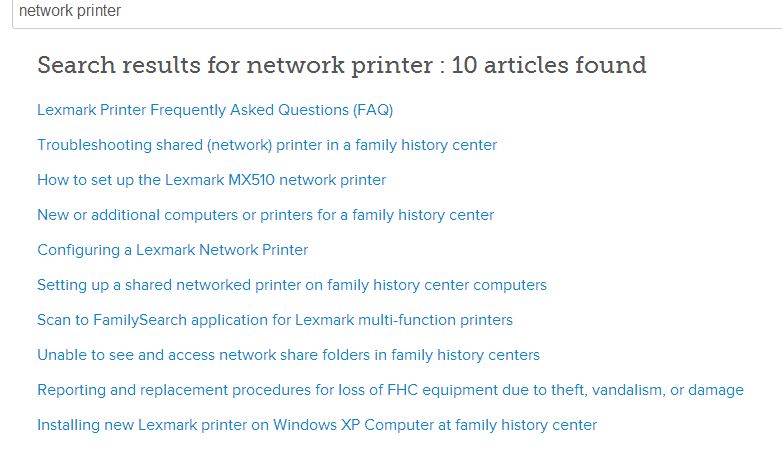
I checked the website and found some topics that came up by searching under "network printing". When I click on the topics, it ways "We are unable to retrieve the document", so I think the website is having issues. Otherwise this looks to be a good resource.
๐Ÿ“Ž network printer.JPG (60.23 KiB)
Senior Member
#8
Please note that you must login to familysearch.org using your LDS Account to view the Help topics.
Dana Repouille, Plattsmouth, Nebraska
New Member
#9
drepouille wrote:Please note that you must login to familysearch.org using your LDS Account to view the Help topics.

Thank you Dana! That worked once I logged in.

Keith
:)
