Adding a repeating restriction - doesn't work

17 postsstarted by ahancey 3,991 viewsoriginal topic

New Member
#1
I am having trouble adding a repeating restriction. I can add a single restriction without any trouble. But if I create a repeating restriction, or edit a single restriction and change it to repeat once a week, it disappears from the restriction calendar completely. Any ideas or help would be appreciated.

Thanks.
Community Administrator
#2
ahancey wrote:I am having trouble adding a repeating restriction. I can add a single restriction without any trouble. But if I create a repeating restriction, or edit a single restriction and change it to repeat once a week, it disappears from the restriction calendar completely. Any ideas or help would be appreciated.
I just tested it and it still works fine for me. Perhaps if you shared your detailed steps it might be clearer what is going wrong.

One odd idea occurred to me: when you create a repeating restriction (or event), your eye is drawn to the right-hand side of the screen, which is where the red Delete Restriction button also is. Is there any chance you intend to save the restriction (which you would do by clicking the Update Restriction button in the lower left corner), but without reading closely you are clicking the Delete Restriction button instead?
Questions that can benefit the larger community should be asked in a public forum, not a private message.

Member
#3
TinMan raises his hand...

Been there, done that.

It is like the gas pumps I use all the time. There is an option for printing a receipt. The problem is the "no" button is green and the "yes" button is red.
New Member
#4
I am positive I am not hitting the delete button, didn't even notice it until you mentioned it. I'll post images below.

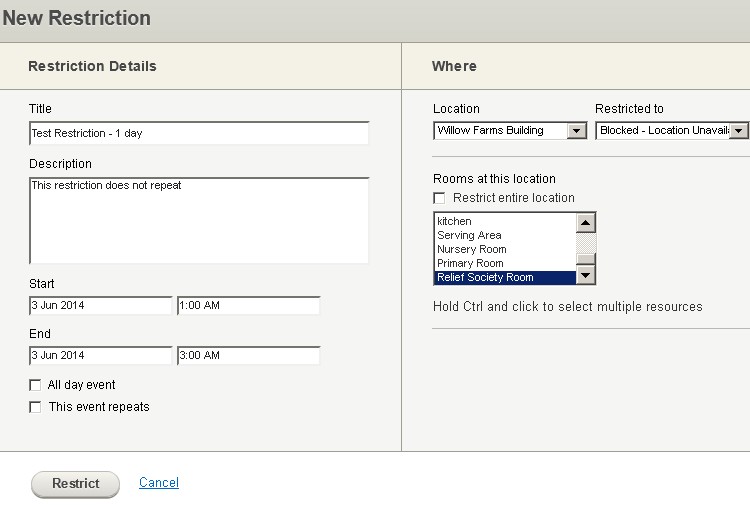
Following is the setup for a single restriction, for one block of time and no repetition. I clicked on 'Restrict' when complete.
1-day.jpg
Single Day Restriction setup
(49.21 KiB) Downloaded 541 times
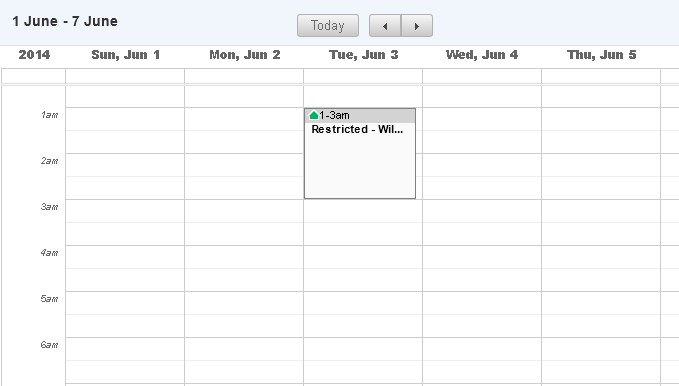
The follow is what shows up on the restriction page...so it worked.
Single Restriction Shows Up.jpg
(32.78 KiB) Downloaded 541 times
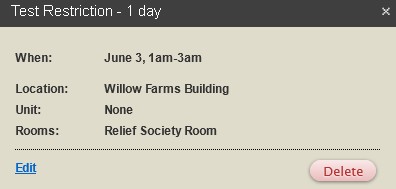
When I click on the restriction once, here are the details of the restriction. I'm not sure if it is a problem that the unit indicates 'none'.
Details of Single Restriction.jpg
Details of Single Restriction.jpg (12.73 KiB) Viewed 2602 times
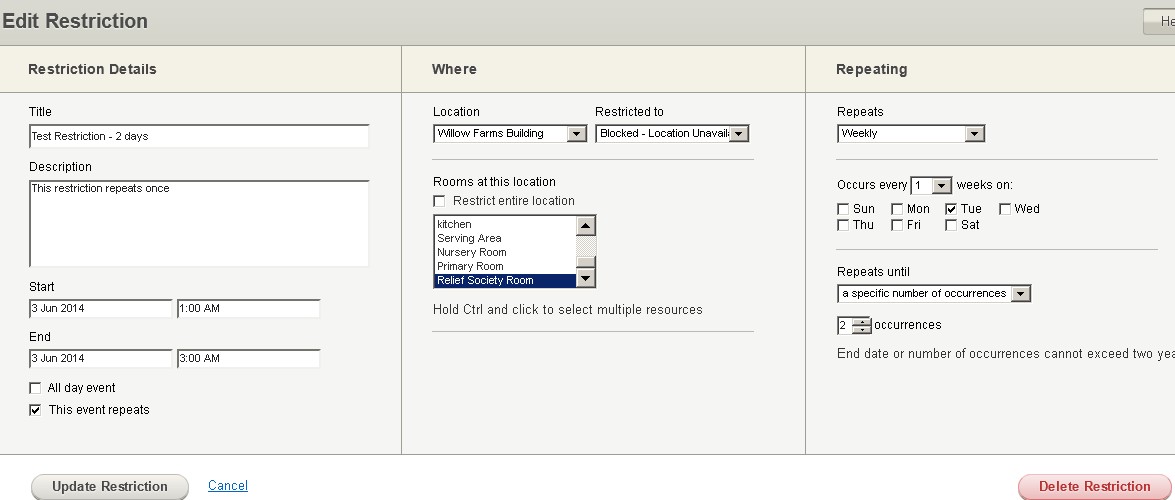
Next, I click the edit button on the restriction info box and make the following changes. Then I click the Update Restriction on the bottom left.
Edit Restriction to Add Days.jpg
(78.58 KiB) Downloaded 541 times
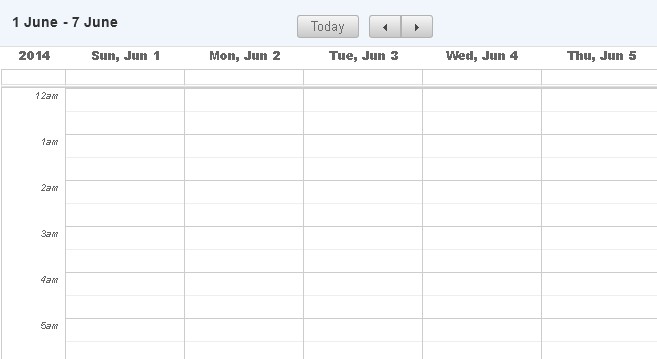
So here is the Restriction Page after Clicking Update Restriction.
Restriction Screen after Change.jpg
(28.88 KiB) Downloaded 541 times
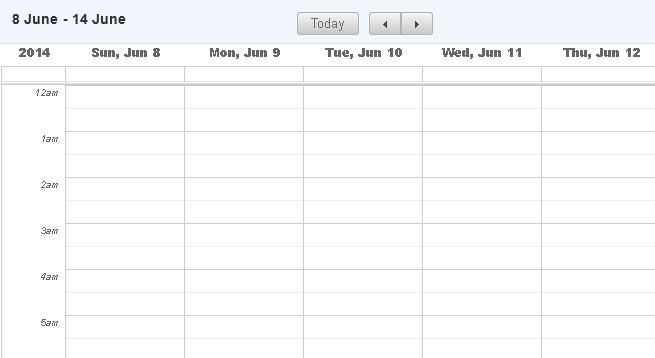
The restriction is gone. It doesn't show up in the following week either.
Next week.jpg
(27.63 KiB) Downloaded 541 times


Am I missing something?
Community Administrator
#5
ahancey wrote:When I click on the restriction once, here are the details of the restriction. I'm not sure if it is a problem that the unit indicates 'none'.
Thanks for the details. I can now duplicate the problem. It seems to only apply to "Blocked - Location Unavailable" restrictions, but works fine for restrictions that apply to a unit.

I almost never use Blocked restrictions -- it's almost always better to use an event rather than a Blocked restriction. I say "almost" because there are some valid use cases. But what is it you are trying to accomplish with this restriction? Is there a reason you're not assigning this restriction to a particular ward or the stake?
Questions that can benefit the larger community should be asked in a public forum, not a private message.
Community Administrator
#6
I've passed this along.
Have you searched the Help Center? Try doing a Google search and adding "site:churchofjesuschrist.org/help" to the search criteria.

So we can better help you, please edit your Profile to include your general location.
New Member
#7

Cannot create repeating restrictions

Hello,

Lately I have not been able to create repeating calendar restrictions. I can create a single restriction. I've tried modifying the single restriction to a repeating restriction but then the restriction disappears. In both cases, after I hit submit(new repeating restriction or modifying existing restriction), nothing is there.

Any ideas?
P.S. I'm a stake exec sec
Community Administrator
#8

Re: Cannot create repeating restrictions

rdjamis wrote:Lately I have not been able to create repeating calendar restrictions.
I've merged your post with an existing thread on the problem. The developers are aware of it.
Have you searched the Help Center? Try doing a Google search and adding "site:churchofjesuschrist.org/help" to the search criteria.

So we can better help you, please edit your Profile to include your general location.
Member
#9
Any timeline for fixing this? We usually set up restrictions for all of the buildings in the Stake for Tuesday, Wednesday and Thursday (for ward Mutual nights and ward RS mid-week meetings). The restrictions block the entire building; and all rooms in the buildings. The wards know who has which rooms on which nights; the restriction prevents others from booking the building for parties or whatnot.

I suppose I could create a repeating event, but am concerned that someone might "help" me by adjusting it to the detriment of the wards.

Any other suggestions?
Community Administrator
#10
mwgbell wrote:Any timeline for fixing this?
Not any that has been communicated to me.

mwgbell wrote:Any other suggestions?
Encourage the wards to create events. That will block off the rooms and as a bonus, place the events on their calendars.

If they encounter an "intruder", have them inform you. But by in large, most people with calendar edit ability will know the "rules" and it probably won't be a problem.
Have you searched the Help Center? Try doing a Google search and adding "site:churchofjesuschrist.org/help" to the search criteria.

So we can better help you, please edit your Profile to include your general location.
Community Administrator
#11
mwgbell wrote:Any timeline for fixing this? We usually set up restrictions for all of the buildings in the Stake for Tuesday, Wednesday and Thursday (for ward Mutual nights and ward RS mid-week meetings). The restrictions block the entire building; and all rooms in the buildings. The wards know who has which rooms on which nights; the restriction prevents others from booking the building for parties or whatnot.
...
Any other suggestions?
The current problem applies only to "Blocked" restrictions, which is what you are using, but which is really not the right thing to do in your scenario. You want any of the wards in the building to be able to use the building; you're just trying to save some time by using a "Blocked" restriction rather than individual restrictions for each ward. Your approach is treating the Calendar simply as a means for booking the building, and ignoring the great benefits that come from allowing wards to put specific events on the calendar as a means for communicating what events are happening when and where. Using events allows this communication, which will enable events to show up on calendars that members sync to their personal calendars, including smart phones.

In any case, there's a fairly simple step you can take right now that will work around the current bug with "Blocked" restrictions, and also allow each ward to schedule events on those days, if they want to. Just replace each of your "Blocked" restrictions with a repeating restriction for each ward that uses the building. So if Ward A and Ward B meet in Building 1, you just add 2 repeating restrictions for Tue/Wed/Thu for the entire building for every week, one for Ward A, and one for Ward B. If Ward C, Ward D, and Ward E meet in Building 2, you just add 3 repeating restrictions for Tue/Wed/Thu for that entire building for every week.

When you use restrictions this way (for multiple wards for the same dates for the same building), the restrictions don't conflict with each other, but simply block all other wards. So in my example, either Ward A or Ward B could schedule any event on Tue/Wed/Thu in Building 1. But no other ward in the stake could schedule anything in Building 1 on those days.

The net result of this approach would be quite similar to what you have now, in that no ward outside the wards assigned to each building would be able to book the buildings. But you will have successfully worked around the bug with Blocked restrictions and you'll open the possibility for the wards within the buildings to actually create events. You'll even have a better foundation set up if you want to adjust those restrictions to be more targeted for rooms and dates for particular wards, but that's totally optional and could be done later.
Questions that can benefit the larger community should be asked in a public forum, not a private message.
New Member
#12
This doesn't solve the problem when the event is for a personal (non-church) related event. If I understand things correctly, blocked is the way to do personal events.
Community Administrator
#13
codyschouten wrote:This doesn't solve the problem when the event is for a personal (non-church) related event. If I understand things correctly, blocked is the way to do personal events.
With the changes in how blocked is handled, it could work. But personally I'd suggest having a calendar set aside for personal events.
Have you searched the Help Center? Try doing a Google search and adding "site:churchofjesuschrist.org/help" to the search criteria.

So we can better help you, please edit your Profile to include your general location.
Community Administrator
#14
codyschouten wrote:This doesn't solve the problem when the event is for a personal (non-church) related event. If I understand things correctly, blocked is the way to do personal events.
No, that's not the way to book personal events. The documentation is quite clear on that point, and it has never been recommended, as far as I can remember.

An actual calendar event is the way to book an event, period. If it's a personal event, put it on a private calendar. Restrictions exist only to stop people from booking events, and should never be used in place of an event.
Questions that can benefit the larger community should be asked in a public forum, not a private message.
New Member
#15
My problem is that I am trying to create a "location unavailable" repeating restriction. The reason is this - we have an addictions group that holds meetings in our building (since the church is selling our seminary buildings that used to be perfect for this). We don't want an event on the calendar because it is a confidential meeting, but we don't want anyone to be able to schedule the space either - if we do a restriction for the stake, stake leaders can then go in and take the space when putting an event on the calendar. Do I really have to go in 52 times to reserve each weekly meeting space as unavailable?
Community Administrator
#16
eyordy wrote:Do I really have to go in 52 times to reserve each weekly meeting space as unavailable?
I'd make a private calendar with a nondescript name. The event will than appear as "private event".
Have you searched the Help Center? Try doing a Google search and adding "site:churchofjesuschrist.org/help" to the search criteria.

So we can better help you, please edit your Profile to include your general location.
New Member
#17
Great idea. In fact I am going to create a private calendar for more of our presidency only events.