New tech in for stake conference

40 postsstarted by rl_albright 12,172 viewsoriginal topic

#1
Well we just finished our first stake conference with the new technology that was installed in our building by my work. (I work for an A/V company) We upgraded all of the modulators to digital equipment, ran new lines in the building (old wiring was RG-59, upgraded to RG-6QS Plenum), added ability to have a DVD or other source played by default over the 70V overhead system, mounted a projector to the ceiling of the cultural hall (with a removable pole and dedicated power), 2 PTZ cameras with RS-232 control and many more things.

I did all of the tech for this conference, and it turned out sweet. We used my home computer to run Wirecast for all of the video processing, I used a 8 channel mixer (with a EJ-8 crab box) to mix computer audio into the 70V system (and also send the audio to the modulators which played in all of the peripheral rooms). Some of the tech things my stake president wanted was to show a web page during the evening session (was used to convert an individual that he had come to the pulpit), play a video (I'll Go Where You Want Me To Go from the Hastening the Work of Salvation broadcast, which I re-mixed adding the subtitles into the video), used another EJ-8 box so that the stake president could tele-conference from the pulpit with a member who was away at BYU (and couldn't make it to conference) and set it up so that we could hear everything she said in the phone, broadcast a few powerpoint presentations, did picture in picture for ASL, and lower thirds for hymn words. I had ethernet control over the projectors in the building, so in the chapel I could AV mute the picture when it wasn't needed.

And I ran this whole thing by myself!! <--- Yes I am a bit crazy!!

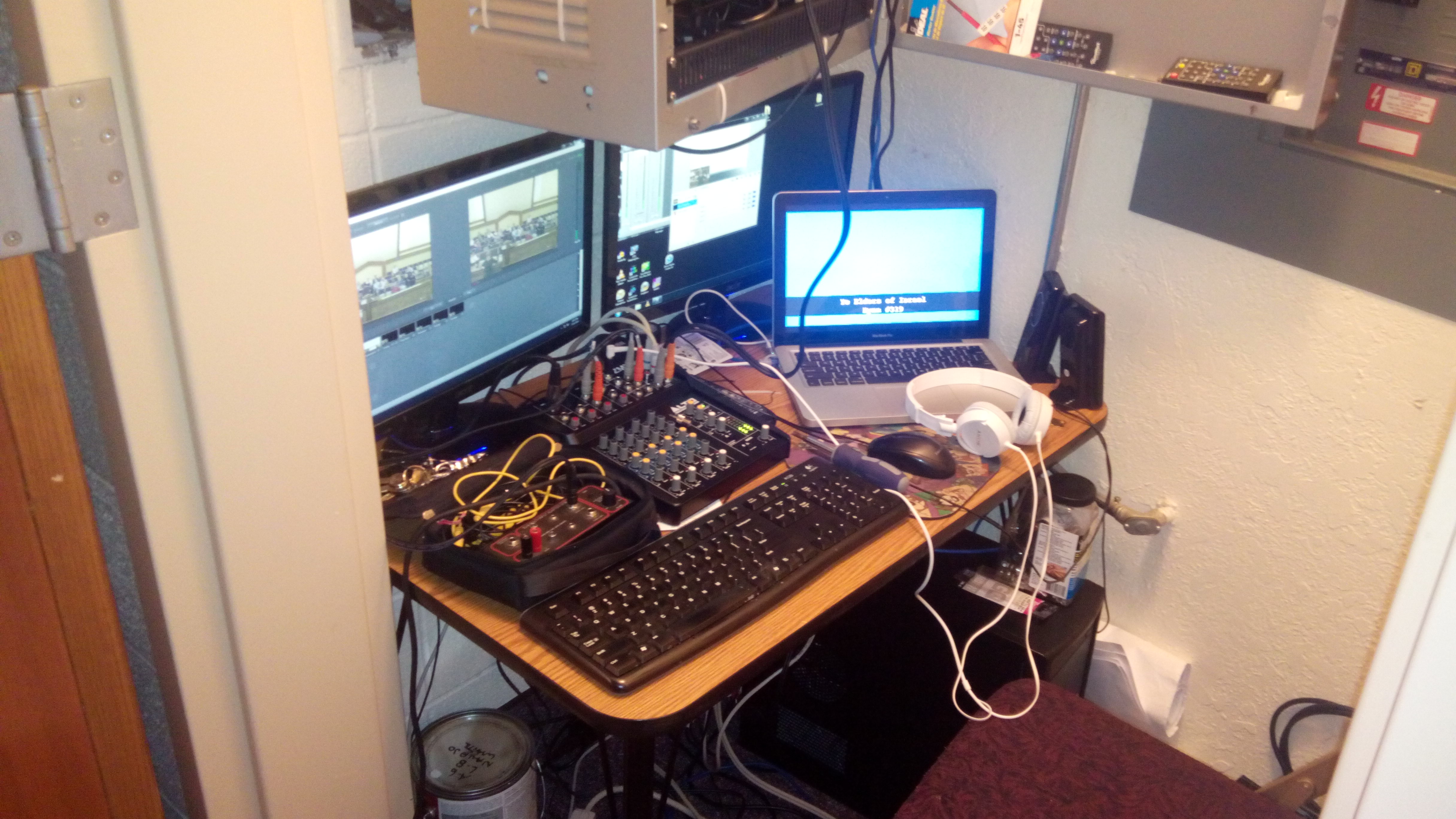
Here is my setup from a far:
2014-03-16 19.59.31.jpg
(1.54 MiB) Downloaded 1247 times
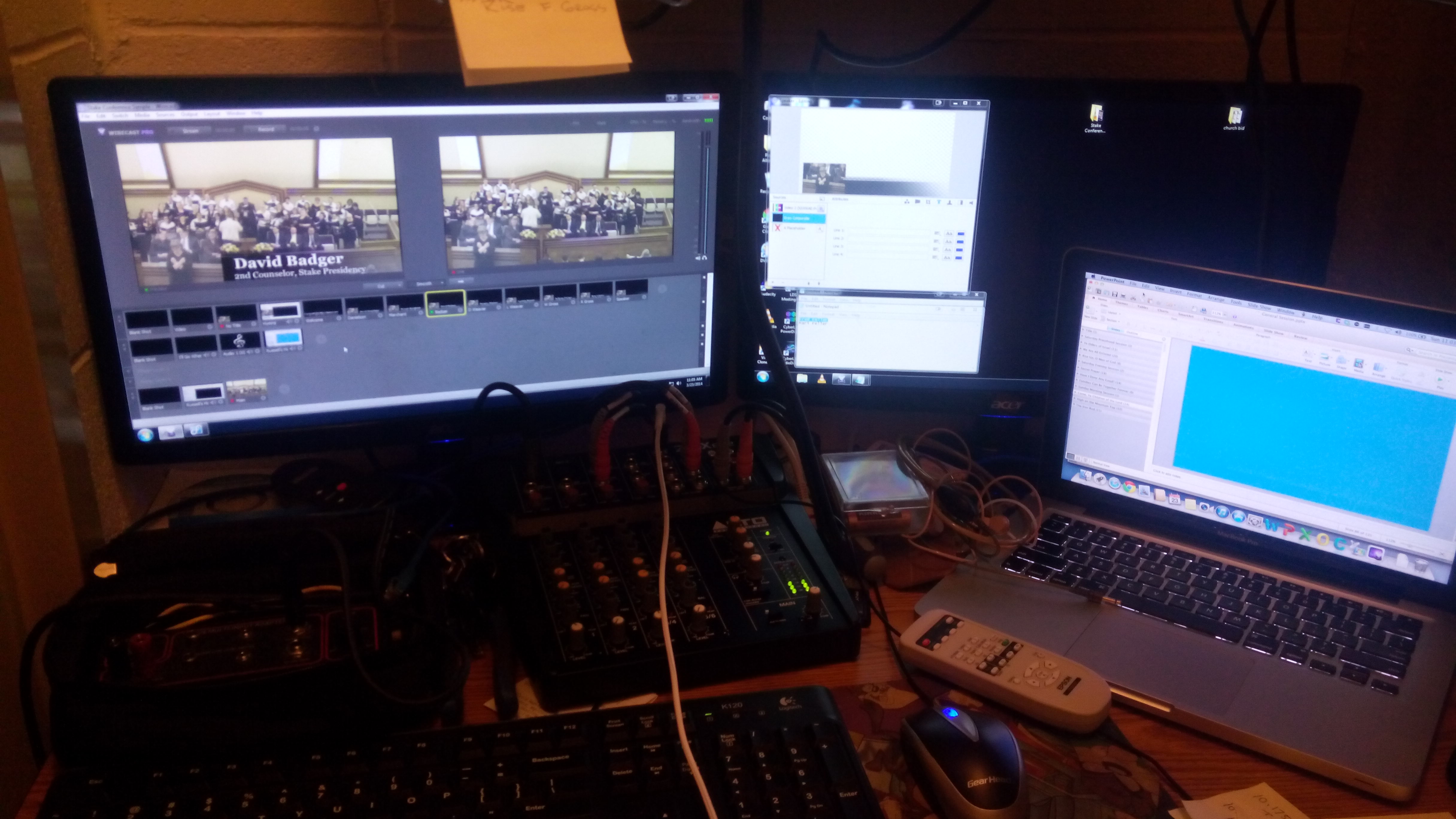
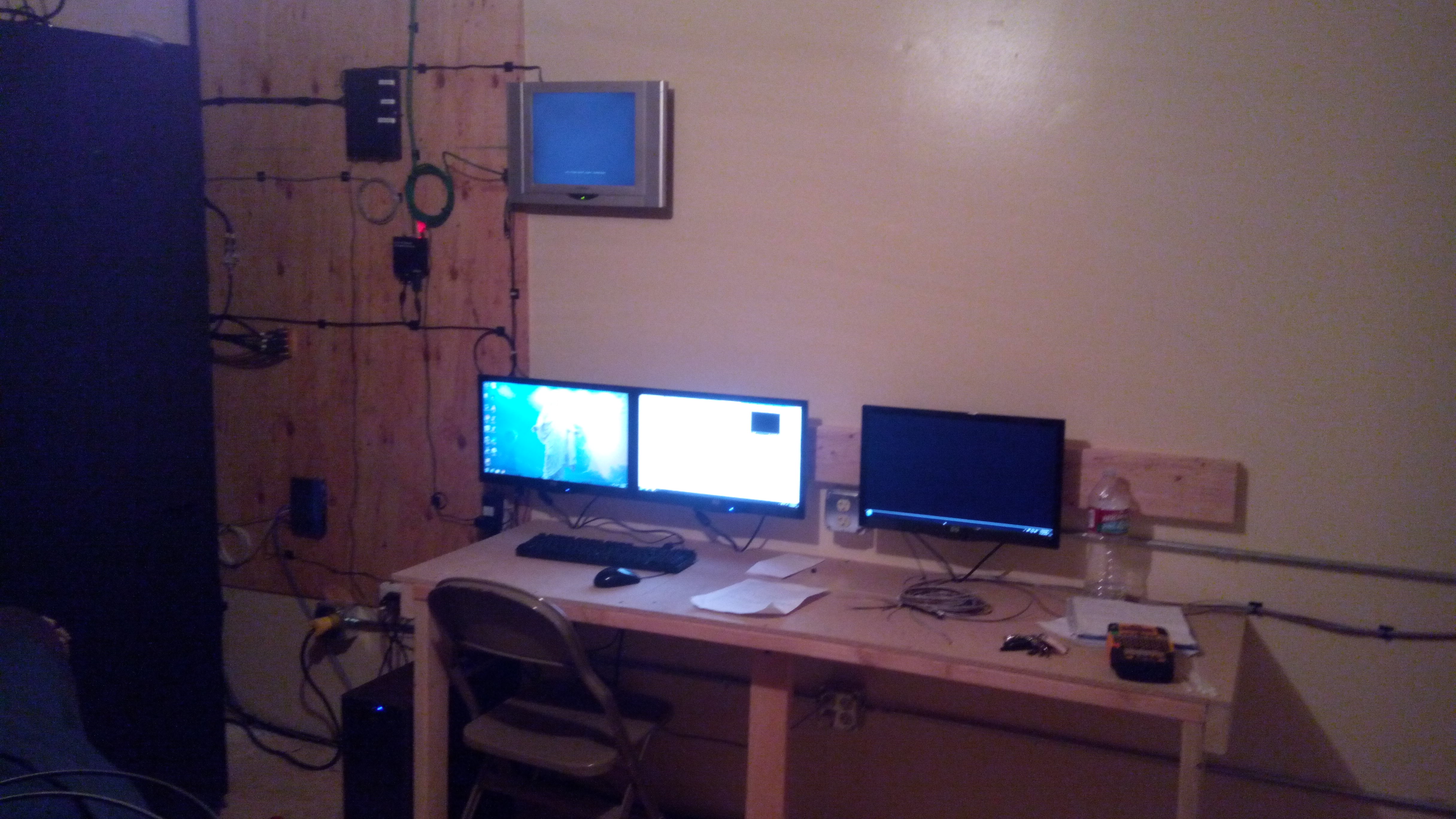
Here is a close up of the monitors running the system (notice there are 2 monitors on that little table with a Macbook, a mixer and an EJ-8):
2014-03-23 11.03.15.jpg
(1.11 MiB) Downloaded 1247 times
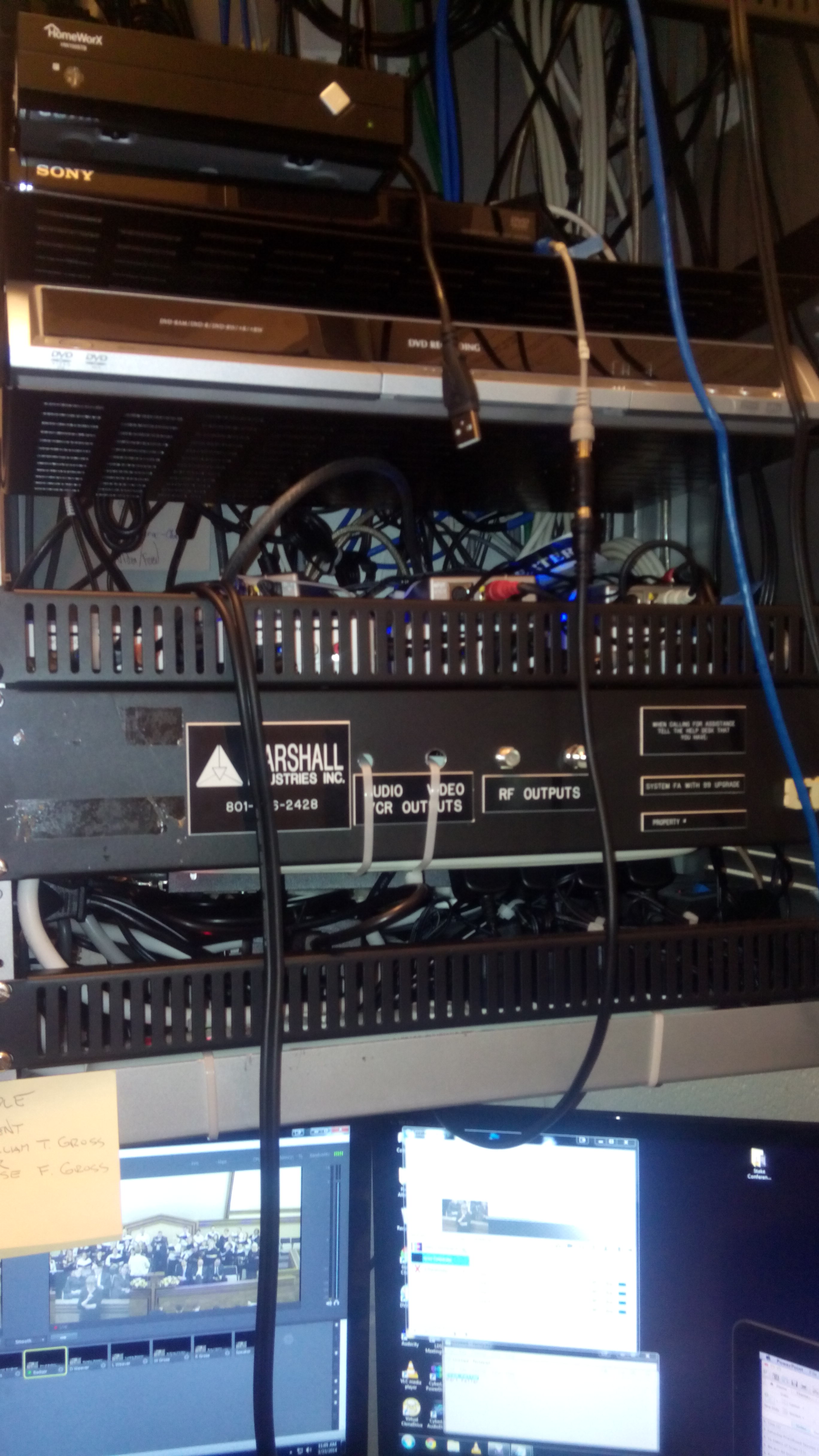
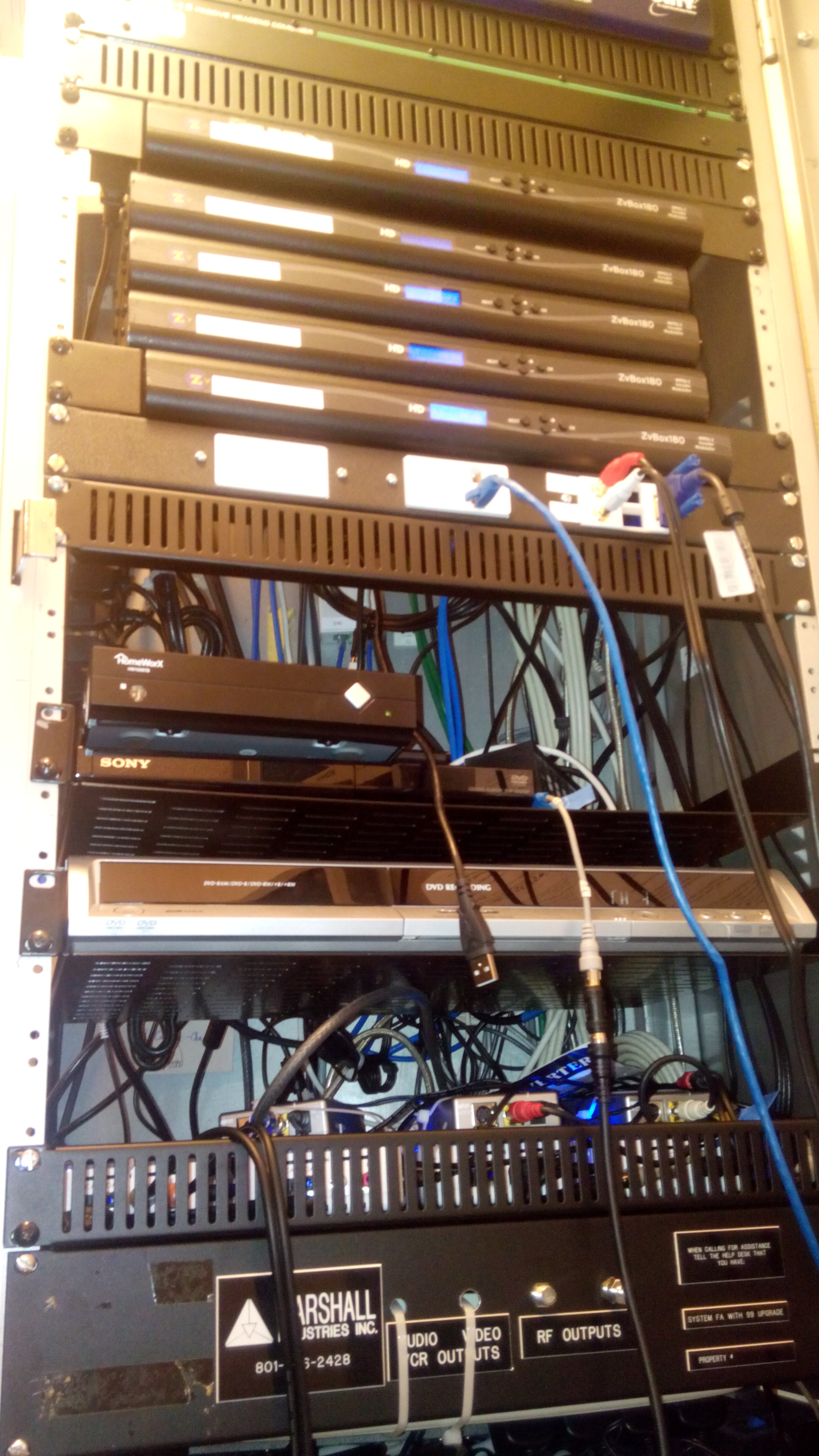
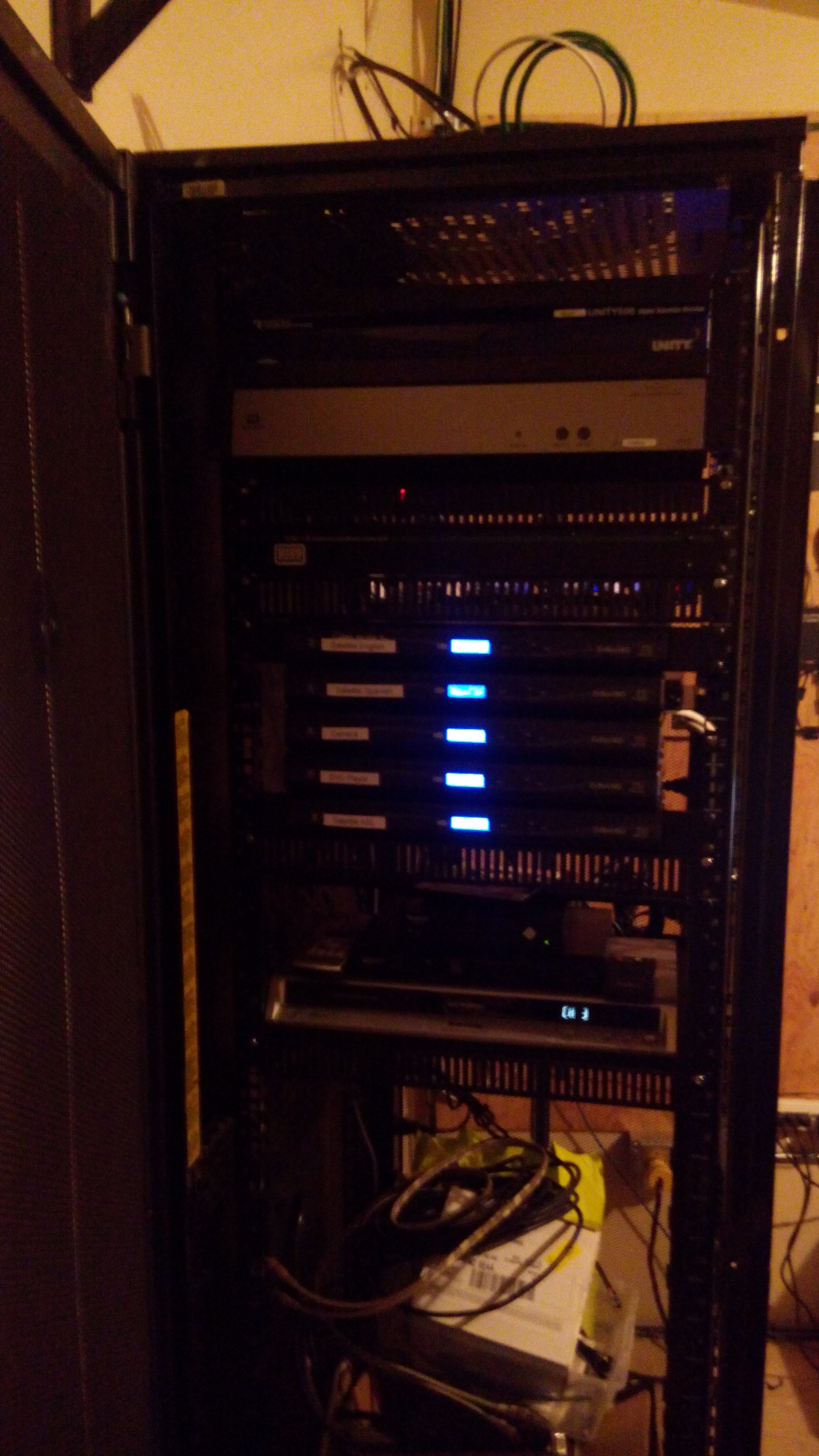
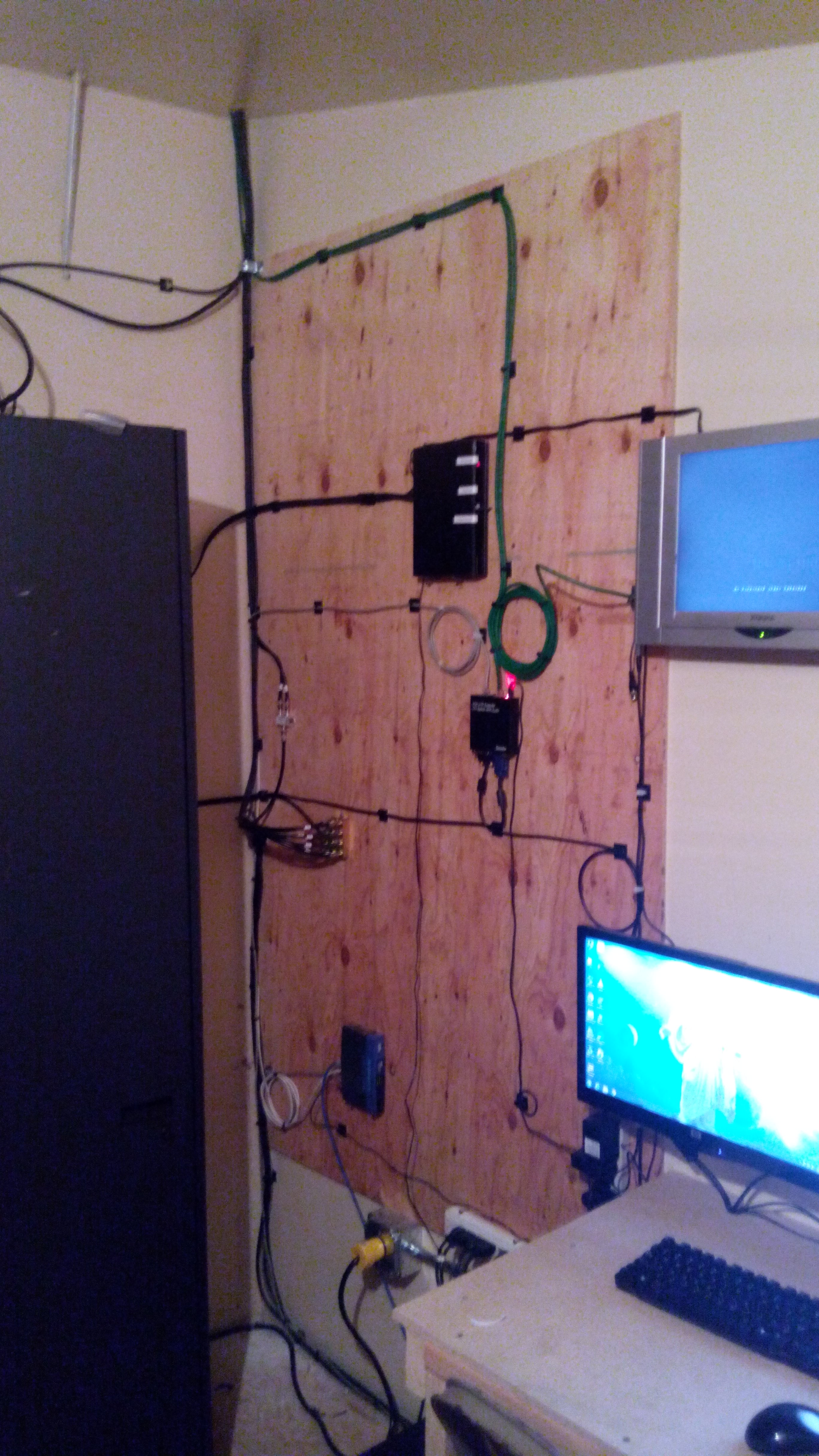
Here is pictures showing the placement of everything in the AV closet:
2014-03-23 11.03.24.jpg
(1.22 MiB) Downloaded 1247 times
2014-03-23 11.03.29.jpg
(1.69 MiB) Downloaded 1247 times
#2
And the video to the projectors was done via VGA so the picture was crystal clear. I have even more plans of how to setup stuff for the next stake conference, but now it is time for some sleep as I don't think I slept very much this last weekend.
Community Administrator
#3
rl_albright wrote:We upgraded all of the modulators to digital equipment, ran new lines in the building (old wiring was RG-59, upgraded to RG-6QS Plenum), added ability to have a DVD or other source played by default over the 70V overhead system, mounted a projector to the ceiling of the cultural hall (with a removable pole and dedicated power), 2 PTZ cameras with RS-232 control and many more things.
Quite ambitious. I hope you worked with FM on all of this. After all, it's their equipment rack and their building.
Have you searched the Help Center? Try doing a Google search and adding "site:churchofjesuschrist.org/help" to the search criteria.

So we can better help you, please edit your Profile to include your general location.
Community Moderators
#4
Wow! You could broadcast a General Conference from your building... :)
Samuel Bradshaw • If you desire to serve God, you are called to the work.
#5
russellhltn wrote:
rl_albright wrote:We upgraded all of the modulators to digital equipment, ran new lines in the building (old wiring was RG-59, upgraded to RG-6QS Plenum), added ability to have a DVD or other source played by default over the 70V overhead system, mounted a projector to the ceiling of the cultural hall (with a removable pole and dedicated power), 2 PTZ cameras with RS-232 control and many more things.
Quite ambitious. I hope you worked with FM on all of this. After all, it's their equipment rack and their building.
Yep, the FM group was kept in the loop across the whole process, and they even paid for a considerable portion of the upgrades. I have an awesome FM group here, and would trade them for anything.
#6
sbradshaw wrote:Wow! You could broadcast a General Conference from your building... :)
That is what a lot of people were thinking while they were watching the conference. They loved it. Now to see about upgrading to a bigger room. (We have an obscure storage room that is above one of the classrooms on the stage, that is accessible by a pull down ladder) If I can do this, it would make it even better, as more than one person could be running the show, which frankly when that much is going on, it is needed. And then I could train others on how to do what I did.

But above all, that was a lot of fun.
#7
Well, the stake president of my stake wanted me to add ASL for the satellite in the stake center (as the deaf unit for an 11 stake region now meets in that building). I told him that yes that could be done, but we would need to move all of this equipment into a different room, I showed him the obscure storage room above the stage (accessible by drop-down ladder), and he has given me the go ahead. I then spoke to my FM group, and they gave me the go-ahead. I will post pics when I am done with everything. But this is going to be FUN!! <-- and that is not sarcastic.

Now to get to work on this new project.
Community Administrator
#8
That's unusual. I would have had the FM group move the cabinet.
Have you searched the Help Center? Try doing a Google search and adding "site:churchofjesuschrist.org/help" to the search criteria.

So we can better help you, please edit your Profile to include your general location.
#9
russellhltn wrote:That's unusual. I would have had the FM group move the cabinet.
Well normally you would have the FM Group do that work, but my FM group manager (who is very cool) and I agreed to make sure that everything works as needed, that I would manage this project of moving the equipment to the new area. I have thus far gotten a new full size server cabinet installed, a 6 ft custom built workbench, and electrical work done (the electrical was handled by the FM group). I will post pictures when it gets further along.
Member
#10
rl_albright wrote:
russellhltn wrote:
rl_albright wrote:We upgraded all of the modulators to digital equipment, ran new lines in the building (old wiring was RG-59, upgraded to RG-6QS Plenum), added ability to have a DVD or other source played by default over the 70V overhead system, mounted a projector to the ceiling of the cultural hall (with a removable pole and dedicated power), 2 PTZ cameras with RS-232 control and many more things.
Quite ambitious. I hope you worked with FM on all of this. After all, it's their equipment rack and their building.
Yep, the FM group was kept in the loop across the whole process, and they even paid for a considerable portion of the upgrades. I have an awesome FM group here, and would trade them for anything.
Fantastic!! I'll send you an old, dead, 19" TV from the 80s. Cart not included.

Send us your FM Group personnel in return please!
Senior Member
#11
Yeah, I love how Stakes and Wards are successful in so many areas based on personalities rather than requirements or policies.
“A long habit of not thinking a thing wrong, gives it a superficial appearance of being right, and raises at first a formidable outcry in defense of custom.”
― Thomas Paine, Common Sense
New Member
#12
rl_albright, I'm curious to know more about how you got the feed from Wirecast to the remote buildings. And did you use the Studio or Pro version of Wirecast?

I've been wanting to improve our broadcast system for awhile and it looks like you have figured out a lot of the things I'd like to do!
#13
jrwagz wrote:rl_albright, I'm curious to know more about how you got the feed from Wirecast to the remote buildings. And did you use the Studio or Pro version of Wirecast?

I've been wanting to improve our broadcast system for awhile and it looks like you have figured out a lot of the things I'd like to do!
JRwagz:

Well I am still in the process of the overhaul of the old Ham radio loft at the stake center, converting it over to a fully functional control center. I will post a few pictures to wet your palette. So how we are doing things is as follows:

He have a dedicated system that is running a 4.0Ghz quad core with 16GB RAM, 256GB SSD, 2GB video card that is running 3 monitors, and a Magewell XI006-PCIE capture card. That is the hardware side of the computer, whatever is fed to the 3rd monitor is what is fed out to the rest of the building. The 3rd monitor on the computer system is fed into a Video splitter, that splits the feed to 2 devices (one is the monitor, the other is a 2x1 VGA balun transmitter) that transmitter has an "output" VGA which then plugs into a ZV180 digital modulator box which is fed into the in-house TV channel system within the building. The balun then feeds out to 2 receivers, one in the cultural hall for a ceiling mounted projector (which is removable when not in use) and another into an automatic VGA switching device in the chapel. The automatic VGA switching device has as its primary source a VGA balun set that goes from the stake clerk's desk (behind the sacrament table) to the pulpit, this allows a speaker to utilize a projector when needed but not have to have their laptop right next to the pulpit.

For video inputs, the Magewell XI006 capture card allows 6 composite inputs at 30 FPS, the inputs that we are utilizing are as follows:
Input 1: Sony EVI-D70 (Main speaker)
Input 2: Sony EVI-D30 (ASL Interpreter)
Input 3: Chapel camera input at rear of chapel (not used regularly, but available if needed)
Input 4: Satellite English Video stream
Input 5: Satellite ASL Video stream
Input 6: Control room DVD Player
We capture the satellite video streams for those special stake conferences that are broadcast out of SLC where we open the meeting and then turn it over to SLC.

For audio, I am running a dedicated audio system with its own mixer straight into the AV control room loft. 6 XLR inputs will be permanently installed in the chapel (still working on this bit), with 2 inputs on either side of the organ subwoofer surround and 2 inputs located inside the pulpit cabinet. (I am going big on this with the number of inputs as 10 years from now, we may need more inputs, but for right now at any given stake conference only 3-4 are currently used: Pulpit, Wireless mic, 2x choir microphones). These XLR audio lines are then fed back directly to a Yamaha mixer located in the control room loft, which also ties the video processing computer into it as well, which then has its output fed into an A/B switch off of the satellite receiver. This cable then goes back to the in-house audio cabinet and into input 5 of the Ivie 884+ Matrix audio switcher for the building. (Input 5 is designated for the satellite feed, and utilizing the A/B switch allows for the leadership to turn on standard satellite audio and it will feed through the 70V overhead speakers as before, but with one flip of a switch in the control room, the feed is then coming from the mixer.

We are utilizing the Studio version of Wirecast 5.0 (as I was able to procure that through a previous job and received a personal license for it, which I then transferred to the stake). For simple one way communication out from the stake center to our outlying buildings I am utilizing the Meetinghouse Webcasting software, and in the remote buildings we have high councilor provided laptops which stream the broadcast from the laptop to the projector and audio is fed into the crab box into their sound system.

I have been asked about the feasibility of doing 2-way audio/video during larger meetings (stake conference/trainings, etc), and I am attempting to do this. (I say attempting as I have not finished installing all of the equipment yet, so have been unable to fully test this out. However it was worked fairly well within my own home in a test environment.) My plans for accomplishing this is through the PVC software. I would have wirecast fed into Vidyo, and then through the control room interface I could mute/unmute video feeds from the other buildings. (This would be done at the remote sides through a $100 webcam and a descent laptop in each of the remote buildings). This should allow us to hold larger stake conferences (as we are nearing or may be over capacity in our current building during stake conference) and will allow us to have speakers in the other buildings.

My first dry run of everything is currently set for the first week of August, as the stake president would like to hold a meeting with the 2-way audio/video (if possible) on September 7. So most of my spare time is currently spent at this stake center, running cables and setting this equipment up.

The reason I was able to get this approved is for multi-stake use. When a neighboring stake needs to do a broadcast of some kind, they could travel to our stake center and everything would be ready to go, rather than having them spend a lot of time and money renting equipment and setting it up within their own buildings.

And my FM group has been kept in the loop the ENTIRE time. (In case any of you whose eyes have glazed over.) :)

I have been pretty busy with this, but I am having a lot of fun working with it.
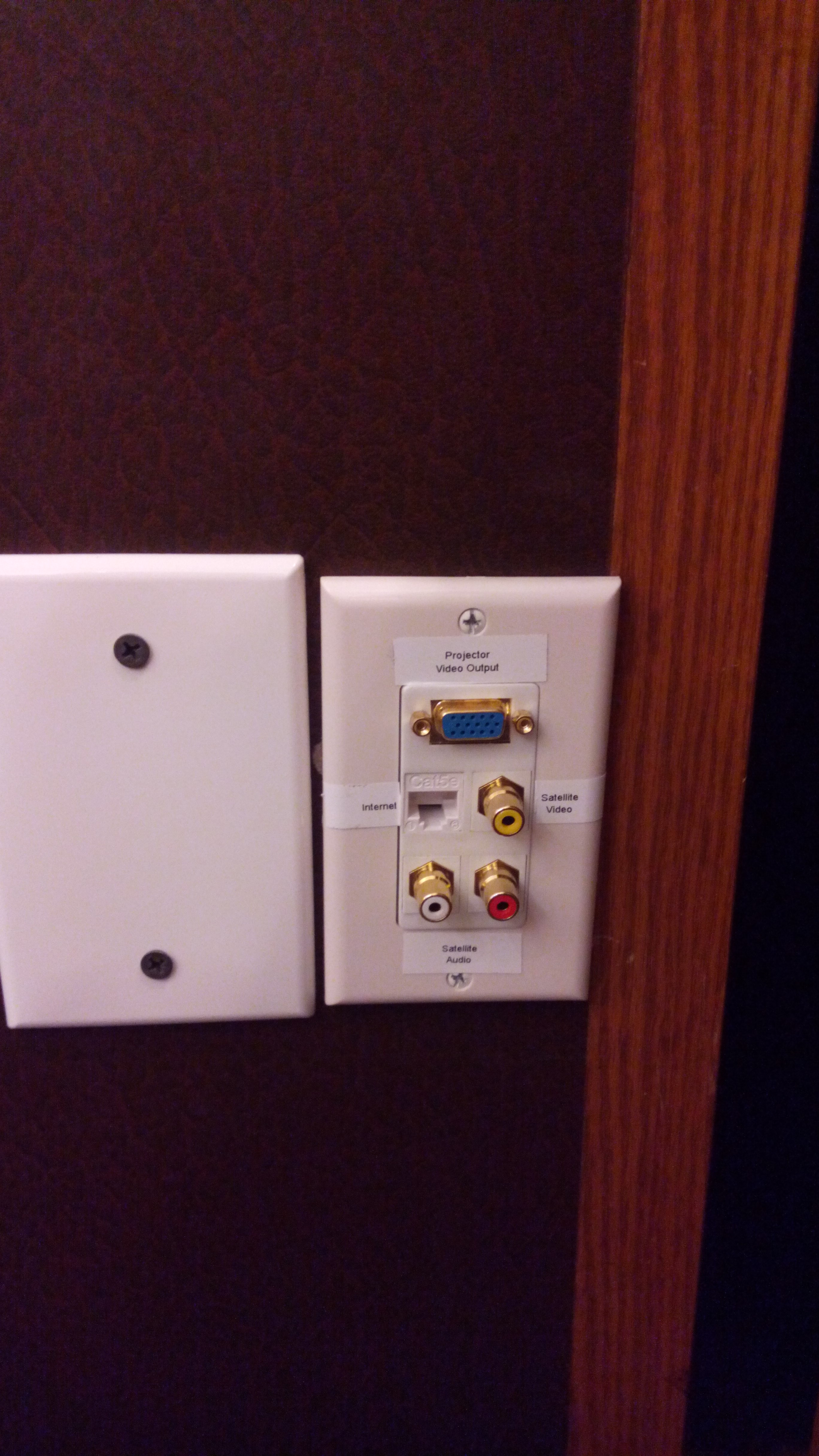
IMG_20140627_140244.jpg
wall plate at pulpit for VGA output, network connectivity and satellite AV output
(1.53 MiB) Downloaded 555 times
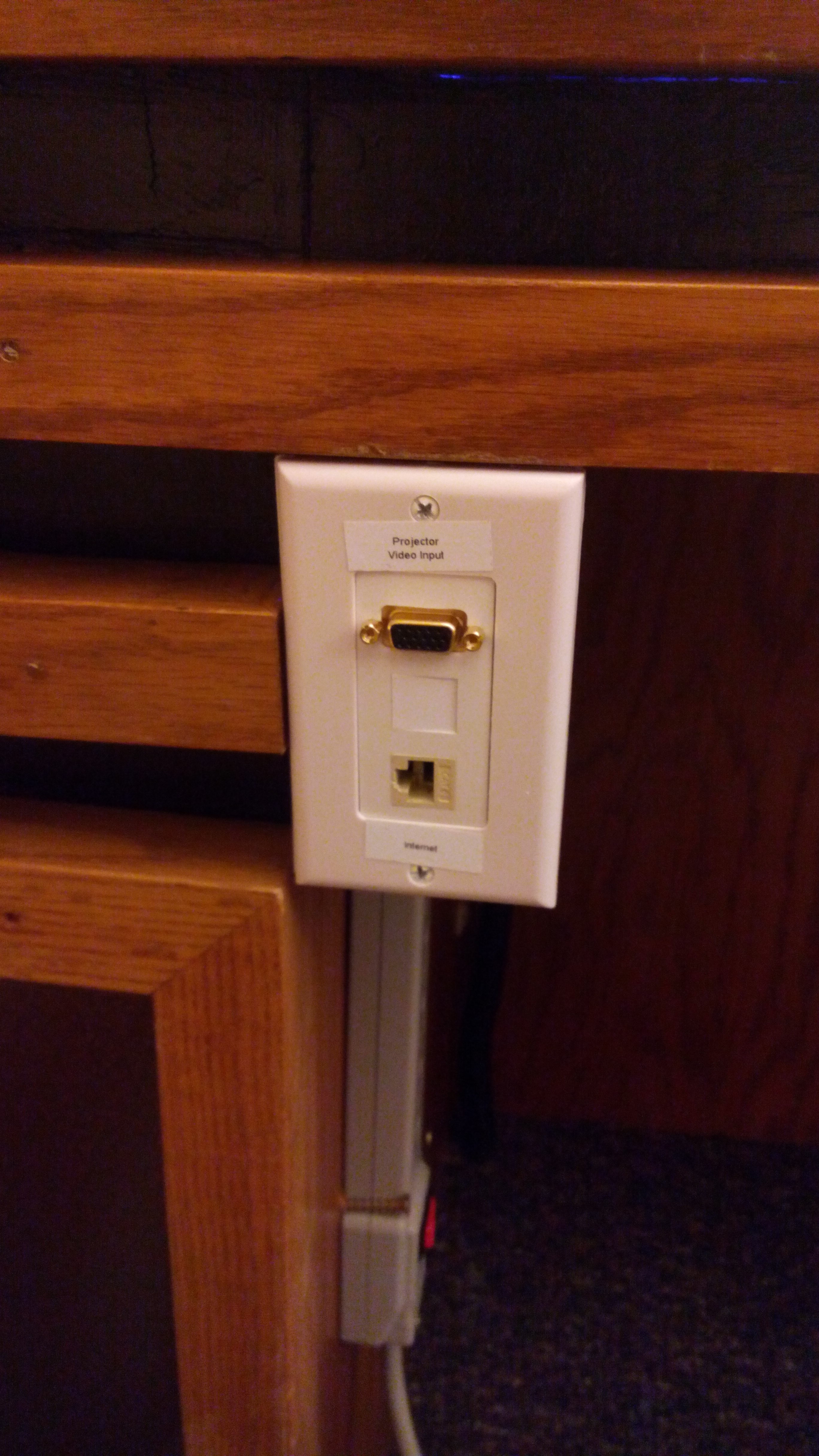
IMG_20140627_140313.jpg
wall plate at the stake clerk's desk with VGA input and network connectivity.
(1.59 MiB) Downloaded 555 times
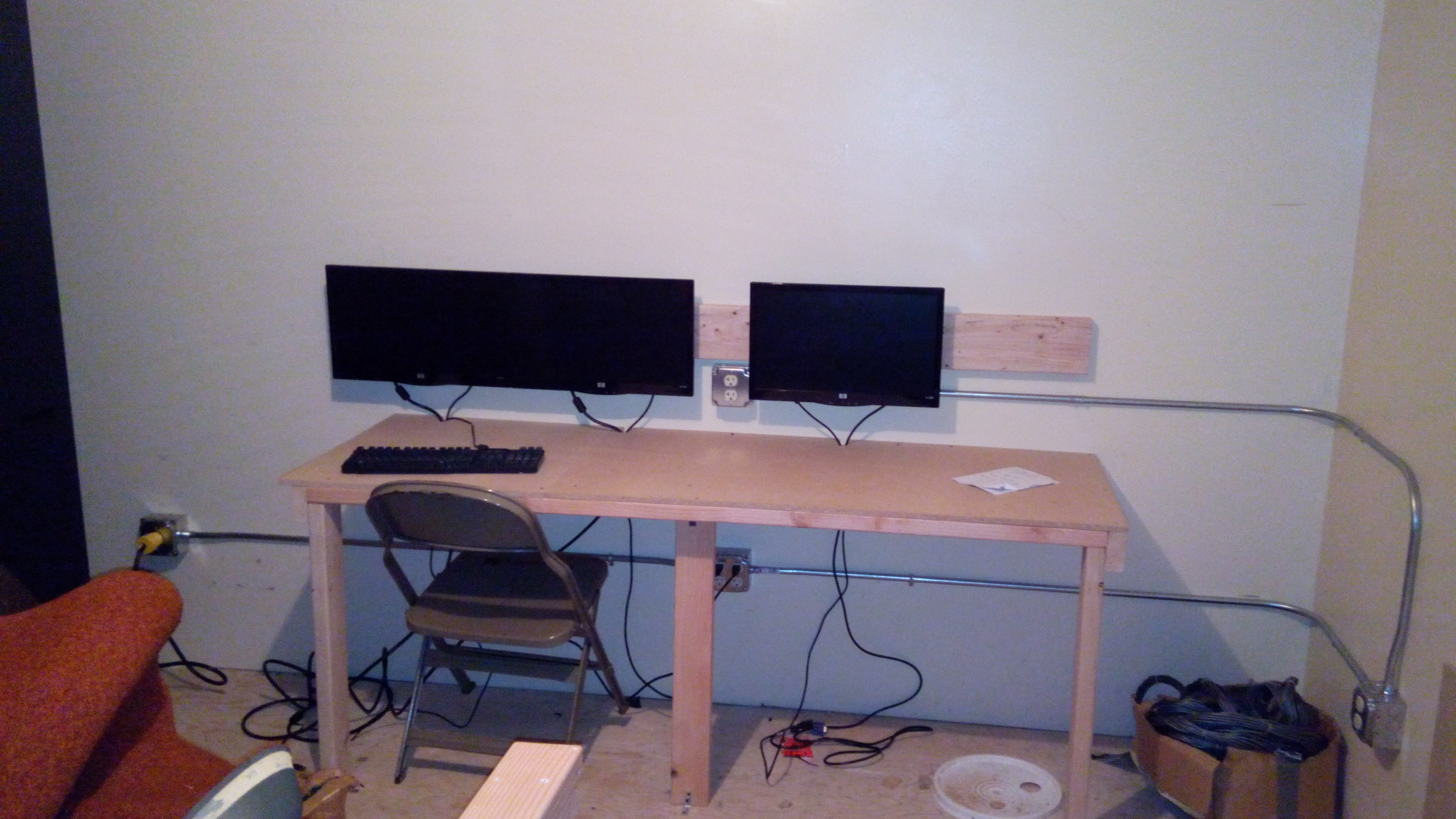
IMG_20140609_101248.jpg
Older photo showing the beginnings of the AV control room loft. (taken on 6/09, but a lot has changed since this photo was taken.)
(1.76 MiB) Downloaded 555 times
Community Administrator
#14
rl_albright wrote:My first dry run of everything is currently set for the first week of August, as the stake president would like to hold a meeting with the 2-way audio/video (if possible) on September 7. So most of my spare time is currently spent at this stake center, running cables and setting this equipment up.

The reason I was able to get this approved is for multi-stake use. When a neighboring stake needs to do a broadcast of some kind, they could travel to our stake center and everything would be ready to go, rather than having them spend a lot of time and money renting equipment and setting it up within their own buildings.
How are your leaders interpreting Handbook 2: 21.2.10? Or do you have connections to allow you to broadcast from rooms other than the chapel?
Have you searched the Help Center? Try doing a Google search and adding "site:churchofjesuschrist.org/help" to the search criteria.

So we can better help you, please edit your Profile to include your general location.
#15
russellhltn wrote:
rl_albright wrote:My first dry run of everything is currently set for the first week of August, as the stake president would like to hold a meeting with the 2-way audio/video (if possible) on September 7. So most of my spare time is currently spent at this stake center, running cables and setting this equipment up.

The reason I was able to get this approved is for multi-stake use. When a neighboring stake needs to do a broadcast of some kind, they could travel to our stake center and everything would be ready to go, rather than having them spend a lot of time and money renting equipment and setting it up within their own buildings.
How are your leaders interpreting Handbook 2: 21.2.10? Or do you have connections to allow you to broadcast from rooms other than the chapel?
Please refer to the exception to this policy 18.3.1, which is for stake conferences. This is what the system is primarily designed for. However last year a neighboring stake held a 33 stake welfare broadcast where they had to rent a lot of equipment to make this work, this system is designed for those meetings as well. This system does not interfere with standard church services and absolutely no broadcasting of normal church services or priesthood ordinances is being (or will be) done.

The only room that is being broadcast from is the chapel. That is where the cameras are located. Broadcasting into other rooms in the building is handled by the in house cable system.

The 2-way audio/video is for between buildings within their chapels only, and within the stake only.

Does this answer the question?
Community Administrator
#16
rl_albright wrote:Please refer to the exception to this policy 18.3.1, which is for stake conferences.
Correct. But it sounded like you had other meetings in mind.

rl_albright wrote:This is what the system is primarily designed for. However last year a neighboring stake held a 33 stake welfare broadcast where they had to rent a lot of equipment to make this work, this system is designed for those meetings as well.
A "welfare broadcast" doesn't sound like it fits the exception, but does sound like fits a unwritten "approved by a general authority" exception. ;)
Have you searched the Help Center? Try doing a Google search and adding "site:churchofjesuschrist.org/help" to the search criteria.

So we can better help you, please edit your Profile to include your general location.
Community Moderators
#17
russellhltn wrote:A "welfare broadcast" doesn't sound like it fits the exception, but does sound like fits a unwritten "approved by a general authority" exception. ;)
Neither would a multi-regional priesthood leadership meeting broadcast, or a broadcast of general auxiliary training for multiple regions. But we do them all the time. With permission.
Community Administrator
#18
lajackson wrote:Neither would a multi-regional priesthood leadership meeting broadcast, or a broadcast of general auxiliary training for multiple regions. But we do them all the time. With permission.
Personally, I think an important point here is that it's coming from someone higher than a stake president. At minimum, the area authorities are aware of it.
Have you searched the Help Center? Try doing a Google search and adding "site:churchofjesuschrist.org/help" to the search criteria.

So we can better help you, please edit your Profile to include your general location.
#19
russellhltn wrote:
lajackson wrote:Neither would a multi-regional priesthood leadership meeting broadcast, or a broadcast of general auxiliary training for multiple regions. But we do them all the time. With permission.
Personally, I think an important point here is that it's coming from someone higher than a stake president. At minimum, the area authorities are aware of it.
If my memory serves me correctly, I believe there was an Area Authority present at this welfare broadcast. And it was more of a training than anything else (I was only present for the latter half of the broadcast, as I had other things to take care of.)
Community Moderators
#20
"With permission" might also be read, "At the request of the presiding general authority or area seventy".
New Member
#21
rl_albright wrote: JRwagz:

Well I am still in the process of the overhaul of the old Ham radio loft at the stake center, converting it over to a fully functional control center. I will post a few pictures to wet your palette. So how we are doing things is as follows:
Wow, what an AWESOME setup. Thanks for the pointers on how you are making this work.

I was thinking at first that you were sending the broadcast video stream directly from the Wirecast software, but I now see that you have the Wirecast software drive a dedicated monitor, and then you take that monitor feed and pass it along to the Meetinghouse Webcast Communicator. Is this correct? Or are you running the Meetinghouse Webcast Software on this same PC that you are running Wirecast?

I know the Church is working on a new and improved version of the Webcasting system (see http://bcove.me/ktx9rjws), and I'm personally looking at ways I can improve our current system in conjunction with the new Webcasting system that will be coming out (although it's probably still a year or so away). Specifically I'm hoping to come up with a system for getting HD video into our Broadcast feed, currently we use SD for everything, and it looks fairly poor at the remote buildings. This has certainly given me some ideas to think about.

Has anybody else had any experience in attempting to Webcast Stake Conference in anything other than SD? What was your setup, and what were your findings?
#22
jrwagz wrote:Wow, what an AWESOME setup. Thanks for the pointers on how you are making this work.

I was thinking at first that you were sending the broadcast video stream directly from the Wirecast software, but I now see that you have the Wirecast software drive a dedicated monitor, and then you take that monitor feed and pass it along to the Meetinghouse Webcast Communicator. Is this correct? Or are you running the Meetinghouse Webcast Software on this same PC that you are running Wirecast?

I know the Church is working on a new and improved version of the Webcasting system (see http://bcove.me/ktx9rjws), and I'm personally looking at ways I can improve our current system in conjunction with the new Webcasting system that will be coming out (although it's probably still a year or so away). Specifically I'm hoping to come up with a system for getting HD video into our Broadcast feed, currently we use SD for everything, and it looks fairly poor at the remote buildings. This has certainly given me some ideas to think about.

Has anybody else had any experience in attempting to Webcast Stake Conference in anything other than SD? What was your setup, and what were your findings?
I am using the Webcast software, with Wirecast I output in 720p even though my input video is still SD from composite signal. It still looks really nice. And with inputting through a dedicated system that is designed for HD content (the ZVBox 180) it allows for text input to be transmitted and for it to remain clear at the other end.

It works for us, and that is what matters right? :) If you are going to do everything through a dedicated system, it is best to have as fast of a computer as possible. For example earlier this year when I used the setup that I showed off in the beginning of this thread, I used my home computer which was mid-high range at the beginning of 2012, it didn't handle both Webcasting and Wirecast very well (so we had to dump the broadcast option at that time.) This new system should be able to handle everything very smoothly. *crossing fingers*
#23
By the way jrwagz, the physical hand off as far as Wirecast to the web casting software is concerned is via the Virtual Camera Out (with virtual microphone). Then in the web casting software, I select the Wirecast Virtual Camera as my webcam, and the Wirecast virtual microphone as my microphone. The External Display (which I feed out to the 3rd monitor is for everything else in-house, which includes the 2 projectors, and the ZVBox 180, which feeds the TVs in the peripheral rooms).

Hope this helps.
Senior Member
#24
rl_albright, you have done a lot of work and I'm working towards what you got.

My plans at our stake center is to permanently mount the Sony D-70 camera, add extra microphone for choir and one for the pulpit. I plan to run it all into a Roland VR-3ex audio/video mixer and then over to PVC for broadcasting.

This last stake conference in June, was terrible. We didn't change anything over the last six months and so I thought things were ok, but the signals were bad and the video quality at the different buildings in my stake were bad. The problem that I'm currently facing is that when people see the video on the computer screens at the different building it looks fine, but when the signal is taking from the computer and put into the closed circuit TV system in the building that is when the picture seems to be not as bright and the picture is fuzzy.

I know that VGA to VGA on the up to 14 year old projectors, is great, but then we wouldn't be able to put a TV any where in the building, because of the VGA connector. So we use a converter to change the signal from VGA to RCA (yellow). I would love to push the signal out at 720p, but with the AV mixer that I just purchased, I won't be able to do that.

Do you have a clue what you will do at the remote buildings or are doing at the remote buildings to make the picture on the screen bright and clear, but at the same time being able to use a TV in any room of the building. I can pull more wires, but at some point that will be a lot of wiring.

Thank you for letting me know.
Frustrated Terry
Senior Member
#25
I'm going to ask a few more questions.

1. What was the total cost of this project?
2. How much did the stake pay and how much did the FM Group pay?
3. I assume that you got the equipment at your price and I'm wondering what the street price is?

The reason I ask is because, I have been informed that we are not to make this into a production like it seems you have made it. I have also been informed that the FM Group and the stake president does not own the building or have the authority to make cehanges and that the presiding bishopric does and the have the final say as to what happens at the buildings.

I also only have a stake budget of $5,000 a year to do things. Also the FM Group has guidelines for what is standard equipment for webcasting.

I'm trying to leverage what I have and keep the cost down. And stay within the guidelines.

Terry
#26
Terry,

I have a couple of questions and would like to help you diagnose and fix your problem. Please let me know if any of these suggestions help...
The problem that I'm currently facing is that when people see the video on the computer screens at the different building it looks fine, but when the signal is taking from the computer and put into the closed circuit TV system in the building that is when the picture seems to be not as bright and the picture is fuzzy
Question: How is the picture out of the CCTV system if you were to test it with a different source - like from a DVD player (play a DVD through the CCTV system)? Or, if you were to play a video on the computer, how is that picture? Test also by connecting a regular TV monitor instead of the CCTV RF modulator and describe that picture. What kind of RF Modulator are you using? Are there any adjustments on it?
Do you have a clue what you will do at the remote buildings or are doing at the remote buildings to make the picture on the screen bright and clear, but at the same time being able to use a TV in any room of the building.
To run a projector and RF Modulator in our set ups, we take the VGA signal out of the computer and plug it directly to the projector's Computer Input. Since our projector has a VGA loop output, we connect it's output from the projector to the input of the VGA Scan Converter. That provides us with a composite video output (from the VGA Scan Converter).

If your projector does not have a VGA loop through, I would connect the computer to the VGA Scan Converter and connect that output to a video distribution amplifier (DA). One of the outputs of the DA could then feed the projector's composite (yellow) input and the other output could feed the CCTV RF modulator.
#27
harddrive wrote:I'm going to ask a few more questions.

1. What was the total cost of this project?
2. How much did the stake pay and how much did the FM Group pay?
3. I assume that you got the equipment at your price and I'm wondering what the street price is?

The reason I ask is because, I have been informed that we are not to make this into a production like it seems you have made it. I have also been informed that the FM Group and the stake president does not own the building or have the authority to make changes and that the presiding bishopric does and the have the final say as to what happens at the buildings.

I also only have a stake budget of $5,000 a year to do things. Also the FM Group has guidelines for what is standard equipment for webcasting.

I'm trying to leverage what I have and keep the cost down. And stay within the guidelines.

Terry
Terry:

I am seconding everything that Michaelfish has stated, he won't steer you wrong. As far as the total cost of this project. Well the initial upgrades to the digital modulators and such (as in my first post on this thread) was covered entirely from the FM group and done by myself through a company that I used to work for. They were the ones that spec'ed out the system, including the digital modulators (which I got for an INSANELY good price, basically got 5 for the price of 1!!), this also involved upgrades to the WiFi in the other buildings and other things that the FM group was needing to handle but didn't have the time to handle. The remaining portions of the upgrades came from our stake, but here is the thing, my stake president has refused to give me a budget, he keeps asking me what is needed to make this work. So the overall upgrades was a bit pricey but we won't have to invest much in technology for the next several years, effectively reducing the needed technology budget by maybe as much as 1/2 (if I were ever to get one).

I have stayed within the guidelines to some extent, but blurred the lines on some points. This is about as much of a production as other stakes that do webcasting are doing, the main difference is that the equipment is permanently secured in this building, versus having to rent/store and then spend the week or so setting up all of the equipment every 6 months prior to a stake conference.

The point is that all of these upgrades were done with the blessing of my local stake presidency and the FM group. I even have the blessing of multiple people at the HelpDesk on this endeavor.

We already had to move the equipment to a new area (as we outgrew the current AV closet, due to the fact of needing another Unity500 satellilte receiver [our stake center contains the designated deaf unit for an 11 stake region, so they would like to be able to receive satellite broadcasts in ASL], so we merely took it a few steps further.

If you would like more information on what we did, feel free to send me a private message.

Thank you
Senior Member
#28
Michael, thank you for the response.
michaelfish wrote:Terry,

Question: How is the picture out of the CCTV system if you were to test it with a different source - like from a DVD player (play a DVD through the CCTV system)? Or, if you were to play a video on the computer, how is that picture? Test also by connecting a regular TV monitor instead of the CCTV RF modulator and describe that picture. What kind of RF Modulator are you using? Are there any adjustments on it?
On Thursday night, the other STS and I will go to the building to hook up a straight VCR (RCA) at the projector, the switch at the satellite cabinet and then at the computer in the clerks' office and check the picture quality. As far as I can remember, we have our Satellite receiver coming out RCA and going into the CCTV system and directly to the podium for the projector. From what I remember the picture is fine, clear and looks good. But that is broadcast quality video over the satellite. The RF Modulator that we have in our buildings is the Pico Macom PCM55, but the connection to the podium does not go through one of the RF modulators.

I was using the video from General Conference on the computer and I have some pictures, but I can't upload them at this time. Any picture from the computer to the projector using RCA is fuzzy at best.
To run a projector and RF Modulator in our set ups, we take the VGA signal out of the computer and plug it directly to the projector's Computer Input. Since our projector has a VGA loop output, we connect it's output from the projector to the input of the VGA Scan Converter. That provides us with a composite video output (from the VGA Scan Converter).

If your projector does not have a VGA loop through, I would connect the computer to the VGA Scan Converter and connect that output to a video distribution amplifier (DA). One of the outputs of the DA could then feed the projector's composite (yellow) input and the other output could feed the CCTV RF modulator.
The projector we are using is a Sony VPL-CS2. The first year of manufacturing for this model was 2000. We have told that the FM group won't pay for an new model until this one dies. BTW, we are using the clerk's computers as our receivers. We take the video out and put it to this scan converter: http://www.ambery.com/expctotvvico1.html Then we put the output the video and audio to a balum and run the signal over Cat5e cable to the satellite cabinet. There is another balum and then we put the video and audio into a manual switch so that we can switch between satellite and computer. From there we then send the sound to the chapel amplifiers just like it would be coming off the satellite and the video onto a RG6 coaxial cable to the podium, to the RCA port on the projector. We have not amplified the signal anywhere. So for the chapel no RF modulator.

The run from the computer to the satellite cabinet is probably within 200 feet and from from the satellite cabinet to the podium is probably just over 100 feet. So I'm not pushing the signal a long distance.

As you probably know when you convert VGA to RCA, we lose the sharpness of the picture because we are "dumbing" it down. It works, but my stake president wants it to be a lot better and so do I. The other thing that I'm going to try is to use the display ports on the back of the Dell to a RCA connector and by-pass the scan converter.

Thanks again for the reply and helping me with this. I believe that I'm doing everything right, except for the amplification.
Terry
Community Administrator
#29
harddrive wrote:As far as I can remember, we have our Satellite receiver coming out RCA and going into the CCTV system and directly to the podium for the projector.
Odds are the satellite receive feeds a video distribution amp, which in turn feeds the modulator and the podium.
harddrive wrote:We take the video out and put it to this scan converter: http://www.ambery.com/expctotvvico1.html Then we put the output the video and audio to a balum and run the signal over Cat5e cable to the satellite cabinet. There is another balum and then we put the video and audio into a manual switch so that we can switch between satellite and computer. From there we then send the sound to the chapel amplifiers just like it would be coming off the satellite and the video onto a RG6 coaxial cable to the podium, to the RCA port on the projector. We have not amplified the signal anywhere. So for the chapel no RF modulator.

The run from the computer to the satellite cabinet is probably within 200 feet and from from the satellite cabinet to the podium is probably just over 100 feet. So I'm not pushing the signal a long distance.
It's still unclear to me just what is being driven in the satellite closet. If your feeding anything other than that distribution amp, I think you're going to have problems. I also wonder if the problem isn't that the scan converter "cheaped out" on the video output stage and it just doesn't have the power to drive the baluns and long coax feed. The manufacturer probably thought that the input would be just a 10-15' cable away. You might need to run it though something that has a better output stage.

If a RF signal gets weak, you can't see the effects until the noise starts to rise. But with baseband video, the picture will go dim. Baluns and long cable runs don't help.
Have you searched the Help Center? Try doing a Google search and adding "site:churchofjesuschrist.org/help" to the search criteria.

So we can better help you, please edit your Profile to include your general location.
Senior Member
#30
Russell, I will have to look in the satellite cabinet to see what is going on. I believe that there is an amplifier back there and the way that it should be hooked up is that anything coming out of the manual switch should go into that amplifier before heading to podium or the RF modulator.

I will tell you that I did use my workstation that has an S-Video out on the video card. I put that into the system and the picture seemed brighter, but when I went to the converter it was darker. I am trying to send myself the pictures and I will upload them as soon as I get them or I will have to wait till I get home.
Senior Member
#31
Ok, I will attach a couple of pictures. One is my S-video output from the video card on my workstation and the other is through the VGA converter on my workstation.

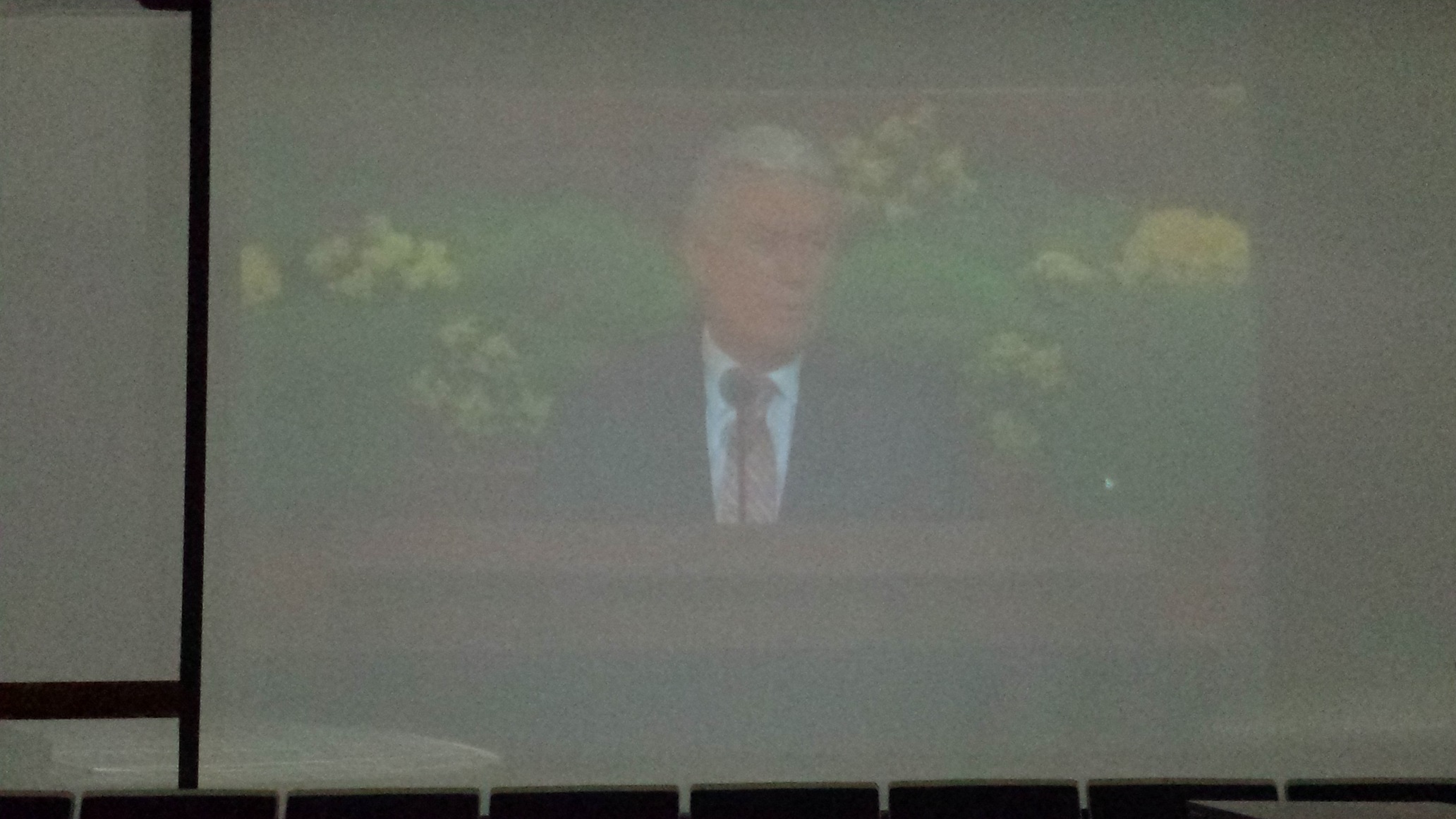
Pictures were taking in a blacked out chapel and I used my Samsung Galaxy S4 camera with the flash. Sorry about the bad looking picture, but it shows what I'm dealing with.
📎 Svideo my wrkstn.jpg (498.86 KiB)
📎 Vga converter my wrkstn.jpg (391.25 KiB)
Community Moderators
#32
I can testify that not all scan converters are created equal. :) There is a noticeable difference in quality between models and (unfortunately) it's not always proportional to the cost of the unit either. I would start there, if you're looking to improve the quality of your distributed signal.
So we can better help you, please edit your Profile to include your general location.
#33
Okay, now that you have explained the wiring configuration (thanks), we can diagnose where the problem is and fix it.

The first thing I would recommend is to check the video right after it comes out of the clerk's computer. Do you have access to a flat panel monitor with both VGA and composite video inputs?

Play a high quality video or DVD in the PC and check the picture on the flat panel VGA input and then again from your scan converter. I like using test patterns but a HQ Mormon Message will do.

You will need to swap the VGA cable between the VGA input on the monitor and the scan converter. Don't run the VGA from the PC through the scan converter and then to the monitor as this will degrade the picture (which may be your entire problem). (See my personal note at the bottom)

Look for and compare the following (please forgive me if you already know how to do this):

* Black levels: You should be able to see the same amount of detail in the darkest most areas of the picture through both inputs. If not, you may need to make BRIGHTNESS adjustments on the scan converter.

* Contrast: Again, check to see if the two inputs have the same quality in the really bright portions of the picture. Again, if the composite input is not the same (washed out or darker), adjust the CONTRAST control on the scan converter.

* Color: Check and compare the color saturation.

Bottom line, the picture viewed from the VGA input and composite input (via the scan converter) should be very similar (the scan converter will NOT yield the same high quality picture, but we're looking at brightness, contrast and color levels here).

If all is well, move to the Satellite closet and check to see if you have EXACTLY the same picture coming directly after the baluN. If the picture has degraded in any way, there is either a problem with the wiring or the baluN is bad. From my personal experience, most cheap baluns are crap. I now spend more money and get good ones.

If the picture is good, reconnect the balun to the manual switch and keep going. You should have the same quality image on the flat panel when you connect to the podium's RCA composite video jack. If not, it indicates a problem with either the manual switch, video distribution equipment or cabling.

Also, connect an antenna cable to the TEST POINT "F' connector on the front of the Pico Macom PCM55 RF modulator and switch your manual switch to the test video, then compare the picture on a TV set. If the picture coming out of the Pico Macom PCM55 is bad, stop and have the FM Group call in a qualified TV distribution technician. Don't make any adjustments to the unit unless you know what you're doing. BTW, I've seen a LOT of Pico Macom PCM55's bad in my day. Our stake has replaced both of ours in the past 5 years.

Personal Note: I've use the scan converter you're using, but ended up tossing it. If you decide to keep using it, the adjustments on it which WILL improve your picture but even with my experience in video and studio work, this scan converter is finicky. The unit's brightness and contrast must be adjusted every time the unit is turned on...and that's difficult because most of the time you'll need to run into the next room to see the effects of the adjustments (in addition, the controls are very confusing because the right button lowers and the left button increases values...I was always getting messed up.) I got so frustrated with it I tossed in the corner and purchased a professional, commercial VGA scan converter (a used one for $50, the same price I paid for the new crappy unit).

I recommend Extron scan converters such as the VSC50, VSC75 or VSC100. These are discontinued products so you can pick them up real cheap. In addition to the very stable composite video output and clean picture, there is an overscan/underscan option and position KNOBS (see picture). I just checked eBay and they're going for less than $50, including shipping (link). If we find you're scan converter can't do the job, I'd suggest picking up one of these.
Senior Member
#34
Michael thank you for the reply. We may look at this on Thursday if we have time. If not, I will need to get in there one day and check it out.

Just to give you a bit more information, I will be testing a display port to RCA connector. I don't know if it will do any better, but since the computer has a display port and the on board Intel Graphics has a TV section, I hope that the video will be better coming directly off the video card.

I will let you know as we move forward.
#35
Well here are some updated photos of the AV Loft control room. Still not quite done, waiting on the mixer to come in (comes in today), and then the remaining pieces to connect up that stuff.

Tested out a portion of the system today, and aside from a little bit of overscanning (which I can fix in the modulator) it was playing pretty fluidly.
2014-07-10 12.43.28.jpg
Overview showing computer powered on, with confidence monitor.
(1.68 MiB) Downloaded 644 times
2014-07-10 12.39.12.jpg
Satellite Rack, showing 2 Unity receivers, headend combiner, 5 digital modulators, DVD Player, DVD-Recorder and in-house cable box (used for decoding audio to send to overhead speakers).
(1.51 MiB) Downloaded 644 times
2014-07-10 12.43.41.jpg
Backplane board showing installed equipment, still have a bit more to install on there, but it is almost done.)
(1.85 MiB) Downloaded 644 times
Senior Member
#36
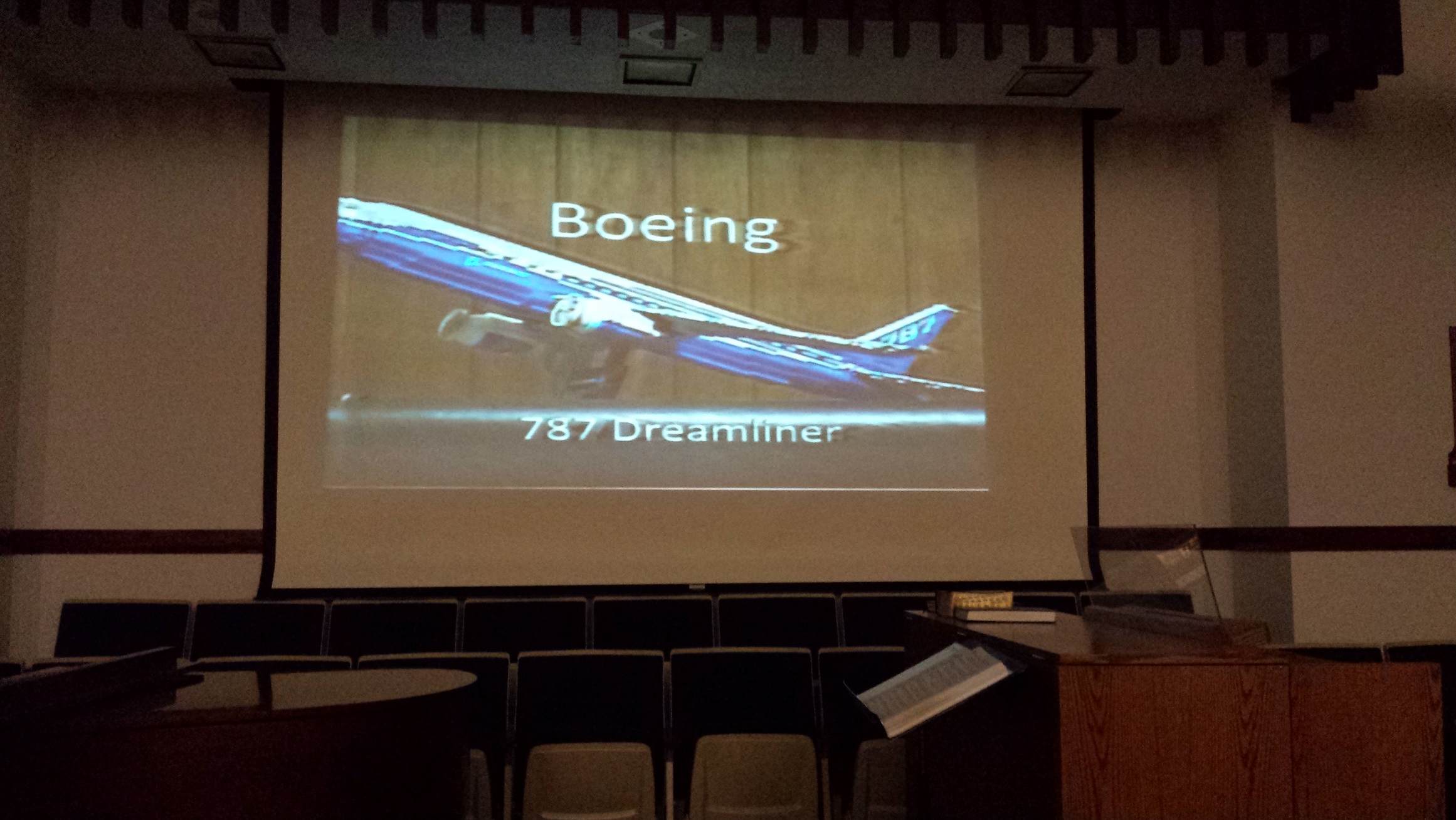
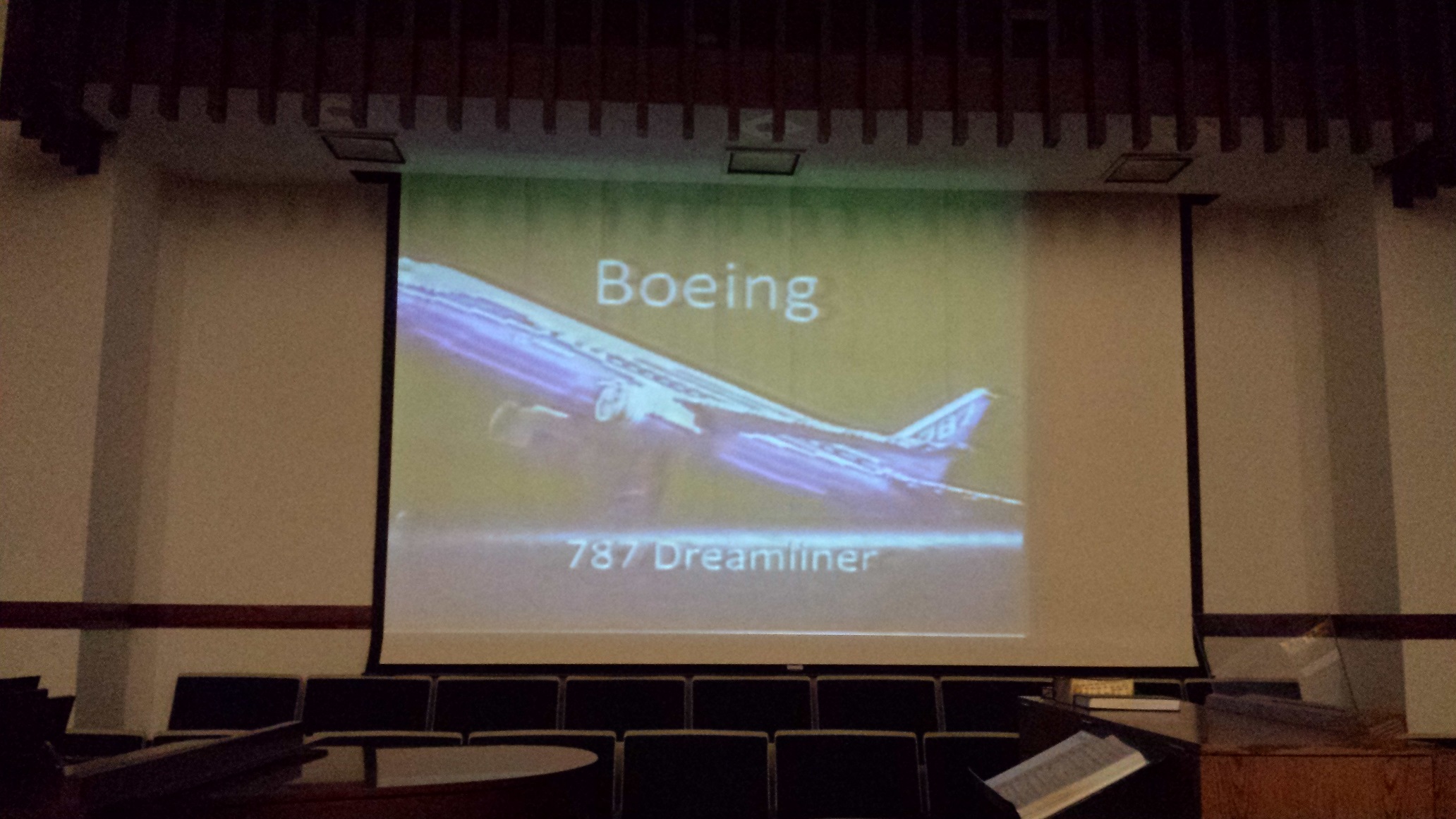
on 10 July 2014, the other stake technology specialist and I went to our chapel to determine what the problem was with the video. We used the Sony projector, which I put a new bulb in. This projector first year of manufacturing was 2000. It was a bit better with the new bulb, but as the pictures that will be attached shows, it wasn't that great. This projector is rated at 600 lumens.

The other stake technology specialist brought a ViewSonic projector in from his office and it had 2000 Lumens and the difference is huge. This projector completely wiped out the picture from the Sony. We had a few lights on, but as you can see with the pictures, it is totally different.

The pictures are taken in the chapel, with the clerks computer running PVC at like 1024x768 and running through the exact setup I have described. We made no changes in the system.

We have decided the the issue is with the projector. We are looking to get a new one for each building. We still want to do other things, but they will have to wait for funds.
📎 Video_Craig_Projector.jpg (767.76 KiB)
📎 Video_Old_Projector.jpg (567.74 KiB)
#37
harddrive:

Yeah it is amazing the difference that new projectors make on a setup, my stake last year purchased new projectors for all of the buildings Epson 915W (Which has since been discontinued, the new model is the 955W). They are plenty bright (at 3200 lumens), so that are even being utilized by the stake presidency during their high council meetings.) and have ALL of the inputs that you could ever possibly need.
#38
I'm glad you were able to find one of the problems you have in your set up.

600 lumens is insufficient to project to an audience of 200 to 300.

I've noticed in all of your pictures, there seems to be more than typical ambient light in your chapel. Are there black-out curtains installed in all of the windows to prevent the outdoor light from coming in? Are there any lights shining on the video screen? If so, you may want to work on getting these problems solved. Our FM Group was kind enough to install black-out curtains for us, which helped tremendously.

Too much ambient light will be an issue, especially with a low powered projector because when light spills onto a projection screen, it will wash out the screen. A dim projector will not be able produce enough brightness to overcome the washed out light on the screen.

For example, black in a video image will only be as black as the screen without a projector.
Senior Member
#39
Michael, There are black out shades for the windows. When I tested during the day, they were down and all the lights were off. When we tested on Thursday evening, we started about 7:30 p.m. and there was a storm coming through and by the time it finished the sun was pretty much setting.

We totally understand about the ambient light. only one of our buildings have does not have windows in it and they told me that the building's video is still not great. We do want to replace the projectors because we need higher lumens and there is one that can be purchase for about $450, which is 2800 Lumens and Xga projector.

We will continue to work on this and thank you for all the help.
Senior Member
#40
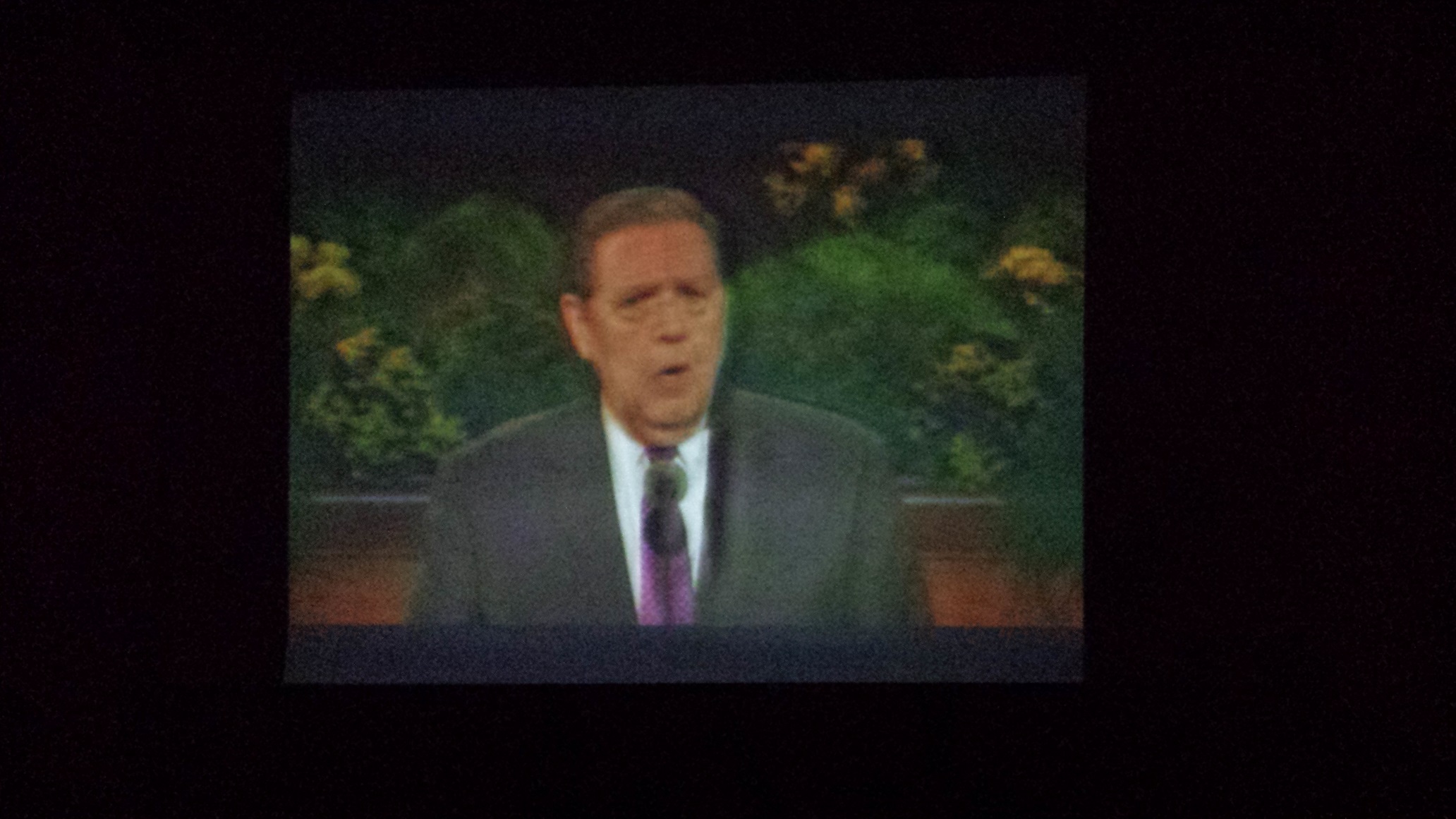
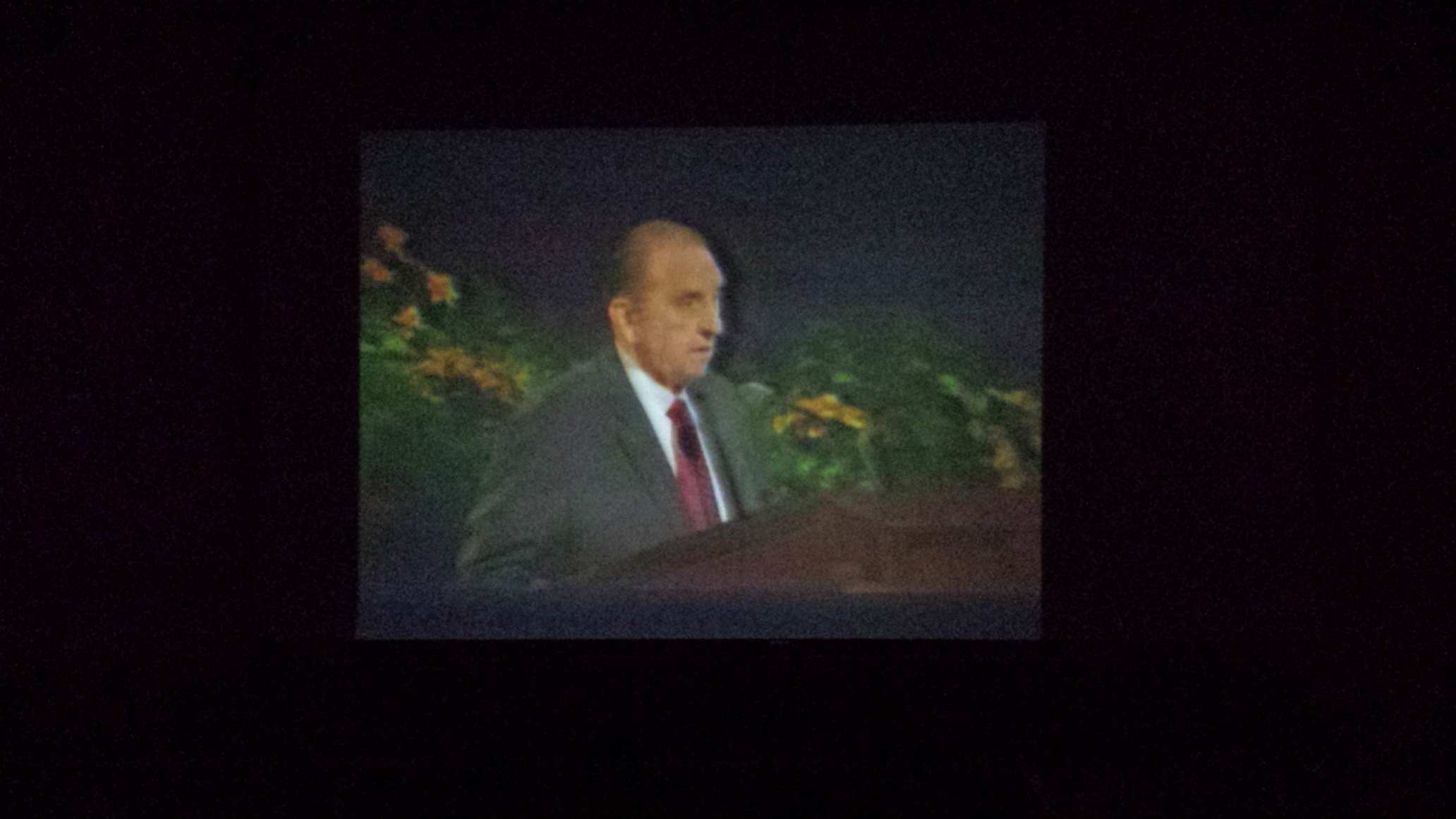
I just want to add a couple of more pictures. I discovered that the clerk computers have display ports on the back. So I purchased a display port to mini display port adapter and then a mini display port to RCA. I connected it up and the pictures attached are from the Sony projector. The picture isn't crystal clear, but it looks a lot better than what I was trying to do before.

I used the following items:
http://www.amazon.com/gp/product/B004VV ... UTF8&psc=1
http://www.amazon.com/gp/product/B003N3 ... UTF8&psc=1

So I think I found my solution and now I just need to pitch the case to spend the money to the stake presidency and others.

I will let you know what happens