Cannot authenticate to LDSTech from Calendar Help Link

4 postsstarted by smconvey 905 viewsoriginal topic

Member
#1
From the Calendar Help, if I select "LDSTech Calendar Forum" the forum page shows that I'm not authenticated. However, it will not permit me to sign in (refreshes to the signin page) or use the forgotten password link ("You are not authorized..."). However, if I open a separate tab and type in "tech.lds.org" the webpage showe that I'm already logged in. I tried clearing my LDSTech cookies, but that did not help. Currently, I have both webpages open: one linked from calendar help (not logged in) and the other by typing in the URL (logged in). See attached screenshots.

From Calendar Link
From Calendar Link (17.72 KiB)
From lds.org URL
From lds.org URL (24.24 KiB)
Community Administrator
#2
The link in the calendar help goes to:

Code:

https://tech.lds.org/forum/forumdisplay.php?110-Calendar
That is an old link, designed for the vBulletin software that used to power the LDSTech forum.

The appropriate current link would be:

Code:

https://tech.lds.org/forum/viewforum.php?f=110
When the Forum moved from vBulletin to phpBB, redirect rules were put in place so that anyone who accessed the old-style URLs would be taken to the corresponding page on the new Forum. But it appears to me that this redirection incorrectly takes you from HTTPS to HTTP. When you access the Forum using HTTP, it appears that you are signed out (even though you might actually still be signed in, as you can determine by changing the URL in your browser's address bar to start with "https://").
Questions that can benefit the larger community should be asked in a public forum, not a private message.
Member
#3
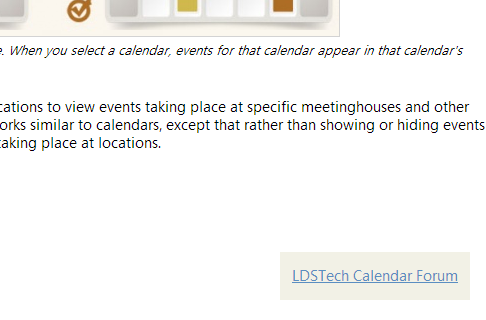
So someone needs to update the LDSTech URL in the calendar help. This will cause frustration - especially for new users who are seeking help.
Calendar Help Link to LDSTech.PNG
Calendar Help Link to LDSTech.PNG (23.36 KiB) Viewed 892 times
Community Administrator
#4
smconvey wrote:So someone needs to update the LDSTech URL in the calendar help.
That's one option. The other option is to fix the redirection to preserve HTTPS. That's the better option, in my opinion, because it would also fix bookmarks or any other links to old-style Forum URLs. Of course, it wouldn't hurt to also fix the Calendar help link, but that would be mostly superfluous if the redirects were fixed.
Questions that can benefit the larger community should be asked in a public forum, not a private message.