Guide/FAQ Calendar 2.6

39 postsstarted by jeffevannelson 13,322 viewsoriginal topic

Church Employee
#1
Hello,
I get many questions about calendar that are very common. Most of them stem around people not setting up calendar correctly in their stake then we commonly get many problems from members. So I wrote this little guide to help people. You can browse down to your specific calling for help.
So Let’s Start

Stake Clerk:
General Responsibility: Rooms and Locations maintaining, Stake Calendar Approval and Assigning Buildings Schedulers. Sometimes this job is done by Assistant Clerk, Stake Executive Secretary or Stake Presidency (depending on unit size).

The main thing to maintain is Buildings. (Wards assigned to them and building schedulers)

Before anyone can use buildings the Stake Clerk must set up the buildings.
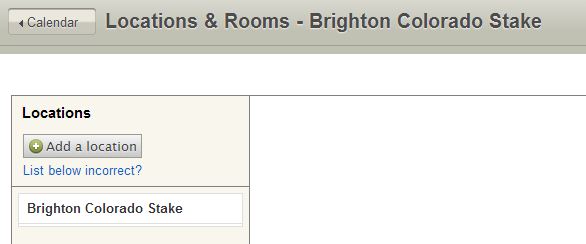
If you go to Rooms/Locations as a stake clerk they should see all the buildings that there stake owns. If there is a building missing then contact their facility manager to fix the FMAT data.

Make sure to assign each ward in your stake to its appropriate building.

If you are using a building from another stake for a ward in your stake then you will need to contact that stake and have them add that ward to that building. Once the proper wards are listed in that building you will need to click the check box on the edit screen of that building that says: "This location can be scheduled by Wards and Stakes". At that point that Wards can begin to use the building.

If you have a church property that is used by multiple stakes the owner stake will need to add the other wards/stakes to that location.

Do not add locations (buildings) to the list if they are missing. Instead they need to be assigned to your stake and then they will populate. If there is a building missing then contact their facility manager to fix the FMAT data. Creating a second building causes problems later on when members have the same building twice or one schedules something in the building but it’s actually the fake one you created.

The main purpose behind adding a location is for non-chapel properties.

You will have to add rooms to buildings that are populated for you.

Make sure to assign Building schedulers on the edit location screen as even if they have the calling of building scheduler in MLS they won’t have access to any specific location until you make it so in calendar.

Last thing you will need to maintain is stake calendars. *See ward clerk for details.

Ward Clerks:
General Responsibility: Approving Ward Calendars and sometimes Assigning Editors.
The main piece you maintain is going to be Calendars.

Anyone in the ward can create a calendar but you have to approve it.

When a calendar is created make sure to remove everyone on it "by name" and add them "by calling" as view/edit. This will create fewer problems each time a new person is called.

You'll have to go "by name" if it's a custom position.

Adding someone by name is a problem mainly because that person will move out of your stake and then will be unable to remove themselves from that calendar and will end up calling you.
Adding by name is only good on creation so that the creator of that calendar has access. It is best to remove that person and add them by their calling.

Building Schedulers:
There has been some confusion in the past about what a Reservation is and what is a Restriction.

Reservations are made on calendar events. Anyone who is a editor for a calendar, when they make a event can reserve rooms/buildings their ward has access too.

Restrictions are done by the Building schedulers. They are blocks of time were you can make a building schedulable by certain wards. So for example
Ward 1 can use the building on Thursdays.
Ward 2 can use the building on Tuesdays.
This would be done using Restrictions. When that is in place calendar editors in ward 1 if they try to reserve the building on Tuesday will get a message saying they cannot became of Restriction ####.

Building Schedulers cannot make Reservations without first being added as a editor for a calendar in there ward.
Most likely the calendar that will be created for the building scheduler to use will be "Ward Activites Calendar". The Building Scheduler Can edit any calendar tied to a specific building. So for example if he needs to change the young men calendar, he can Remove or edit those events (note he should contact the persons calendar he is editing aka Young men's Leader).

Calendar Editors:
General Responsibility: Creating events and Assigning Editors to your calendars.

So you just got called to do the calendar for ------- right. You have no Idea what do you do.
Well first off make sure that your Leaders have added you as a editor to a calendar. At this point just make events and make sure to add the building when you do so if you do this you are "reserving the building". Just make sure your aware that "Restricting the building" and "Reserving the building" are too different things. Reserving the building is what most people think of which is I reserve this room for my use during this time. Restricting the building is something completely different that if your a building scheduler you might care about.

FAQ
What Calendars should I create?:
It is usually best to think about who wants to view what. If you create one stake calendar for example and add all stake leadership meetings the Members of your stake who are not leaders will hate your stake calendar because everything shows up. So you might want a Stake Leadership, Stake Interviews (private), Stake General Calendars.
Also think of the needs of your stake or ward. A Example one member found useful was to merge their Stake young mens and Stake young womens calendars mostly because all their activities at the stake level were combine. This might not be the case for your stake.
Possible Calendar List:

Who should be added as a Admin?:
Most everyone should be added as a Editor of a specific calendar. Admins Might be nessessary if you have called a specific calling to help organize your calendar but under 99% of the cases this is not the case.
My stake started using calendar chaos happened what went wrong?
You might need some training in your stake. Also remember that Just because your the leader of your stake does not mean you don't need to work with your build Scheduler. That is why you called him to help you. If you think just because your a leader you dont need to do proper schedule, the crowd all planning on using the building might be angry with you. Its a First come first Serve therefore If someone has schedule before you then you need to work it out with them. This might mean you tell them you get the room but at least then everyone was informed. Also make sure you and your building scheduler understands the difference between Reserving something and Restricting the building. See above.
I am the building scheduler how can I see all events in my building.
Use the week view. You will see all the buildings in your stake under locations bottom left. Just uncheck all of them but your building. In week view you can see all events in that building even ones not in your ward. Some events you cant read the details because they are private or in other wards than your own.
I am a stake clerk and I do not see a building that a ward in my stake uses.
Buildings all have parent stakes. Only the parent stake can allow wards to schedule inside there building. You will need to work with that parent stake to allow the ward to use that building on their calendar. If a building does not show up and you are the parent stake contact your FMAT/Building Manager it will usually take around 2 weeks for it to appear in calendar.
I want to create a building Calendar that 2 wards can see How can I?
Calendars can only be seen at the stake level or ward level. This idea of creating a calendar mostly happens when 2 wards want to share a building and want to put all events on 1 calendar. This is not needed with the Calendar. On the week view members can see all events using the building their ward is assigned to. It also will not allow them to schedule over each other. Both wards can schedule their own events without problems. If a conflict arises in using the building that is what the building scheduler can help. He can remove or edit events in the building. REMEMBER Building schedulers will need to CONTACT the person who originally had the building.
Two People can Schedule the building at the same time It is causing issues in our Stake! What is wrong?
This happens when you have a building that as been duplicated. How this usually happens is when a stake clerk Logs in he does not see a building so instead of properly asking his building manager about the building He creates a location with the same name as the building. That building then shows up twice. Suddenly members in the ward have 2 buildings and they both schedule the fake and real building. This then causes problems. Make to remove any Fake buildings. The Custom Locations are used for other things then meeting houses except rare occasions when the meetinghouse is not managed by the church.
LDS.org Team

Community Administrator
#2

Re: Guide to Using Calendar

Good work, but I think it needs some editing:
jeffevannelson wrote:Make sure to assign Building schedulers on the edit location screen as even if they have the calling of building scheduler in your ward they won’t have access to any specific location until you make it so in calendar.
Instead of "in your ward" I'd change that to "in MLS". As it stands, it might imply that each ward should have a Building Scheduler.
jeffevannelson wrote:Last thing you will need to maintain is stake calendars see ward clerk as they are the same.
I'd change "as they are the same" to "for details". The calendars are not the same, but the functions are. It should also be broken into two sentences.
jeffevannelson wrote:Adding by name is only good on creation so that the creator of that calendar has access. It is best to remove that person and add them by their calling.
I agree, but that only works for standard callings. You'll have to go "by name" if it's a custom position.
jeffevannelson wrote:Reservations are made on calendar events anyone who has access to that calendar can reserve, buildings there ward has access too.
Really awkward sentence. And I don't it's helping the "Reservation" issue. I'd say "The building is scheduled when an event is created using that location. Anyone with access to a calendar can schedule a building."
Have you searched the Help Center? Try doing a Google search and adding "site:churchofjesuschrist.org/help" to the search criteria.

So we can better help you, please edit your Profile to include your general location.
Church Employee
#3

Re: Guide to Using Calendar

Thanks for the edits If you find anything I should add for those callings let me know I will add it to the post I want to sticky this so Hopefully people can find the general help here. If they happen to look.
LDS.org Team
Community Administrator
#4

Re: Guide to Using Calendar

The biggest problem I see is units trying to follow the old model of where all building scheduling/reservations/calendering is done though a single person. It was done that way because the technology of the time made it the only practical way of having a single calendar with multiple access. That can still work in the new system as long as that person only handles their own ward. But it falls apart in multi-unit buildings.

The whole concept of distributed scheduling where the calendar editors can schedule things without approval and where the Building Scheduler is now only a referee seems to be the hardest thing for them to grasp.
Have you searched the Help Center? Try doing a Google search and adding "site:churchofjesuschrist.org/help" to the search criteria.

So we can better help you, please edit your Profile to include your general location.
Community Administrator
#5

Re: Guide to Using Calendar

One sub-role for the stake clerk: setting up rooms for each building.
Have you searched the Help Center? Try doing a Google search and adding "site:churchofjesuschrist.org/help" to the search criteria.

So we can better help you, please edit your Profile to include your general location.
Senior Member
#6

Re: Guide to Using Calendar

russellhltn wrote:The biggest problem I see is units trying to follow the old model of where all building scheduling/reservations/calendering is done though a single person.
Our stake center scheduler recently moved out of the stake. A new one has not yet been called by the agent bishop, so I (the stake clerk) have been handling building requests from outside the stake. It's been pretty smooth so far. The previous scheduler tended to micromanage the scheduling, but I think things are going well without that level of management.
Dana Repouille, Plattsmouth, Nebraska
New Member
#7

Re: Guide to Using Calendar

Thank you....should we be scheduling events, only with the +icon, or should we just click on the day of the event and reserve, which is best or does it matter?

dcarroll
Community Administrator
#8

Re: Guide to Using Calendar

As long as you are creating an event, it doesn't matter. The point is not to use Restrictions (formerly called Reservations) to block off rooms/building for a specific event.
Have you searched the Help Center? Try doing a Google search and adding "site:churchofjesuschrist.org/help" to the search criteria.

So we can better help you, please edit your Profile to include your general location.
New Member
#9

Re: Guide to Using Calendar

Where can i find the fully guide for using the calendar ??
Senior Member
#10

Re: Guide to Using Calendar

smvpegb wrote:Where can i find the fully guide for using the calendar ??
https://ue.ldschurch.org/ldsapphelp/calendar/

Note that the above documentation is a little outdated (unless it was recently updated).
Community Administrator
#11

Re: Guide to Using Calendar

smvpegb wrote:Where can i find the fully guide for using the calendar ??
The calendar help system is accessible from the Settings menu, or directly here.

Note that it is a bit out of date (e.g., it still uses the old "reservations" term for what the software now more appropriately calls "restrictions") but it is the most complete documentation available.
Questions that can benefit the larger community should be asked in a public forum, not a private message.
Member
#12

Re: Guide to Using Calendar

Here is the handout I just finished for doing the ward calendar training class. Might save someone else the time of creating it.
📎 Calendarhandout..doc (19.5 KiB)
New Member
#13

Re: Guide to Using Calendar

I am the stake clerk in the Enoch Utah Stake (517925). A week ago the building scheduler for the stake center was released. I went to edit and added the new building scheduler. On Friday she noticed that a young women activity was on her calendar the same time and rooms as a wedding reception blocked out by the previous building scheduler. She got the conflict resolved and called me. The calendar has never allowed this kind of conflict before. I tried adding another event the same time and rooms as the wedding reception and it let me (later deleted). I tried to schedule over 2 other events and one let me and one said the building was previously reserved.
Do you have any suggestions as to what went wrong or how to fix it?
Please e-mail me and we call if necessary.

Roger Shurtz
Enoch Stake Clerk
Community Administrator
#14

Re: Guide to Using Calendar

Are any of these "events" in fact a restriction? Only actual events prevent anything else from being scheduled. Restrictions only limits what units can schedule during that time. There is nothing to prevent a conflict between a restriction and anything else.

The other thing to check is to see if you've got a duplicate building and/or room.
Have you searched the Help Center? Try doing a Google search and adding "site:churchofjesuschrist.org/help" to the search criteria.

So we can better help you, please edit your Profile to include your general location.
New Member
#15

Re: Guide to Using Calendar

Our stake shares a building with a ward from another stake. Both units can add calendar items but we cannot see the other wards calendar items. For example, in one situation the two wards in one build (one from each stake) try to schedule youth events to reserve the building for an event. Since they cannot see the other stake's schedule, they double book the building.

The second scenario is when the ward in the shared building tried to schedule an event in our stake's Stake Center, for example a baptism. We cannot see their scheduled event in the stake calendar and thus can double book the building.

Is there a better way to schedule events when buildings are used by multiple stakes?
Senior Member
#16

Re: Guide to Using Calendar

@ dgoehring, are you looking at the calendar in week view? Only in week view can you see everything scheduled for that building, and that needs to be the first thing to check.

It maybe also that both stakes just set up the building as a location in both stakes as if the building belonged to their stake. I know there is a way to set this up so both stakes can see the scheduled event from the other stake in a multi stake building. I'm not sure what needs to be done but I know its be talked about before so do a search as see what you can turn up. Or maybe russell can help out.
Community Administrator
#17

Re: Guide to Using Calendar

dgoehring wrote:Since they cannot see the other stake's schedule, they double book the building. [...] We cannot see their scheduled event in the stake calendar and thus can double book the building.
That's a myth. Just because you can't see the event doesn't mean you can double book it with two events. As long as the calendar knows it's the same building/room, it will not allow two events to happen at the same time. If you try, it will refuse to accept the second event - regardless of the rights held by the scheduler.

But that part "as long as it knows..." raises a issue that has to be looked at. The way it works is that the agent stake may have to add the guest unit to that location. The guest unit has to use that shared location and NOT create a new location because they can't see it. Otherwise, the calendar thinks they are separate locations.

This is all covered in Locations and Resources Shared by Multiple Stakes

Done right, both stakes should be able to see the events by switching to week view.

And at the risk of pointing out the obvious, all events must have the location set and not use "No location" or "Other location". If they fail to do that, then they have not scheduled the building. Also, you must schedule using "events" and not "restrictions". All kinds of problems can happen if you try to use restrictions to schedule events.
Have you searched the Help Center? Try doing a Google search and adding "site:churchofjesuschrist.org/help" to the search criteria.

So we can better help you, please edit your Profile to include your general location.
Community Administrator
#18

Re: Guide to Using Calendar

Since this comes up frequently:
Restriction vs Event
Restriction vs Event (23.99 KiB)
Have you searched the Help Center? Try doing a Google search and adding "site:churchofjesuschrist.org/help" to the search criteria.

So we can better help you, please edit your Profile to include your general location.
Church Employee
#19

Re: Guide to Using Calendar

For anyone interested a little bit of what I talked about was discussed in a meeting elder black talked about it
http://broadcast.lds.org/ICS/techcon201 ... -2013.html
Its labeled how to use calendar setup your ward or stake
The resolution is horrible but maybe it could help people we need to create a video for this and put it in the help.
LDS.org Team
#20

Re: Guide to Using Calendar

I'm the stake clerk in our stake, and I haven't been able to see any calendar except for my "home" building's. I've heard that there's work afoot to allow stake folk to see the scheduling of other units/buildings in the stake, but I can't see any instructions for it here or at LDS help, unless I'm missing the secret decoder ring.

As far as allowing "anyone" to create reservations for our (multi-unit) building (which is also a stake center), our experience was that it resulted in madness, a tragedy of the commons of sorts, where whoever got in first blocked others, so we had "go back" to funneling it through a scheduler. So much for tech making life that much easier. :)
Community Administrator
#21

Re: Guide to Using Calendar

cheerioboy wrote:I'm the stake clerk in our stake, and I haven't been able to see any calendar except for my "home" building's. I've heard that there's work afoot to allow stake folk to see the scheduling of other units/buildings in the stake, but I can't see any instructions for it here or at LDS help, unless I'm missing the secret decoder ring.
If you switch to week view, you can select what facility to look at.

cheerioboy wrote:As far as allowing "anyone" to create reservations for our (multi-unit) building (which is also a stake center), our experience was that it resulted in madness, a tragedy of the commons of sorts, where whoever got in first blocked others, so we had "go back" to funneling it through a scheduler. So much for tech making life that much easier. :)
How is that different then going though a scheduler? The only controlled way to do it is to have the different groups put in their events in order so the "highest" group goes first. That can still be done by instructing everyone to wait until their turn to enter events. You may even have to assign everyone specific days where they have priority. The restriction function can then be used to enforce that between wards.
Have you searched the Help Center? Try doing a Google search and adding "site:churchofjesuschrist.org/help" to the search criteria.

So we can better help you, please edit your Profile to include your general location.
#22

Re: Guide to Using Calendar

russellhltn wrote:If you switch to week view, you can select what facility to look at.
Nothing comes up except my "home" building. I don't see any way for me to view the other locations in our stake (we have 5) even when the Week View is selected. If I click on the "Locations" settings, I see the other locations, and I can view and edit their settings, but I don't see a method for the locations to show up when I view the calendar. Wait -- when I add myself as a scheduler for the building, then I can see the building's schedule. Is it that simple? Is there another way? I really don't need to be a scheduler of some of these buildings, but I would like to monitor them (one building is a "problem" building because of how it's used).
russellhltn wrote:How is that different then going though a scheduler? The only controlled way to do it is to have the different groups put in their events in order so the "highest" group goes first. That can still be done by instructing everyone to wait until their turn to enter events. You may even have to assign everyone specific days where they have priority. The restriction function can then be used to enforce that between wards.
Simply put, MBB -- Members (and some leaders) Behaving Badly. We've had members who feel (self-)important enough to bother the stake presidency, blasting past the scheduler over scheduling conflicts (which is why it was delegated, right?). We do use the restriction function, but of course, since only a few folks can post events, it's sort of redundant. Members had requested the HC room (a bad precedent that was established in our stake), and certain events would come up that required the use of the HC room by the stake, but difficulty would ensue because of this priority inversion. Or it could have been the chapel, which the local mission likes because of our building's central location.
Community Administrator
#23

Re: Guide to Using Calendar

cheerioboy wrote:
russellhltn wrote:If you switch to week view, you can select what facility to look at.
Nothing comes up except my "home" building. I don't see any way for me to view the other locations in our stake (we have 5) even when the Week View is selected.
Does this picture help?
Image
If you want to see the Riverside building, you need to put a checkmark next to it. I'm not a building scheduler in my stake, but I can see all the buildings in week view. My understanding is that any member can see this.

cheerioboy wrote:Simply put, MBB -- Members (and some leaders) Behaving Badly. We've had members who feel (self-)important enough to bother the stake presidency, blasting past the scheduler over scheduling conflicts (which is why it was delegated, right?). We do use the restriction function, but of course, since only a few folks can post events, it's sort of redundant.
Wow. And what does the stake president do about it? Something tells me he's not backing his scheduler. (Of course there's the possibility that the scheduler isn't handing things very well.)

cheerioboy wrote:Members had requested the HC room (a bad precedent that was established in our stake),
That doesn't help. I'll have to double-check, but I think our HC is restricted to the stake. I also set it up as a separate building to avoid the "entire facility" issue. Of course my next question is who is letting them into the room? Or did they hand out HC keys to the ward leaders as well?

cheerioboy wrote:and certain events would come up that required the use of the HC room by the stake, but difficulty would ensue because of this priority inversion. Or it could have been the chapel, which the local mission likes because of our building's central location.
Someone got the use of the facility, but a higher priority organization needs it when something changed. That's going to come up regardless of what system is used. There's a deeper problem going on, and it's going to take leadership to fix it. Sure, the calendar could be better. We've been wanting some fixes for some time. But short of replacing the building scheduler with IBM's Watson, I don't see technology as the solution to what you've described.
Have you searched the Help Center? Try doing a Google search and adding "site:churchofjesuschrist.org/help" to the search criteria.

So we can better help you, please edit your Profile to include your general location.
New Member
#24

Re: Guide to Using Calendar

Before anyone can use buildings the Stake Clerk must set up the buildings.
If you go to Rooms/Locations as a stake clerk they should see all the buildings that there stake owns. If there is a building missing then contact their facility manager to fix the FMAT data.
We have a disconnect here with a new stake. I contacted the local facilities people and they said they have already added the buildings to our stake, but have never had anything to do with calenders.

I do see the buildings on the regular calender view, but no one can enter an event or restriction. It seems as if we are viewing the 'old' stake calender (because there are some events on there already). But I have no way to delete the old one and edit the new one.
Capture.JPG
Capture.JPG (23.46 KiB) Viewed 2615 times
Community Administrator
#25

Re: Guide to Using Calendar

falcon771 wrote:We have a disconnect here with a new stake. I contacted the local facilities people and they said they have already added the buildings to our stake, but have never had anything to do with calenders.

I do see the buildings on the regular calender view, but no one can enter an event or restriction. It seems as if we are viewing the 'old' stake calender (because there are some events on there already). But I have no way to delete the old one and edit the new one.
It's possible it's a permissions issue. Someone in the stake presidency would have to verify that the buildings are set to allow for scheduling. The ward bishopric and stake presidency would have to verify everyone's permissions to calendars. With becoming a new stake, everyone could have been released (lost calendar permissions).

I'd also check with the FM group and verify that you've been set up as the agent stake (if appropriate). Only the agent stake can have building schedulers or set restrictions.
Have you searched the Help Center? Try doing a Google search and adding "site:churchofjesuschrist.org/help" to the search criteria.

So we can better help you, please edit your Profile to include your general location.
New Member
#26

Re: Guide to Using Calendar

Brethren of the Calendar Guild: may it be possible, oh respected Calendar Overlords, that the Calendar editing features may forthwith be improved? Yay, the editing features indeed are cumbersome. The creation of an event on the main Calendar page permits only the editing of the title. Sadly, that is not enough. Also, as I move to the editing page, my event title doth disappear entirely. It is very perplexing and most alarming. The UI is somewhat unintuitive and as I created the Stake Events for 2014 I found that the bulk of my time was indeed spent more in working around the calendar editing issues that it was in the creation of the blessed events themselves. It greatly saddened my heart.

Perhaps there is a coder who might work with an expert in usability to refactor the calendar event editing features? It would be a most worth endeavor, since the editing features of the otherwise marvelous Calendar maketh it frustrating and aggravating - detracting, as it were, from the otherwise wonderful Calendrical experience.

Thy humble servant,

- Robert of the Husted Clan
New Member
#27

Re: Guide to Using Calendar

Brethren, upon further investigation I found that the disappearance of said event title occurs sporadically. Click to create an event, enter thy title, then click upon the "Add event details and location" to bring up the editing page and Lo! Thy title hast entirely disappeared. It is a marvelous magical trick to make the title vanish... but so very unsatisfying and unrewarding.

The features I am requesting are thus:
1. To make the event titles remain, to disappear no longer when moving from the event creation window to the larger event editing window.
2. To add "Location" to the event creation window (it is rare that I would create an event without a location)

Otherwise the calendar is wonderful and thy team hast wrought a marvelous work.

- Robert of the Husted Clan
Community Administrator
#28

Re: Guide to Using Calendar

rhusted wrote:1. To make the event titles remain, to disappear no longer when moving from the event creation window to the larger event editing window.
There is indeed a sporadic bug where the title entered in the popup is not carried forward to the main Event Details page.

But that bug has ceased to bother me, because I never enter a title in the popup. As you'll see in my response to your second point, I consider the popup completely useless. Since I can never use the popup, I just always click on the Edit Event Details link and do all my work there. There's no point in entering a title in the popup, so why run the risk of losing what you typed when the bug strikes?
rhusted wrote:2. To add "Location" to the event creation window (it is rare that I would create an event without a location)
Personally, I cannot recall a single instance when I've been able to use the event creation window as is. And just adding "Location" to the event creation window is quite useless by itself -- you will need to specify the rooms as well, or the details for "Other Location". And it's rare that I specify a location without also specifying cleanup and setup time. Oh, and the description is almost always needed, too. You can see where this is headed -- fixing the problem is not just a matter of adding just one more field. The idea of the simple popup is fundamentally flawed -- it just doesn't work in practice.

This has been mentioned multiple times; see, for example, here.
Questions that can benefit the larger community should be asked in a public forum, not a private message.
#29

Re: Guide to Using Calendar

russellhltn wrote:
cheerioboy wrote:
russellhltn wrote:If you switch to week view, you can select what facility to look at.
Nothing comes up except my "home" building. I don't see any way for me to view the other locations in our stake (we have 5) even when the Week View is selected.
Does this picture help?
Image
If you want to see the Riverside building, you need to put a checkmark next to it. I'm not a building scheduler in my stake, but I can see all the buildings in week view. My understanding is that any member can see this.
I see your example -- that's like the example in the instructions at LDS Tech, but ... umm, not here, not in our stake. I wasn't able to see the calendars of other buildings until I added myself as a scheduler (which I can because I'm the stake clerk), even though that seems to be the wrong solution. I suppose this is an FMAT problem? (FMAT has something to do with the FM group, and refers to a database?)
russellhltn wrote:
cheerioboy wrote:Simply put, MBB -- Members (and some leaders) Behaving Badly. We've had members who feel (self-)important enough to bother the stake presidency, blasting past the scheduler over scheduling conflicts (which is why it was delegated, right?). We do use the restriction function, but of course, since only a few folks can post events, it's sort of redundant.
Wow. And what does the stake president do about it? Something tells me he's not backing his scheduler. (Of course there's the possibility that the scheduler isn't handing things very well.)
He reverted to having the scheduler/clerk clamp down on who can make reservations/events. The sense of entitlement some members have is remarkable, and the problem of ears being clogged with wax (figuratively) is a two to three to five thousand year-old problem.
russellhltn wrote:
cheerioboy wrote:Members had requested the HC room (a bad precedent that was established in our stake),
That doesn't help. I'll have to double-check, but I think our HC is restricted to the stake. I also set it up as a separate building to avoid the "entire facility" issue. Of course my next question is who is letting them into the room? Or did they hand out HC keys to the ward leaders as well?
I think the HC room should be restricted to the stake. Is it possible to set up the stake area as a separate building? That would be very handy. The problem of the keys is something else again. Once one stake president started allowing it, unwinding it has became another and very thorny problem.
russellhltn wrote:
cheerioboy wrote:and certain events would come up that required the use of the HC room by the stake, but difficulty would ensue because of this priority inversion. Or it could have been the chapel, which the local mission likes because of our building's central location.
Someone got the use of the facility, but a higher priority organization needs it when something changed. That's going to come up regardless of what system is used. There's a deeper problem going on, and it's going to take leadership to fix it. Sure, the calendar could be better. We've been wanting some fixes for some time. But short of replacing the building scheduler with IBM's Watson, I don't see technology as the solution to what you've described.
LOL. Hosting Watson would run up our electric bill too much :-)
Community Administrator
#30

Re: Guide to Using Calendar

cheerioboy wrote:I wasn't able to see the calendars of other buildings until I added myself as a scheduler (which I can because I'm the stake clerk), even though that seems to be the wrong solution.
That's odd. My understanding is that any member can do that. I tried removing myself as a building scheudler and I could still see it. I also see it in week view, but without check boxes.

cheerioboy wrote:FMAT has something to do with the FM group, and refers to a database?
Correct. I don't think it would be a FMAT problem, or you wouldn't see the buildings at all - or place yourself in as a building scheduler.

cheerioboy wrote:I think the HC room should be restricted to the stake. Is it possible to set up the stake area as a separate building? That would be very handy.
Sure. Just create one in the location menu. Just remember to remove it from the stake center and re-do all the events that are tied to that location.

cheerioboy wrote:The problem of the keys is something else again. Once one stake president started allowing it, unwinding it has became another and very thorny problem.
If it's gotten that for out of hand, the stake president could ask the FM group to re-key the HC room. (Hopefully the building master hasn't gotten out of hand.)

cheerioboy wrote:LOL. Hosting Watson would run up our electric bill too much :-)
One, FM pays the bills. Second, I hear they've optimized it and Watson has shrunk from a rack to a couple of servers. ;)
Have you searched the Help Center? Try doing a Google search and adding "site:churchofjesuschrist.org/help" to the search criteria.

So we can better help you, please edit your Profile to include your general location.
#31

Re: Guide to Using Calendar

russellhltn wrote:
cheerioboy wrote:I wasn't able to see the calendars of other buildings until I added myself as a scheduler (which I can because I'm the stake clerk), even though that seems to be the wrong solution.
That's odd. My understanding is that any member can do that. I tried removing myself as a building scheudler and I could still see it. I also see it in week view, but without check boxes.
cheerioboy wrote:FMAT has something to do with the FM group, and refers to a database?
Correct. I don't think it would be a FMAT problem, or you wouldn't see the buildings at all - or place yourself in as a building scheduler.
True, but why it's off for our stake is a question I can't answer. :confused:
russellhltn wrote:
cheerioboy wrote:The problem of the keys is something else again. Once one stake president started allowing it, unwinding it has became another and very thorny problem.
If it's gotten that for out of hand, the stake president could ask the FM group to re-key the HC room. (Hopefully the building master hasn't gotten out of hand.)
Yes, and they've told us the price :)
We enjoy a good relationship with our FM group, and like to keep it going well.
russellhltn wrote:
cheerioboy wrote:LOL. Hosting Watson would run up our electric bill too much :-)
One, FM pays the bills. Second, I hear they've optimized it and Watson has shrunk from a rack to a couple of servers. ;)
Hmm .. that is an improvement, but unlikely to be enough to help us :)
#32

Re: Guide/FAQ Calendar

The original post of jeffevannelson in this thread included a guide for the Stake Clerk & the Ward Clerk. I did not see any evidence or suggestion of training. I think that it is critical that someone be put "In Charge" of the proper use of the calendar, on the Stake level and on the ward level. Some one that can teach, train, encourage, followup with, and be responsible for proper use of the calendar. Could this please be addressed In the documentation or help section of the calendar? Or some instructions for the Stake Admin. & Ward Admin. on ways that they can make the calendar successful.

Also brother jeffevannelson in his origianl post used Stake Clerk & Ward Clerk, where as it could be any one of the Stake Administrators or anyone of the Ward administrators.
Church Employee
#33

Re: Guide/FAQ Calendar

1968leo, I do think that training should be among the clerks,building scheduler and ward technology specialist. I would hope that the ward Tech specialist held a meeting with ward leaders and went over how they can schedule the building how to use calendar each what they can do.

The problem with assigning dutys related to calendar is that every ward is not like "Your" ward.
Some of the units using calendar have no ward Tech specialist. Some of them barely have clerks. OR 1 clerk. So how you use calendar is entirely up to stake/unit leaders. Now saying that. I do think you bring up a good point. This is kind of what this post is for a bit. Recommendation's for Units on how to use calendar. this is something I am coming up with this post is always growing I usually work on it when I have time. I am currently In the process of another calendar release.
LDS.org Team
#34

Re: Guide/FAQ Calendar

The problem with assigning dutys related to calendar is that every ward is not like "Your" ward.
yes, good point and I agree. Again I am just hoping that there can be some training-instructions-guide for those incharge people that might influence the unit leaders, or the unit leaders could give directions to those "in-charge" of the day to day workings of it.

Thank you so much! the calendar is a great tool! It can bless us and ease the workings of all our units. the work you folks do is great.
Member
#35

Re: Guide/FAQ Calendar

I as sort of coming at this from the other end. My bishop read about the building scheduling and asked the councilor in charge of that to get it set up. After about 6 months he still couldn't get it working. I dug in and read till I learned it needed stake level access to do the setup. Our stake had done nothing in that direction. I then began the chase through the stake for the person to give me stake level calendar permission. After the buck was passed 3 times.(anyone of which could have given me the needed permissions I later learn) When I finally found him I guessed my way over the phone to where he should find the ability to give me stake level calendar access since he had no idea how to do it. I then setup the building and the calendar. I then ran the training from the bottom up for both wards using our building instead of the top down.

It really would have been nice if this had come properly from the top down instead of being driven by a ward clerk from the bottom. Our ward and the ward we share the building with are still the only wards in the stake using the online building scheduling. I have offered a couple of times to teach the stake clerk in charge of it everything I have learned along the way with no luck. So expecting someone from the stake to know what is going on may be expecting to much. Mostly it has amounted to my sending him an email explaining what actions I had taken and why.

My bishop is happy and the stake hasn't been bothered badly and I guess that has to be good enough. But proper training on it sure would have saved me some time.
New Member
#36

Re: Calendar reservations

In the past it was possible for a member to click and add an even to the calendar. It would not actually add the event at that time but instead would forward the event to the building scheduler for approval. Is that no longer possible?

Also we have a family history center in our stake that is shared with another stake. The members of that other stake Family History center consultants have asked to be able to schedule events for that location that would show up on both their calendar and ours but we have not been able to figure out if that is possible or not. I am assuming it is not possible but if it is we would like to know how to go about that. ---- We did go in and create a custom location for the Family History center and added the units from our stake and from the other stake as units that have access to that location. We also added schedulers for the location but it only allowed up to add people from our stake and not the family history consultant leaders from the other stake since they are not in our stake to be able to pull of the names of.

We have a ward in our stake that is located in a building that is managed by another stake. How do I add that location on our calendar or are we not supposed to do that since any scheduling of that building would have to go through the agent bishop of that building which has 2 other wards from the stake that manages that building?
Community Administrator
#37

Re: Calendar reservations

betcher wrote:In the past it was possible for a member to click and add an even to the calendar. It would not actually add the event at that time but instead would forward the event to the building scheduler for approval. Is that no longer possible?
No.

betcher wrote:Also we have a family history center in our stake that is shared with another stake. The members of that other stake Family History center consultants have asked to be able to schedule events for that location that would show up on both their calendar and ours but we have not been able to figure out if that is possible or not.
Sort of. Create a location "FHC". Share it with the other stake. Anyone with calender privileges can schedule that location. You'll have to switch to week-view to see all the events scheduled for the FHC, but conflicts will not be allowed by the system.

But - I'd have the agent stake of the FHC create this location and share it with the other units.
Have you searched the Help Center? Try doing a Google search and adding "site:churchofjesuschrist.org/help" to the search criteria.

So we can better help you, please edit your Profile to include your general location.
Community Administrator
#38

Re: Calendar reservations

betcher wrote:In the past it was possible for a member to click and add an even to the calendar. It would not actually add the event at that time but instead would forward the event to the building scheduler for approval. Is that no longer possible?
Are you talking about way back in the days of the Local Unit Web Sites? It was possible then to do that, but has never been possible with the Calendar. All people can do know is create an entire calendar and submit it for possible approval. But there's no way for someone who is not a calendar editor or administrator to propose a new event for an existing calendar.
betcher wrote:Also we have a family history center in our stake that is shared with another stake. The members of that other stake Family History center consultants have asked to be able to schedule events for that location that would show up on both their calendar and ours but we have not been able to figure out if that is possible or not. I am assuming it is not possible but if it is we would like to know how to go about that. ---- We did go in and create a custom location for the Family History center and added the units from our stake and from the other stake as units that have access to that location. We also added schedulers for the location but it only allowed up to add people from our stake and not the family history consultant leaders from the other stake since they are not in our stake to be able to pull of the names of.
It sounds like you did everything right -- creating a location that is shared with the other stake is correct.

It's a known limitation (consult the documentation) that building schedulers can only be added from the agent stake. But you shouldn't need building schedulers from the other stake -- in fact, you probably don't need a building scheduler at all, unless you want to use restrictions. All you need to do is designate calendar editors. In your stake, they can be at the ward or stake level. In the other stake, they can be in whatever units you assigned to the location (which could be the stake and/or any number of wards).

How is that working for you? Specifically, how is it working for the other stake? Can stake calendar editors or administrators in that stake see the FHC location?
betcher wrote:We have a ward in our stake that is located in a building that is managed by another stake. How do I add that location on our calendar or are we not supposed to do that since any scheduling of that building would have to go through the agent bishop of that building which has 2 other wards from the stake that manages that building?
Just like you are doing with your FHC, the other stake that is the agent stake for the building can add your stake and that ward to that location. They would also have to mark that location as being schedulable by wards and stakes. Then your stake and that ward will be able to add events to that calendar. You can't add that location to your calendar yourself (if you tried, you would be creating a separate location in addition to the real location managed by the other stake, and that would not work since it couldn't possibly detect conflicts).
Questions that can benefit the larger community should be asked in a public forum, not a private message.
Community Administrator
#39

Re: Guide/FAQ Calendar

Just to emphasize: there's no way to do a multi-stake calendar. The best you can do is schedule the facility. The system will prevent it from being double-booked. You can then see when it's used via week-view, but you may not be able to see the details of the events.
Have you searched the Help Center? Try doing a Google search and adding "site:churchofjesuschrist.org/help" to the search criteria.

So we can better help you, please edit your Profile to include your general location.