Using LUFAS for February Audit

10 postsstarted by 2mycloud 7,404 viewsoriginal topic

New Member
#1
I am the Stake Audit Chairman and Historically we have used paper forms for ward and stake audits. We are wanting to complete the upcoming audits online using LUFAS.

We have entered the stake auditors in MLS. They can all access audit.lds.org.

All we can see historically audits, run reports and download audit forms.

Is this possible in the UK? What do we need to do to complete them online?

Community Administrator
#2
I don't know about the UK specifically, but I do know what we saw in my stake. We had access to LUFAS from the very beginning, but could only see reports of previous audits. Then finally our Assistant Area Auditor informed us that we would be using LUFAS for the next audit cycle (which happened to be the mid-year 2012 cycle), and then we had options to actually do the audits in LUFAS.

So I'd recommend that you contact your AAA to see if your stake is set up to use LUFAS to conduct audits.
Questions that can benefit the larger community should be asked in a public forum, not a private message.
New Member
#3
Thanks for your help. We are now set-up to use it.

I am surprised there is no help or training. The help link just displays a page with text where the links to do not work.

I am trying to find out the sign off process and whether that is done electronically or just a case of printing out.

Any help on the process using LUFAS would help.
Community Administrator
#4
2MyCloud wrote:I am surprised there is no help or training. The help link just displays a page with text where the links to do not work.
I'm seeing quite a bit of help and training. There's a link on the LUFAS home page to Training and Support. For me, that brings up a PDF file that has a lot of links. Each of those links brings up a separate PDF file for the particular topic.

All of this is very PDF-oriented. On the machine you're using to try to access the training, is your PDF reader up to date? I'm wondering why you would not be able to see those files.
2MyCloud wrote:I am trying to find out the sign off process and whether that is done electronically or just a case of printing out.
The help topic "The Auditing Process" covers this in detail. All signatures are done electronically -- you never have to print out anything once you use LUFAS (although there are still options for printing forms and using physical signatures if for some reason you can't use the electronic method).
Questions that can benefit the larger community should be asked in a public forum, not a private message.
New Member
#5
I am using an Apple Mac with Safari.

This is the link:

https://audit.ldschurch.org/lufas/help/ ... hf=1#page1
Community Administrator
#6
2MyCloud wrote:I am using an Apple Mac with Safari.

This is the link:

https://audit.ldschurch.org/lufas/help/ ... hf=1#page1
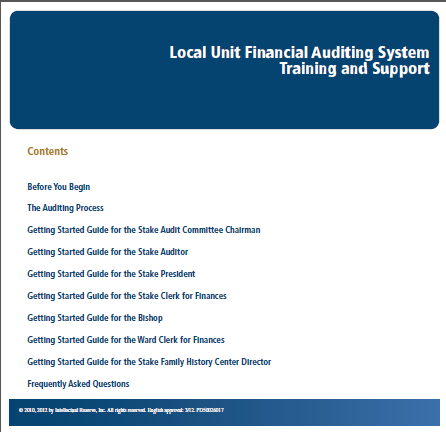
It's nice to know what browser and computer you're using, but I'm still not clear on what you're seeing when you follow that link. I follow that link and I see a PDF file with lots of links that looks like this:
LUFAS-help.png
LUFAS-help.png (20.53 KiB) Viewed 7277 times
I can click on any of those links to get another detailed PDF. Is that what you're seeing?
Questions that can benefit the larger community should be asked in a public forum, not a private message.
New Member
#7
I see the image above but when I click on one of the items I do not go to another PDF.
#8
We were sent an interactive training presentation from our Area Office, which I have sent to 2MyCloud by PM.
If anyone else would like it then let me know.
Community Administrator
#9
2MyCloud wrote:I see the image above but when I click on one of the items I do not go to another PDF.
I wonder if that failure is related to popup settings in your browser or somewhere else in your system, since the new PDF does appear in a new window for me.
Questions that can benefit the larger community should be asked in a public forum, not a private message.
New Member
#10
I had the same problem, it only loaded the front page then the links didn't work.

Once I turned off my popup blocker the page with links worked fine.