Member
This past weekend we had our first webcast with the Sony EVI-D70. It was a success, we had no glitches or problems. The key to success was testing and more testing. Our first webcast without the Audio Mixer and the EVI-D70 didn't go very well.
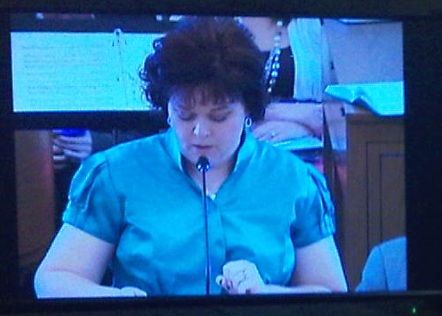
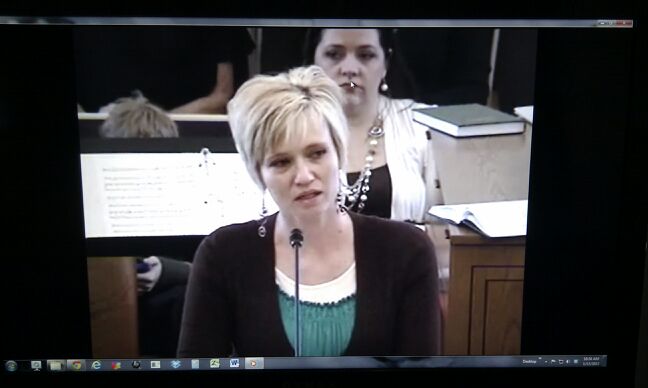
In summary, we installed the camera below the curtain wall at the back middle of the chapel (Photos below). For control, we went with the RS-422 to USB adapter, then controlled the camera with a regular Laptop with Windows 7. I had a small TV from the library to view the signal, and the Mackie 402-VLZ3 audio mixer with the Webcast Communicator. I used the connections and instructions found in the video here http://tech.lds.org/wiki/Meetinghouse_Webcast_training then view the tutorial called "How to Send a Webcast", it worked perfectly.
Many of the products we used can be found here:
http://tech.lds.org/wiki/Availability_o ... components.
Products we used for our conference: (Watch the tutorial above "How to Send a Webcast" and you will see where each of the following parts are used, except the phone system backup)
Camera: Sony EVI-D70
Webcast kit from poll sound in Salt Lake City 801-261-2500.
Kit includes:
Mackie 402-VLZ3
¼” TS – ¼” TS 3 ft.
¼” TS – RCA Male 5 ft.
RCA “Y” Cable
¼” TRS – Male XLR 3 ft
3.5mm TRS – Female XLR 3 ft
Emtech EJ-R telephone back-up
30 dB pad
We had our local FM group install the camera, and wire a video cable, and a CAT-6 cable to control the camera. They were installed to the satellite cabinet in the materials center. To control the camera, we used the instructions and free software found here: http://www.cwshop.com/LDSSoftware/ Inside the instructions to connect the camera, it refers to the RS-422-USB adapter, for camera control. http://www.bestlinknetware.com/Product/150516
In the cultural hall we had two screens, with two projectors. Because the camera signal was also broadcast to the video system of the church, we had a TV in the RS and Primary rooms for overflow. I also setup a TV on the stand so the Stake Presidency could view the broadcast and see what the camera was seeing.
I used the EVI-D70 Commander software and it has the ability to title the shot for hymn #s and names. Very convenient. I worked closely with Louis Puster, author of the control software, SWSupport@cwshop.com and he was helpful and answered questions as needed.
On the receiving site, we used wired Internet feed, and a laptop, connected to the projector, with the crab connecting sound to the building audio. Both buildings had the 881Ws with 1401 WEPs. We disconnected the WEPs and unscrewed the antennas on the 1401s.
I realize others have very different configs, but for ours, it worked great.
In summary, we installed the camera below the curtain wall at the back middle of the chapel (Photos below). For control, we went with the RS-422 to USB adapter, then controlled the camera with a regular Laptop with Windows 7. I had a small TV from the library to view the signal, and the Mackie 402-VLZ3 audio mixer with the Webcast Communicator. I used the connections and instructions found in the video here http://tech.lds.org/wiki/Meetinghouse_Webcast_training then view the tutorial called "How to Send a Webcast", it worked perfectly.
Many of the products we used can be found here:
http://tech.lds.org/wiki/Availability_o ... components.
Products we used for our conference: (Watch the tutorial above "How to Send a Webcast" and you will see where each of the following parts are used, except the phone system backup)
Camera: Sony EVI-D70
Webcast kit from poll sound in Salt Lake City 801-261-2500.
Kit includes:
Mackie 402-VLZ3
¼” TS – ¼” TS 3 ft.
¼” TS – RCA Male 5 ft.
RCA “Y” Cable
¼” TRS – Male XLR 3 ft
3.5mm TRS – Female XLR 3 ft
Emtech EJ-R telephone back-up
30 dB pad
We had our local FM group install the camera, and wire a video cable, and a CAT-6 cable to control the camera. They were installed to the satellite cabinet in the materials center. To control the camera, we used the instructions and free software found here: http://www.cwshop.com/LDSSoftware/ Inside the instructions to connect the camera, it refers to the RS-422-USB adapter, for camera control. http://www.bestlinknetware.com/Product/150516
In the cultural hall we had two screens, with two projectors. Because the camera signal was also broadcast to the video system of the church, we had a TV in the RS and Primary rooms for overflow. I also setup a TV on the stand so the Stake Presidency could view the broadcast and see what the camera was seeing.
I used the EVI-D70 Commander software and it has the ability to title the shot for hymn #s and names. Very convenient. I worked closely with Louis Puster, author of the control software, SWSupport@cwshop.com and he was helpful and answered questions as needed.
On the receiving site, we used wired Internet feed, and a laptop, connected to the projector, with the crab connecting sound to the building audio. Both buildings had the 881Ws with 1401 WEPs. We disconnected the WEPs and unscrewed the antennas on the 1401s.
I realize others have very different configs, but for ours, it worked great.