Strategy for playing "Come, Follow me"

153 postsstarted by rknelson 47,857 viewsoriginal topic

Member
#1
In preparation for the new youth curriculum “Come, Follow Me”, our Stake President gave an assignment to me as the Stake Technology Specialist. Here is what he requested:“We spoke informally the other night about the increased need we will have for video in class rooms with the new youth curriculum. Would you put together a plan (include estimated cost). For the following:

Assume each youth class (YM, YW, SS) wants to use a video in their lesson in all the buildings. How should we make this possible? Keep an eye to the future when, at some unknown time, every class may want to show a video. We may not be able to afford the future now but it is nice to think this way.

We meet with the Bishops on November 15th. It would be nice to have an idea of how we could do this by then. Not the full plan but an idea.”
I note this from lds.org:(https://www.lds.org/youth/learn/train/faq?lang=eng )“How ca​n I show videos in class?
Most of the videos suggested in the outlines are available for download (some are not, because of copyright restrictions). A downloaded video can be shown on a portable electronic device. If a video is not downloadable, you can show it over the Internet using your meetinghouse’s wireless Internet connection, if available.”
In our stake we have 5 buildings. One building has 7 Megabit internet download speed, the rest have 15 Megabit speeds or higher. All have pretty good wireless internet coverage throughout the building.

While some instructors have a laptop or tablet and are technologically savvy enough to stream/download and play videos in the classroom, others would require equipment and technical assistance to do this.

Approaches that come to my mind include:
  • Purchase equipment like tablets (expensive, and difficult to manage)
  • Purchase Rokus and connect them to TV’s (more TV’s may be needed?)
    • Stream the videos on Roku (Is there a plan to ensure the “Come, Follow Me” referenced videos, will be available on the Mormon Channel or another church channel?)
    • Use the Roku to play videos using the Roku USB Channel. Train teachers to download videos on a USB Thumb drive.
  • Newer high end HD TV’s will play videos from a USB thumb drive, and I suspect this will migrate to cheaper smaller TV’s soon, but that does not seem common in the market today.
  • Every couple of months have one person download all videos referenced in Come, Follow Me, author a DVD with a menu for each lesson topic, and burn about 8 copies for each ward in the stake. (Still might need more TV’s, but could be played on laptops in small classes.)
  • Mount a WIFI streaming TV on the wall in all youth classrooms (Just trying to think out of the box, but theft, vandalism, and cost would be a problem)
Our Stake President seems willing to allocate some budget funds to a reasonable approach, even when it might involve items normally supplied in limited quantities by the FM Group.

I really appreciate this forum and am interested in your suggestions and thoughts.
Member
#2
In our ward we have decided the most cost effective way to accomplish this is the DVD route. (Our building does not have Wi-Fi everywhere, only in selected locations. like the bishops offices. Long story.) One of my counselors is going to download all the videos for the whole year onto DVD over Christmas break unless the Church comes out with a DVD for us before then, and provide one for each teacher to keep and view at home if they need to. We have 3 TV's with DVD players in the library. Each one of us in the bishopric has a laptop that can play DVD's. That allows us at least 7 ways to play them. We will encourage the leaders with their own laptops to bring and use them, but if not, our personal ones will be available to borrow. Yeah, watching them on a dvd on a laptop is not ideal. But many of our classes only have 4 or 5 kids in them, so they will survive.

We are going to ask ward members who get a new laptop or portable DVD player for Christmas if they will donate their old one to the Library. Perhaps we can build up enough usable players over the coming months.

PS: We swear: Someone at Costco works for the Church and is watching. There is a Samsung 24 inch monitor on sale right now for about $200 to $250.00, that has all the connections including thumb drives. We are talking to the other units in our building about possibly using some left over budget money to just buy several on our own and not wait for the FM group to have enough budget to help us out.
Community Administrator
#3
TinMan wrote:There is a Samsung 24 inch monitor on sale right now for about $200 to $250.00, that has all the connections including thumb drives.

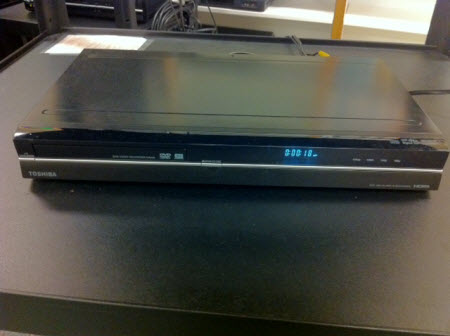
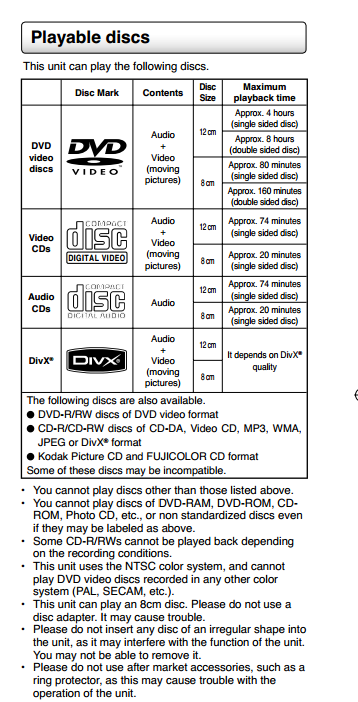
I suggest you check and verify that you can play videos from the thumbdrives. When I was last shopping for DVD recorders, I found a number that had the USB connection only to find they only supported still photos (such as from a camera) and not any video formats.
Have you searched the Help Center? Try doing a Google search and adding "site:churchofjesuschrist.org/help" to the search criteria.

So we can better help you, please edit your Profile to include your general location.
New Member
#4

No updates :(

I am very interested to see what solutions are presented here.

I have been searching this forum and see lots of talk about the ROKU channel providing content, but is the "Come Follow Me" content available on the ROKU channel?
What about using Google TV? Has anybody had success with this?

Thanks!
Member
#5
Almost all of the "Come, Follow Me" videos are on the Mormon Channel on the Roku. I looked through several lessons and only found one video which was not on the mormon channel and it was a clip from a conference talk. The entire talk was on the mormon channel but I did not find the clip itself. That said, you have to search around to find them. Some are in Messages for Youth, some in Mormon Messages, some in other areas. It would really be nice if the Mormon Channel would have a directory for "Come, Follow Me" with sub directories for Sunday School, YM, YW, then organize the videos by month or lesson. That would make finding them (and navigating to them during a lesson) much easier.
Senior Member
#6
rknelson wrote:Almost all of the "Come, Follow Me" videos are on the Mormon Channel on the Roku. I looked through several lessons and only found one video which was not on the mormon channel and it was a clip from a conference talk. The entire talk was on the mormon channel but I did not find the clip itself. That said, you have to search around to find them. Some are in Messages for Youth, some in Mormon Messages, some in other areas. It would really be nice if the Mormon Channel would have a directory for "Come, Follow Me" with sub directories for Sunday School, YM, YW, then organize the videos by month or lesson. That would make finding them (and navigating to them during a lesson) much easier.
That is a fantastic idea, and for meetinghouses with great ISP bandwidth this will be great. Those of us stuck with telegraph speeds in our meetinghouses are either out-of-luck or must rely on innovation.
“A long habit of not thinking a thing wrong, gives it a superficial appearance of being right, and raises at first a formidable outcry in defense of custom.”
― Thomas Paine, Common Sense
Senior Member
#7
bates68@gmail.com wrote:I am very interested to see what solutions are presented here.
I have been searching this forum and see lots of talk about the ROKU channel providing content, but is the "Come Follow Me" content available on the ROKU channel?
What about using Google TV? Has anybody had success with this?
Google TV supports DLNA and will support the solution we're using in our stake, however, Google TV is extremely expensive compared to other Android based STB(Set-top Boxes) I picked up and Android 4 STB that outputs both RCA and HDMI for under $50 from China... it worked great to view a webcast and will run any Android App - The Apple TV equivalents do not exist and using Apple is more expensive.
“A long habit of not thinking a thing wrong, gives it a superficial appearance of being right, and raises at first a formidable outcry in defense of custom.”
― Thomas Paine, Common Sense
New Member
#8
rknelson wrote:Almost all of the "Come, Follow Me" videos are on the Mormon Channel on the Roku. I looked through several lessons and only found one video which was not on the mormon channel and it was a clip from a conference talk. The entire talk was on the mormon channel but I did not find the clip itself. That said, you have to search around to find them. Some are in Messages for Youth, some in Mormon Messages, some in other areas. It would really be nice if the Mormon Channel would have a directory for "Come, Follow Me" with sub directories for Sunday School, YM, YW, then organize the videos by month or lesson. That would make finding them (and navigating to them during a lesson) much easier.
Good to know. Thanks for the reply. Your idea about having the Mormon channel have a directory for the "Come Follow Me" topics is really good and hopefully somebody will take notice and add that to the channel.
New Member
#9
JohnShaw wrote:Google TV supports DLNA and will support the solution we're using in our stake, however, Google TV is extremely expensive compared to other Android based STB(Set-top Boxes) I picked up and Android 4 STB that outputs both RCA and HDMI for under $50 from China... it worked great to view a webcast and will run any Android App - The Apple TV equivalents do not exist and using Apple is more expensive.

What Android STB's did you pick up? What do they allow you do do? I see that you can get the Google TV box for 99 bucks. That is the same as the ROKU that has the USB drive on it. I think having the USB option for people to play videos would be really important to help in cases where the instructor does the prep work at home and has the videos they want downloaded, and as part of implementing the new program I could push instructors to go this route as well to help improve the flow of the class.

I am still undecided on what the best solution really is.

Here are my thoughts so far:
- I think the ROKU has some good options, but it may be a bit tricky for an instructor to find the video they want quickly. I would hate for the instructor to spend 20 minutes to get it working and not have time to actually teach and invite the spirit.
- Google TV seems like a good option since you can use Chrome to browse to lds.org/youth/learn and you could quickly pick the videos.

Both ROKU and Google TV have the USB option which I think is vital.
Community Administrator
#10
Given that YouTube (which is part of Google) is blocked at the meetinghouse, I'd want to verify that Google TV will work there.
Have you searched the Help Center? Try doing a Google search and adding "site:churchofjesuschrist.org/help" to the search criteria.

So we can better help you, please edit your Profile to include your general location.
Church Employee
#11
We are not currently planning on adding the "Come Follow Me" videos to the Mormon Channel, at least in an organized fashion. We are working to organize the videos in the Media Library on LDS.org. There is a lot of discussion around how to make the videos more accessible in the meetinghouse for use.
New Member
#12
JonesRC wrote:We are not currently planning on adding the "Come Follow Me" videos to the Mormon Channel, at least in an organized fashion. We are working to organize the videos in the Media Library on LDS.org. There is a lot of discussion around how to make the videos more accessible in the meetinghouse for use.

Is there a resource that we can follow or read as new updates come out about this? We are working to decide what solution to implement in our stake and I would hate to go with a solution like ROKU or Google TV and come to find that things change in a few months and realize we have wasted money. Any links or forward looking information you may be able to provide would be appreciated.

Thanks
Member
#13
JonesRC wrote:We are not currently planning on adding the "Come Follow Me" videos to the Mormon Channel, at least in an organized fashion. We are working to organize the videos in the Media Library on LDS.org. There is a lot of discussion around how to make the videos more accessible in the meetinghouse for use.
Unfortunately the lds.org media library on lds.org is not accessible from a Roku. Assuming you are talking about a discussion around lds.org, mormon channel... It would really be nice to have some guidance on what is happening - January is coming fast. We are implementing now to be ready for January. Our stake has just purchased (using stake funds) two 19" LCD TV's with built in DVD players for each building in the stake. We have also purchased Roku players, and fastened them with velcro on the back of the TV. This supports DVD, USB thumb drives (through Roku), and streaming from mormon channel. The Roku and TV are both plugged into an extension cord so it's easy to carry (no cart) and one cord to plug in. Cost per unit: $159 for TV/DVD, $75 for Roku XS (on sale) $5 for extension cord, zip ties and velcro - total of $239 each. Two per building x 5 buildings = $2390 - not a trival amount of budget money. Yes, I realize this could be done through FM Group providing TV's, but we felt we needed to be ready in January.

It would be nice to consider providing DVD ISO images of the videos (one for Sunday School, another for YW, and one for YM) available online for download. We are going to burn DVD's for teachers, but it would be efficient to have them done once per language church wide with an organized DVD menu so it could just be downloaded and burned. It would be a large download, but would not involve SLC distributing the DVD's, and we can easily reproduce them in stakes and wards. Updates could also be handled quickly. (It appears the YM videos will require 2 DVD's.)
Senior Member
#14
rknelson wrote:Unfortunately the lds.org media library on lds.org is not accessible from a Roku. Assuming you are talking about a discussion around lds.org, mormon channel... It would really be nice to have some guidance on what is happening - January is coming fast. We are implementing now to be ready for January. Our stake has just purchased (using stake funds) two 19" LCD TV's with built in DVD players for each building in the stake. We have also purchased Roku players, and fastened them with velcro on the back of the TV. This supports DVD, USB thumb drives (through Roku), and streaming from mormon channel. The Roku and TV are both plugged into an extension cord so it's easy to carry (no cart) and one cord to plug in. Cost per unit: $159 for TV/DVD, $75 for Roku XS (on sale) $5 for extension cord, zip ties and velcro - total of $239 each. Two per building x 5 buildings = $2390 - not a trival amount of budget money. Yes, I realize this could be done through FM Group providing TV's, but we felt we needed to be ready in January.
FMs funding up by $2390, Youth activity program funding short by $2390.
Senior Member
#15
:)

Knowing this would be hitting this coming year around February/March of 2012 (and if you didn't know there were signs everywhere, you just had to pick up on it) we worked with FMG to budget for next year a similar arrangement that rknelson has posted. It was a very long, grueling fight because it was a strategic ask. FMG does not do strategic well (in my suburb of Zion). It will be a bit delayed, but Roku's will connect to the older tv's as well as an LCD, we figured it wouldn't be much time difference where our Unit Conferences make up most of the bulk of January anyway....

I'll keep everyone posted on whether FMG comes through.
“A long habit of not thinking a thing wrong, gives it a superficial appearance of being right, and raises at first a formidable outcry in defense of custom.”
― Thomas Paine, Common Sense
New Member
#16
rknelson wrote:Unfortunately the lds.org media library on lds.org is not accessible from a Roku. Assuming you are talking about a discussion around lds.org, mormon channel... It would really be nice to have some guidance on what is happening - January is coming fast. We are implementing now to be ready for January. Our stake has just purchased (using stake funds) two 19" LCD TV's with built in DVD players for each building in the stake. We have also purchased Roku players, and fastened them with velcro on the back of the TV. This supports DVD, USB thumb drives (through Roku), and streaming from mormon channel. The Roku and TV are both plugged into an extension cord so it's easy to carry (no cart) and one cord to plug in. Cost per unit: $159 for TV/DVD, $75 for Roku XS (on sale) $5 for extension cord, zip ties and velcro - total of $239 each. Two per building x 5 buildings = $2390 - not a trival amount of budget money. Yes, I realize this could be done through FM Group providing TV's, but we felt we needed to be ready in January.

It would be nice to consider providing DVD ISO images of the videos (one for Sunday School, another for YW, and one for YM) available online for download. We are going to burn DVD's for teachers, but it would be efficient to have them done once per language church wide with an organized DVD menu so it could just be downloaded and burned. It would be a large download, but would not involve SLC distributing the DVD's, and we can easily reproduce them in stakes and wards. Updates could also be handled quickly. (It appears the YM videos will require 2 DVD's.)

Some guidance, recommendations or direction for the plan of the church would be helpful would lead to money savings I am sure.

I picked up a ROKU today and although it is a cool device I am not sure it really gains me anything to show videos. Really all it gives me is an interface to play usb movies on the tv. I could not find the 2 "come follow me" videos I looked for on the mormon channel. Also searching through the mormon channel would take way to long to be useful in a classroom. I am hoping to be able to try a google tv setup out as that is looking like a better option. Also the idea of a 50 dollar dvd player with a usb option is looking pretty good as well. At this point the streaming content of the ROKU seems to be of little or no value for the curriculum we are trying to present.

I would love to hear if anybody else has any other thoughts or comments about the ROKU and how it can add value over the cheaper dvd player with usb option.
Senior Member
#17
You can search the forums for comments and values of the Roku... The High-end Roku does provide a great USB option and has the Mormon Channel and BYUTV. The lds.org media library mentions using Roku devices, as well as, the broadcast information coming from SLC these days. The live broadcasts over the Roku from Mormon Channel save having to hook up a computer to view conference and other live events in chapels.

In our stake we've found a much more creative way to use the Roku from a local streaming server, because our bandwidth is so bad across all our meetinghouses there is no way we can support any kind of streaming, and asking people to download videos and bring them into the Church pre-supposed that they have that capability and the exclusiveness that entails. Then there is the issue of hooking up a device to a TV. Have you ever had to support and iPad connecting to a TV or Projector? What a nightmare, which version is it, do you have the right cord or adapter... People show up 5 minutes before a meeting and expect a STS to have everything they need.

It is likely that Stakes all across the Country will be spending LUBA because of the obvious, and immediate demand that will come from the Youth Curriculum, and the growing desire to incorporate multiple teaching methods including the online media (images, audio, video, etc... ) - Did everyone hear the announcement that the Church is discontinuing the printing of display-sized pictures, opting for digital usage? - It saddens me that we have coordinated this so poorly. In my stake we've been told there is a 20% cut in FMG funds at precisely the time that most stakes are looking to FMG to provide better options to display visual resources.

PFR's and FMG's likely across the country saw this coming, those who thought strategically and magnified the office they were called or paid for were trying over the years to bring their meetinghouses up to current levels or standards. Unfortunately, I'm confident that this was the exception to the rule. In 2 separate FMG in my area our buildings have such aged equipment that the costs are prohibitive for whole-scale change-out. The Practice of FMG that eliminated FMAT suggested replacement of Audio/Video equipment is going to Bite us in the end and take already limited LUBA funds from members of the church, in order to supplement funds in another department that should be used. If FMG can ELIMINATE a FMAT suggested replacement based on some kind of business rule before they bring that to the attention of the PFR and Stake President, they have created the situation we are in.

How can we call for the FMG to allocate $2K per stake to do something like MOST stakes will do anyway.
“A long habit of not thinking a thing wrong, gives it a superficial appearance of being right, and raises at first a formidable outcry in defense of custom.”
― Thomas Paine, Common Sense
Church Employee
#18
All - good discussion. Please be aware that a number of teams here at Church HQ, including the team I am on (Digital Presentation) are putting considerable effort behind making the process of showing youth curriculum videos in class easier to do.

One of the first deliverables is a Q&A document that I wrote to address the immediate need to support video playback. That document will be linked to the December Meetinghouse Technology newsletter that goes to stake technology specialists. I can also post a link to it in this forum as well as soon as it gets final approval.

Some key points:

- Encourage youth leaders and teachers to download videos that they wish to play in class. Do not rely on the meetinghouse Internet for live streaming of videos (despite what the paragraph on the youth curriculum site says right now - we're working on getting that updated). There will be too much competition at the same time, and most meetinghouses don't have sufficient bandwidth to provide a satisfactory live streaming playback experience.

- Where to download and how to play back:

- If you have a personal device, such as a laptop or tablet, download the video to that device. Play it directly from the device only for small classes (1-4 people), or connect to a display device (TV or projector) for larger classes.

- If you don't have a personal device, we recommend downloading videos to a USB flash drive, and then connecting the drive to a USB player, such as the Western Digital WD TV Live, which has HDMI and composite video connectors, allowing it to connect to almost any TV or projector currently in meetinghouses. The Roku 2 XS also has a USB port (the other current models do not), and it can play .mp4 files only, so it would also work as a USB player, although the Western Digital product is less expensive and supports more video file formats.

Other larger efforts are underway to explore a larger process of upgrading meetinghouse audio/visual equipment, but there are no details on those efforts just yet.
Kurt Olsen - Product Manager at Church HQ for Digital Presentation (Personal Video Conferencing, Meetinghouse Webcast, Conference Rooms, Video Conference Endpoints, Meetinghouse Digital Content)
Member
#19
Great. I have 6 YM/YW classes going at the same time and as many youth sunday school classes the second hour. All of them with 6-12 students. Plus the usual needs of the other adult classes going on at the same time including a Family History Sunday school class where all the class members are connected to the internet. They are working on the new "Family Tree" program that just obsoleted the "New Family Search" which is now the "Old New Family Search."

Are you going to have 6 projectors or 6 Western Digital WD plus TV's in each building? When can we expect delivery?

Because right now I have 3 TV's in the library that if I opened them up probably have tubes in them. Good thing the VCR players hooked to them still work. Now if you can just tell me how I can plug a USB drive into a VCR, we would be in business. At least for 3 of the classes.
New Member
#20
The links from meeting house technology for the Roku and the Western digital media player (links to Amazon) currently show the Roku for just under $100 and the WD at $169 so the Roku is currently cheaper, not the other way around.
In any case, THANKS for the info. My suggestion is to coordinate a link to all videos on the Mormon channel as that will make them much easier to link to (via Roku or Downloads) rather than scattered all over the web site.
Senior Member
#21
Kolsen,

My only bit of feedback here with what you have posted, is that there are many people in the church who eschew all things connected, or at least are NOT EVER going to be capable of downloading something to a USB stick. We are setting up a haves/havenot's system here that is unfortunate.

Are the Ward Technology Specialist callings coming as well?
“A long habit of not thinking a thing wrong, gives it a superficial appearance of being right, and raises at first a formidable outcry in defense of custom.”
― Thomas Paine, Common Sense
Community Moderators
#22
ksolsen wrote: - If you don't have a personal device, we recommend downloading videos to a USB flash drive, and then connecting the drive to a USB player, such as the Western Digital WD TV Live, which has HDMI and composite video connectors, allowing it to connect to almost any TV or projector currently in meetinghouses. The Roku 2 XS also has a USB port (the other current models do not), and it can play .mp4 files only, so it would also work as a USB player, although the Western Digital product is less expensive and supports more video file formats.
Two issues/problems regarding this and other points made.

First, why are we asking members to provide their own equipment to perform the duties of a calling? For some wards this is not really even an option when only a small number of ward members have such devices.

Second, there are a lot of meetinghouses without the necessary equipment to handle this sudden need for multimedia in the classroom. Our meetinghouse is new and yet it only has 3 monitors. One is large (42 inch?) and two are small (23 inch). None of them have built in capability for USB video. The two small monitors have built in DVD players that play only DVD-ROM. There is one DVD player used with the larger monitor that has only basic DVD playback capability and no USB video capability. The ward budget cannot support buying even one Western Digital WD TV live or Roku 2 XS let alone six plus one-fourth the cost of the additional monitors needed. Our meetinghouse supports four units that meet in overlapping three-block meeting times. The need for multimedia equipment is doubled because of the overlap. I don't envision the stake has the funds to support buying the additional monitors and multimedia equipment for fourteen units in six meetinghouse locations.

The result of this is that many classes will have to forgo the digital presentation option.
JD Lessley
Have you tried finding your answer on the ChurchofJesusChrist.org Help Center or Tech Wiki?
Senior Member
#23
I've also found that some of the content is also available on DVD as well. I think a couple may be on older New Testament Presentations DVDs, and a couple may be on some older CES DVDs that were made available generally a few years back, for the 'media kits' that CES teachers used.

Still available from Deseret Book is a DVD of 20 or so Mormon Messages, it had the Church logo on the inside of the cover. They were sold this way so the DVD would go onto Amazon or other places where they could be found under a recognized publisher.

Given all that, this will mean that only a very small number of items may not be easily accessible outside of the either streaming or DVD.
Community Administrator
#24
Personally, I'd like to see everything made into a downloadable ISO file. That way it's a ready-to-burn, ready-to-use DVD and not the current scattering of content. It uses what we currently have in the meeting house and complies with the recommendation to download in advance.

Seems like it should only take someone a media specialist in CHQ a few hours to produce the ISO. I know from experience that trying to download the video and burn it to a DVD isn't for the raw beginner. And it's time consuming.

Content can still be changed and updated frequently.
Have you searched the Help Center? Try doing a Google search and adding "site:churchofjesuschrist.org/help" to the search criteria.

So we can better help you, please edit your Profile to include your general location.
Community Moderators
#25
For the time being, we have suggested that one of the units in each building assign/call someone who has more developed skills, furnish them with blank DVDs, and ask them to download videos for the meetinghouse library.

And we have asked the teachers to let the librarians know which videos they would like to show in advance.

The result will be a set of DVDs maintained by the library that can be shown using the current equipment. This does not solve the problem of having nine DVD players available at the same time, but there is a feeling that inspiration may influence the desire to show different videos at different times.

Back in the old days (a very relative term) we had two Gospel Doctrine classes that absolutely insisted they be able to show the same video the same day. The issue was resolved when one teacher showed it during the first part of the lesson and the other one showed it later in the lesson. Someone else quietly rolled the equipment from one classroom to the other at the right time by prior arrangement.

Granted, something like this requires close coordination, but as I recall from the training, that is supposed to be happening anyway with the new curriculum.
Senior Member
#26
jdlessley wrote:Two issues/problems regarding this and other points made.

First, why are we asking members to provide their own equipment to perform the duties of a calling? For some wards this is not really even an option when only a small number of ward members have such devices.

Second, there are a lot of meetinghouses without the necessary equipment to handle this sudden need for multimedia in the classroom. Our meetinghouse is new and yet it only has 3 monitors. One is large (42 inch?) and two are small (23 inch). None of them have built in capability for USB video. The two small monitors have built in DVD players that play only DVD-ROM. There is one DVD player used with the larger monitor that has only basic DVD playback capability and no USB video capability. The ward budget cannot support buying even one Western Digital WD TV live or Roku 2 XS let alone six plus one-fourth the cost of the additional monitors needed. Our meetinghouse supports four units that meet in overlapping three-block meeting times. The need for multimedia equipment is doubled because of the overlap. I don't envision the stake has the funds to support buying the additional monitors and multimedia equipment for fourteen units in six meetinghouse locations.

The result of this is that many classes will have to forgo the digital presentation option.
This is right on the Mark.

Givens:
1. The Church has known that this curriculum change was coming for 2013 (or at least had a high probability it was coming).
2. The Church MUST also know of the very BAD AV equipment situation our meetinghouses have been in for years. (simple data gathering from FMAT could reveal actual replacements per stake or per building over a certain period of time, at least, they could analyze how many flat panels have been purchased, etc...)
3. The Church has known for some time the TV's they purchase are not capable of playing the mp4 format, but can play images and MP3.

Each of these situations could've been remedied by having FMG take a serious look at what was in place, or Make a fund available for meetinghouses on a tiered structure, for buildings built since the decision to move the Flatscreen = 0 dollars, buildings 3-5 years old, $1000 for AV equipment, 5-7, etc... a matrix could be established that has # of Units per building and $ to receive in 2012 to upgrade the equipment.

In our Stake we have done our best to implement something we predicted was coming for 2013. Even then, we have NO GUARANTEE that FMG will purchase the equipment we budgeted for. It is a mystery to me why a budget is not really a budget, but becomes a fund to allocate $$ from, regardless of what budget items were submitted to create the 'budget' number, but that is where we are.

I can't even imagine tackling this in a stake where the ward buildings are all several miles apart, how convenient it must be to think, well, a good portion of our STS will be able to figure it out without too much trouble. For those of us in stakes with multiple small branches, meetinghouses that are 2 hours away, this task is no small feat, to have had a couple months notice, with no funding, no real general direction. If each Stake spends $2000 in the US how much is that? Nearly 3 Million dollars that likely would've been a much better deal for many if the Church had ordered in BULK and got a CRAZY deal on these items. And that is 3 Million that shifts from a Facilities Plan to the LUBA... As Gary_Miller rightly points out... taking that much more $$ out of budgets and passing on costs to our members. If we're going to a member-supported budget again, I'll be happy to stand up and pay my fair share, but, the whole reason we aren't in that situation is that rich wards have everything cool, and poor wards have nothing..... we've come full circle again. If you happen to be well-off, and have an iPad, iPhone, laptop, or can just bring in your own projector and computer, then you're going to be the 'cool' teacher. But others not in that situation are unable to take advantage of the tools they are asked to use in lessons.
“A long habit of not thinking a thing wrong, gives it a superficial appearance of being right, and raises at first a formidable outcry in defense of custom.”
― Thomas Paine, Common Sense
Community Administrator
#27
What about the "other side"? Why should a teacher who has the ability, and who does have personal devices, teach from a curriculum that's aims at the lowest common denominator instead of having material that allows them to explore what can be done?

Does the new curriculum require all this new media, or does it just show them how to incorporate it?
Have you searched the Help Center? Try doing a Google search and adding "site:churchofjesuschrist.org/help" to the search criteria.

So we can better help you, please edit your Profile to include your general location.
Church Employee
#28
RussellHltn wrote:Does the new curriculum require all this new media, or does it just show them how to incorporate it?

I've asked this same question internally, and the answer I get is that while incorporating videos can be an excellent addition to a lesson, it is certainly not a required component. The concept behind the new youth curriculum is that teachers prepare and deliver their lessons by the Spirit, and the video may or may not end up being part of that.

That being said, I definitely hear all of the issues being raised in this thread. Certainly, funding such a large purchase of equipment is no small matter. Having adequate display equipment for all of the simultaneous classes is a big challenge. I can't say that we have easy answers just yet, but we are actively working on the issue. We'll see where it all goes.

DVD's are not totally out of play. I have heard discussions about creating and posting an ISO image so that units can burn their own DVDs (no word on timing yet).

It's certainly true that not everyone will feel comfortable downloading to USB drives. What about this idea: if we created a centralized website with all youth curriculum videos (which we are actually doing), and made it easy to download the entire year's worth of videos for one group (YM, YW, or Sunday School) in one .zip file, could we have the STS create a pile of USB drives that can be made available in the materials center? The videos would be organized into folders, by month, and fairly easy to navigate on a USB player or USB-capable TV (no harder than a DVD menu, in my opinion). That would relieve individuals of the burden of doing the download themselves. It would create a project for the STS, true, but it would be a one-time project each year.

The proposal for a ward-level technology specialist is still in play. No firm results yet.
Kurt Olsen - Product Manager at Church HQ for Digital Presentation (Personal Video Conferencing, Meetinghouse Webcast, Conference Rooms, Video Conference Endpoints, Meetinghouse Digital Content)
Community Administrator
#29
ksolsen wrote:What about this idea: if we created a centralized website with all youth curriculum videos (which we are actually doing), and made it easy to download the entire year's worth of videos for one group (YM, YW, or Sunday School) in one .zip file, could we have the STS create a pile of USB drives that can be made available in the materials center? The videos would be organized into folders, by month, and fairly easy to navigate on a USB player or USB-capable TV (no harder than a DVD menu, in my opinion).

What would be the advantage of this approach? The stake would have to obtain the USB player (about $100/set) and USB devices. I'd be concerned the USB drive would disappear as they do have a value outside of church. (For that matter, I'd be concerned about the USB player as they are quite small with an attractive value to portability ratio.)

I'd want to see an advantage to make the effort worth it. Otherwise, I'd probably end up spending the time to convert them to DVD. (And probably not do as good a job as the media department could do.)

Oh, and whoever is doing the DVD ISO, would it be possible to make a menu that can be navigated without the remote? They sometimes get lost, or the librarian is reluctant to loan them out because they tend to get misplaced.
Have you searched the Help Center? Try doing a Google search and adding "site:churchofjesuschrist.org/help" to the search criteria.

So we can better help you, please edit your Profile to include your general location.
Community Administrator
#30
ksolsen wrote:What about this idea: if we created a centralized website with all youth curriculum videos (which we are actually doing), and made it easy to download the entire year's worth of videos for one group (YM, YW, or Sunday School) in one .zip file

Where this might come in handy is loading this on the teacher's smart phone. It looks like a HDMI to composite converter is only about $30 or so. It may not work for all teachers, but smart devices are becoming more and more common. Heck, even my now-ancient iPod G4 will play video. (But it doesn't look like the newer ones can.)

One advantage of using the teacher's equipment is that they can practice at home with it until their delivery is smooth.

I'm not saying all teachers should do this, but I think we should keep that option open for the ones that do.
Have you searched the Help Center? Try doing a Google search and adding "site:churchofjesuschrist.org/help" to the search criteria.

So we can better help you, please edit your Profile to include your general location.
Community Administrator
#31
ksolsen wrote:DVD's are not totally out of play. I have heard discussions about creating and posting an ISO image so that units can burn their own DVDs (no word on timing yet).

My stake president has asked me to download all the videos and create a DVD. That is the best solution for our stake in general, given our older TVs (which all have DVD players) and a significant number of teachers who lack the technological expertise for any of the other options.

So if there's going to be an ISO image available before the first of the year, I'd really like to know, as it will save me many hours of work.
Questions that can benefit the larger community should be asked in a public forum, not a private message.
Community Moderators
#32
ksolsen wrote:What about this idea: if we created a centralized website with all youth curriculum videos (which we are actually doing), and made it easy to download the entire year's worth of videos for one group (YM, YW, or Sunday School) in one .zip file, could we have the STS create a pile of USB drives that can be made available in the materials center?

We have nothing in the media center that will play USB anything. "State of the art" around here is at best a DVD player and an old television. Anything we do will have to be compatible with that for now.

It we can get from the zip to a DVD, that will work. We do not mind burning the DVD, but it would be easier if the Church could assemble everything to make that possible.

We fully support a centralized website with all the videos for easy download. In a few years, we may get to the point where we will download what we need on a per-video basis. And for the moment, we will at least know from whence to snag them.
Senior Member
#33
jdlessley wrote:I don't envision the stake has the funds to support buying the additional monitors and multimedia equipment for fourteen units in six meetinghouse locations.
If the stake does have the funds they are pulling to much funds from the ward budget allowances.
Senior Member
#34
RussellHltn wrote:Does the new curriculum require all this new media, or does it just show them how to incorporate it?

My understanding is that the new curriculum is more geared towards stimulating discussions with in the class room. The media is just one way of helping stimulate the discussion.
Senior Member
#35
Roku has four models, the first three are all under $80 and that last one is list-priced at about that. The most expensive model ($99) has extra features that won't be used in a meetinghouse such as games. Walmarts are the cheapest places to get Rokus at.
New Member
#36
JamesAnderson wrote:Roku has four models, the first three are all under $80 and that last one is list-priced at about that. The most expensive model ($99) has extra features that won't be used in a meetinghouse such as games. Walmarts are the cheapest places to get Rokus at.

The most expensive one, roku 2sx is the only one with USB, which is the recommended way to play videos (download first, before class) and the only model lds.org shows as approved.
Senior Member
#37
It also is the model with the Ethernet (Internet cable) port if you use roku for your live broadcast viewing (conference, etc...) if you have Ethernet at the podium.
“A long habit of not thinking a thing wrong, gives it a superficial appearance of being right, and raises at first a formidable outcry in defense of custom.”
― Thomas Paine, Common Sense
New Member
#38
aebrown wrote:My stake president has asked me to download all the videos and create a DVD. That is the best solution for our stake in general, given our older TVs (which all have DVD players) and a significant number of teachers who lack the technological expertise for any of the other options.

So if there's going to be an ISO image available before the first of the year, I'd really like to know, as it will save me many hours of work.
What software are you using to create the dvd? (convert the MP4's to the old VOB format)
Community Administrator
#39
jimhyer wrote:What software are you using to create the dvd? (convert the MP4's to the old VOB format)
Actually, I'm just doing the downloading. We have an assistant stake clerk whose profession is video editing who will actually create the DVDs. He has some fancy software on a Mac that he uses; I don't know the name of the software.
Questions that can benefit the larger community should be asked in a public forum, not a private message.
#40
Has anyone considered a "Come Follow Me" app for tablet that will allow a teacher to stream (at home) to decide whether they want to show it, then download the clip if desired, and then show (from local tablet storage) the clip during class? Would function similar to the new Podcasts app on iOS, you can either stream or download.

While I realize not everyone will have a tablet, I'm seeing more and more people in my ward carrying them around. I would say we are a fairly "median income" ward, and I'm seeing LOTS of iPads at church. Also, with lower-cost android tablets, we're going to start seeing even more after this Christmas holiday. I know several families who are buying tablets for all their children this holiday season.
Member
#41
Sitting around an ipad is not very good in a class of 10 kids...
Community Administrator
#42
sammythesm wrote:Has anyone considered a "Come Follow Me" app for tablet

I don't think the church is exactly flush with mobile development teams. At least two would have to be developed - one for iOS and one for Android and maybe even Windows 8. That's 3 apps to do one job.
Have you searched the Help Center? Try doing a Google search and adding "site:churchofjesuschrist.org/help" to the search criteria.

So we can better help you, please edit your Profile to include your general location.
Member
#43
The most cost effective thing for the church to do would be to make downloads available from a central resource. After that, people will make their own decision about either burning DVDs, loading onto smart phones or tablets, or using a media player solution.

We need to remember that the videos aren't the be all and end all of this new material, or the new approach to teaching it. Certainly not at the potential cost of millions of dollars of sacred funds which could be better used building temples, chapes or supporting the ever growing missionary force.
Church Employee
#44
sammythesm wrote:Has anyone considered a "Come Follow Me" app for tablet that will allow a teacher to stream (at home) to decide whether they want to show it, then download the clip if desired, and then show (from local tablet storage) the clip during class? Would function similar to the new Podcasts app on iOS, you can either stream or download.

Yes. There is some development work taking place to test that option. It is in the early stages but is proving promising. Sounds like it would be an additional option to others being discussed and considered. Thank you.
Community Administrator
#45
dannykos wrote:The most cost effective thing for the church to do would be to make downloads available from a central resource. After that, people will make their own decision about either burning DVDs, loading onto smart phones or tablets, or using a media player solution.
I think the most cost/labor effective thing is to have a central resource that includes ISO images. That would save everyone having to covert the video to DVD a significantly time-consuming step. Depending on the format, I'm not sure as anyone else would have to do a conversion.
Have you searched the Help Center? Try doing a Google search and adding "site:churchofjesuschrist.org/help" to the search criteria.

So we can better help you, please edit your Profile to include your general location.
Church Employee
#46
RussellHltn wrote:I think the most cost/labor effective thing is to have a central resource that includes ISO images.

This option has been discussed. Not all the content currently available has been authored for DVD distribution so that is an action that would have to take place in order for the ISO to be available. Depending on the amount of content it could also be a fairly large file to download depending on available bandwidth. All good ideas and balancing the amount of content with the resources to make it all available in 16 languages is a big undertaking. Reaching a Global Church with digital media is a daunting task and one that is being talked about a lot. Finding a way to be as efficient as possible with the sacred funds being allocated to assist the members in using media for teaching and training is, as you all know, a hot topic of discussion.
Community Administrator
#47
JonesRC wrote:Not all the content currently available has been authored for DVD distribution so that is an action that would have to take place in order for the ISO to be available.
So far, I think we have 2-3 people just in the forum who would have to do it if it's not done by the church.
JonesRC wrote:Depending on the amount of content it could also be a fairly large file to download depending on available bandwidth.
I agree that the ISO is not the most compact form. So this may come down to bandwidth vs. volunteer time. (Assuming the stake can find someone who can do that.) Now there's a hot topic.

Did I get the issue right? Or is there something else?
Have you searched the Help Center? Try doing a Google search and adding "site:churchofjesuschrist.org/help" to the search criteria.

So we can better help you, please edit your Profile to include your general location.
Community Administrator
#48
JonesRC wrote:Depending on the amount of content it could also be a fairly large file to download depending on available bandwidth.

Please don't let any concerns about the download size deter you from making these ISOs available. No matter how long the download takes, it will be MUCH faster than me finding and downloading the videos and then creating a DVD.
Questions that can benefit the larger community should be asked in a public forum, not a private message.
New Member
#49
JonesRC wrote:This option has been discussed. Not all the content currently available has been authored for DVD distribution so that is an action that would have to take place in order for the ISO to be available. Depending on the amount of content it could also be a fairly large file to download depending on available bandwidth. All good ideas and balancing the amount of content with the resources to make it all available in 16 languages is a big undertaking. Reaching a Global Church with digital media is a daunting task and one that is being talked about a lot. Finding a way to be as efficient as possible with the sacred funds being allocated to assist the members in using media for teaching and training is, as you all know, a hot topic of discussion.
On the other hand each ward can download individual video files as they come out. What is needed is a windows app that runs on the ward computer to turn all those MP4's into a dvd locally. Freeware apps may be available to do that and it would be efficient as it would run on demand in the unit. Another approach is to copy the downloaded mp4's to a USB stick. All we then need is to view MP4's on USB on a display (TV). A $100 roku can do that now against the cheapest TV's and $10 USB. If the church negotiated a bulk purchase we could get a good price on the Roku. We could compare that price to buying a TV that will display MP4's off a USB stick. I suspect the Roku approach will be cheaper IMHO. Then maybe share 1-3 TV's per unit??

Also, If individual members have tablets, there are usually ways to download the videos at home and save for display. We can not afford to stream them all over the church on Sunday morning. I know the Kindle fire will do it now, but it takes a process. Some education on those approaches could help those few with tablets.
Senior Member
#50
it seems like a DVD which could be purchased through distribution would be a good way to go.
Community Administrator
#51
aebrown wrote:Please don't let any concerns about the download size deter you from making these ISOs available. No matter how long the download takes, it will be MUCH faster than me finding and downloading the videos and then creating a DVD.

I think the last time I did that, my process was maybe only 1.5x actual speed. That is, 1 hour of video took me 40+ minutes to do. It may have been even slower then that. And that's just machine time. If I have to start learning how to do DVD menus ....
Have you searched the Help Center? Try doing a Google search and adding "site:churchofjesuschrist.org/help" to the search criteria.

So we can better help you, please edit your Profile to include your general location.
Member
#52
Our stake has had a brother produce 5 master DVD's containing all of the current downloadable "Come, Follow Me" videos: One DVD for Sunday School, two for Young Women, and two for Young Men. The YM and YW each required 2 DVD's. They all have basic menus.

While it is a big undertaking for CHQ to create them in all 16 languages, isn't that obviously more efficient than stakes and wards doing this over and over? I understand the huge cost of producing and distributing them to all units through distribution, but really would like to see downloadable ISO's produced once. Downloading the huge files is far faster than producing them! If I felt like ours were professional looking menus I would find a way to post them, but I really don't think the menus are up to that level.

We plan to duplicate them for all units in the stake: 4 copies for SS, 4 for YM (x 2 DVD's), 4 for YW (x 2 DVD's). Eleven units with youth, so 220 DVD's! Luckily I have a DVD duplicator available that can burn 10 at a time. Cost for 300 paper sleeves and 300 DVD's = $90. Labels will be cheap stickon address labels printed with the title so I don't have to scribble with a marker on all of them.

Probably additional content will appear during the year, particularly after April conference, so downloading to USB or streaming is desirable.

There are challenges and people discussing them at church headquarters, but please, please, start communicating with us! If there is an effort to have ISO's I will wait for those before I start burning DVD's, but we need to know that in the next week or two. We really don't want to be going a direction that is contrary to what finally comes out.
Member
#53
aebrown wrote:My stake president has asked me to download all the videos and create a DVD.
It will take several DVD's. I think a minimum of 4.
Community Moderators
#54
JonesRC wrote:Not all the content currently available has been authored for DVD distribution so that is an action that would have to take place in order for the ISO to be available.

Are you saying that some of the videos should only be streamed and not burned to DVD for local use? Are they so identified?

We have buildings with no internet access at all. That totally rules out using any of those videos, although we realize the videos are all optional and not required for teaching.
Community Administrator
#55
lajackson wrote:Are you saying that some of the videos should only be streamed and not burned to DVD for local use? Are they so identified?

There are several videos that cannot be downloaded. See, for example, the Why is Jesus Christ important in my life topic in the January YW curriculum. You'll see three videos in the resource section at the top that are labeled "(no download available)" and indeed when you play them, there is no "Download" link. Since they can't be downloaded, there is no way to play them offline (yes, I know there are ways to extract content from YouTube, but if the Church was careful not to allow these videos to be downloaded from LDS.org, I'm sure they don't want us working around that restriction).
Questions that can benefit the larger community should be asked in a public forum, not a private message.
Community Moderators
#56
aebrown wrote:Since they can't be downloaded, there is no way to play them offline.

Okay. Got it. For the most part, in our case, that simply means they are not available for us to use in classroom instruction. We can plan accordingly.
#57
I compiled a list of files and sizes for the download-able
videos for the Sunday School videos and they came out
to 1.1 Gb for low, 1.8 Gb for medium, 3.1Gb for high, and
4.1 Gb for all.(because each set shares some videos that
are only available in one resolution, the total is not the sum
of the collections).

The youth lesson videos are probably double that size if they
take twice as many DVDs to burn.

Is this forum an appropriate place to share a list of hyperlinks
to each of the videos for download, or does that run contray
to the code of conduct somehow ?

I ask only to avoid duplication of effort from other clerks.
Community Administrator
#58
atticusewig wrote:Is this forum an appropriate place to share a list of hyperlinks to each of the videos for download, or does that run contrary to the code of conduct somehow?

That would certainly be appropriate, and would probably be appreciated by many others.
Questions that can benefit the larger community should be asked in a public forum, not a private message.
Community Administrator
#59
atticusewig wrote:Is this forum an appropriate place to share a list of hyperlinks to each of the videos for download, or does that run contray to the code of conduct somehow ?
Only if it defeats security in some way. Otherwise, post away. I'll probably need it myself.
Have you searched the Help Center? Try doing a Google search and adding "site:churchofjesuschrist.org/help" to the search criteria.

So we can better help you, please edit your Profile to include your general location.
Community Administrator
#60
atticusewig wrote:Is this forum an appropriate place to share a list of hyperlinks to each of the videos for download, or does that run contray to the code of conduct somehow ?
Only if it defeats security in some way. Otherwise, post away. I'll probably need it myself.

atticusewig wrote:The youth lesson videos are probably double that size if they take twice as many DVDs to burn.
I don't think I'd try to equate download size with DVDs needed. Not unless you've got a player that will take "computer DVDs". I think 2 hours of running time per DVD is a better estimate. And of course I wouldn't download anything too high a quality since DVD is just SD.
Have you searched the Help Center? Try doing a Google search and adding "site:churchofjesuschrist.org/help" to the search criteria.

So we can better help you, please edit your Profile to include your general location.
Senior Member
#61
I found a workaround for showing the video 'The Only True God...' mentioned in the January unit. It is using the original video of the talk. You can use the General Conference DVD that has that same talk in it, as that Mormon Message used one of Elder Holland's earlier talks. You can download the original talk on lds.org in the General Conference area.

That may also hold true for a few other things as well if the only speaking was the General Authority whose message was used. Virtually all Mormon Messages use a General Conference talk at some point.
Member
#62
ksolsen wrote:The Roku 2 XS also has a USB port (the other current models do not), and it can play .mp4 files only, so it would also work as a USB player, although the Western Digital product is less expensive and supports more video file formats.
The Roku XS will play several video formats, not just MP4.

"The following media file formats are supported:
  • Video — MKV (H.264), MP4 (H.264), MOV (H.264), WMV/ASF (WMV9/VC-1)
  • Music — AAC, MP3
  • Photo — JPG, PN "
From: http://support.roku.com/entries/423946-what-media-file-types-does-the-roku-usb-media-player-channel-support
The link has much more detail.

I don't know how this compares with the Western Digital device.
Senior Member
#63
One real problem with the most current thoughts in this thread are that we are limiting ourselves to the videos that are part of the 'suggested' lesson plan. This is only a suggested resource and is meant for the 'least of these', what happens if I, as a YW leader feel inspired to show a Youth Message that isn't in the 'Come Follow Me Videos'?? If we treat them as the 'Come Follow Me Videos' we fall into the same trap of teaching that the New courseware and teaching methodology is trying to eliminate. If we label these as the 'Come Follow Me Videos' then teachers and leaders in our church will feel FORCED to use ONLY those videos, and will therefore be ignoring the spirit in the preparation, or not allowing the spirit to work on them because of assumptions and limitations they bring into their preparation. This completely curtails the new pattern being established.

If we're going to burn videos:
Mormon Messages
Life of Christ - Bible videos
Youth Messages
Leadership Training Library
.....

This may be the Come Follow me solution, but remember we still have the Leadership Training Library that is a likely training tool useful in EVERY meeting held in the church.

I realize it's something we can get in place, but it is not strategic, it is only tactical in nature, and will serve, I believe, to limit the effectiveness of the new program.
“A long habit of not thinking a thing wrong, gives it a superficial appearance of being right, and raises at first a formidable outcry in defense of custom.”
― Thomas Paine, Common Sense
Community Administrator
#64
JohnShaw wrote:I realize it's something we can get in place, but it is not strategic, it is only tactical in nature, and will serve, I believe, to limit the effectiveness of the new program.

I certainly agree that this whole discussion is "only tactical in nature." It covers stopgaps measure for buildings that don't have the infrastructure for accessing media over a network (with content on the Internet or stored locally on some sort of media server), and don't have devices to play and present that content.

But I don't see how making some options available, even if they are a small subset of all the content available, will "limit the effectiveness of the new program." Having some options available seems so much better than having none (which is the case in some buildings if you rely on Internet-delivered content), so these measures will improve the effectiveness of the program.

Tactical, temporary measures should never cause us to take our eye off the ultimate goals. If we cease thinking strategically, then we will limit our future effectiveness. But that doesn't have to be the case.
Questions that can benefit the larger community should be asked in a public forum, not a private message.
New Member
#65
RussellHltn wrote:Only if it defeats security in some way. Otherwise, post away. I'll probably need it myself.


I don't think I'd try to equate download size with DVDs needed. Not unless you've got a player that will take "computer DVDs". I think 2 hours of running time per DVD is a better estimate. And of course I wouldn't download anything too high a quality since DVD is just SD.
I have downloaded all the videos and sorted them as follows:
Aaronic >Month>Topic Name>video files
SundaySchool>Month>Topic Name>Video files
YoungWomen>Month>Topic Name>Video files

For all the data it is 5.8GB. I am glad to share this with anybody that wants to download all the videos from 1 spot. Most all the videos were downloaded using medium or low quality as I wanted to keep it under 8GB to get on a jump drive.

The problem is where do I upload that data so you can access it. I have a private domain name that I am glad to put them on and provide a link, but I worry about using my business name as the host. Is there any issue with doing that? If the community is fine with that then I will get them posted and provide a link here. Then you can use it if you like or not, up to you.

Thoughts?
Senior Member
#66
My comments of limitations are around our human nature, and particularly the culture pervasive in the church. Many people approach the church as a list of do's and don't's. The Youth and SS Curriculum wouldn't need to change if people truly taught effectively. I can't tell you the number of times a great spirit-filled dialogue was interrupted by a teacher that needed to 'get back to the lesson' - EVEN though the start of all the manuals tell teachers that there is MORE material than they need, and that they should CHOOSE what material is best for their individual, unique classroom setting.

I do believe that limiting teachers and leaders to an 'approved' set of Messages, will limit their effectiveness, because many of them will not see the true intention, or have it explained, etc... even if that explanation is plain from the church, stake, wards, etc... We also do not then have an effective way to 'correct' a misunderstanding of a teacher. We do not give feedback well to individuals because we either don't bother, or don't want to offend someone, which translates into entrenching what is wrong into the mainstream.
“A long habit of not thinking a thing wrong, gives it a superficial appearance of being right, and raises at first a formidable outcry in defense of custom.”
― Thomas Paine, Common Sense
Community Administrator
#67
bates68@gmail.com wrote:The problem is where do I upload that data so you can access it.

I think re-distribution would run into copyright issues.

I thought you were going to post a organized list of links to the original content.
Have you searched the Help Center? Try doing a Google search and adding "site:churchofjesuschrist.org/help" to the search criteria.

So we can better help you, please edit your Profile to include your general location.
New Member
#68
RussellHltn wrote:I think re-distribution would run into copyright issues.

I thought you were going to post a organized list of links to the original content.
Thanks for the thought on copyright issues. I had not thought of that.

Somebody else had made mention of the links to the files. Unfortunately I do not have that information.
Community Administrator
#69
I think we need to find a way to deliver the content in easy and quick to access format. In doing so, we need to keep from being caught up in "what's cool".

For a pre-planned video, it's hard to beat VHS. Cue the video at home, and when you come to class, stick it into a TV/VCR combo and it powers up and starts playing. Hard to beat that.

Of course, the tape falls down when it comes to quick access for spur of the moment decisions. But whatever is used needs to be fast access with easily understood and quick to navigate menus. DVD is "OK", (better if the disk has been "initialized" already). I don't know the other players to know how easy to access the menus are. But unless these other players make for a better "easy to pull up" experience and don't suffer from "time out" issues - why bother?

My point, let's remember our end-customer (the teacher) and not get too caught up in showing off our technical prowess. Stupid things that work aren't stupid.
Have you searched the Help Center? Try doing a Google search and adding "site:churchofjesuschrist.org/help" to the search criteria.

So we can better help you, please edit your Profile to include your general location.
Member
#70
RussellHltn wrote:I think we need to find a way to deliver the content in easy and quick to access format. In doing so, we need to keep from being caught up in "what's cool".
...
My point, let's remember our end-customer (the teacher) and not get too caught up in showing off our technical prowess.
Yes, totally agree! I'm the HC in our stake assigned seminary (we have 14 early morning classes held in 3 separate buildings), and this topic has been a point of frustration for our teachers...most are sisters and they readily admit they are not tech savvy.

I've been looking for a unified and simple way for them to have access to on-line content, which would compliment the need for the SS, YW, and YM programs. We're looking to beef up the internet pipeline in our buildings and the Roku option appears to be a very compelling option...assuming the content would be available and well organized.
Member
#71
ericb wrote:I've been looking for a unified and simple way for them to have access to on-line content, which would compliment the need for the SS, YW, and YM programs.
RussellHltn wrote:I think we need to find a way to deliver the content in easy and quick to access format. In doing so, we need to keep from being caught up in "what's cool".
The Roku USB approach is pretty easy. But it can be really user friendly, IF someone takes the time to download and organize files on a thumb drive. You can add jpeg files that become icons for directories and videos so they are easy to recognize, and include pictures to use in the discussions, etc.

Let me give one example. A January YM outline suggests: "Show the young men the First Vision scene in the video “The Restoration,” or show a picture of the First Vision (see Gospel Art Book, 90). "

If you want to make that really "tech easy" for a teacher, you provide the picture to display on a TV as a photo AND the scene (11:48 to 15:28 in the 19 minute long video) ready to play. The video also needs a small thumbnail image to make it easy see and navigate to the video, not just a name. And of course, the material is organized by month and discussion outline. To accomplish this you need to edit the video so that only the 4 minute scene is in the outline directory, grab screenshot and name it the same as the video clip so it becomes the thumbnail image, download the picture, and get it all in the right directory structure.

If there were a zip file to download by the Stake Tech Specialist and put on thumb drives if would be rather easy. But I expect it would take whole bunch of work to prepare this for all the lessons in SS, YM, & YW for the year.

In the long run, it seems a single local cached copy in each building on a disk drive, accessed over WiFi is a great solution. JohnShaw has discussed something like this here: https://tech.lds.org/forum/showthread.php?13362-Meetinghouse-Wifi-Idea#4
Church Employee
#72
rknelson wrote:There are challenges and people discussing them at church headquarters, but please, please, start communicating with us! If there is an effort to have ISO's I will wait for those before I start burning DVD's, but we need to know that in the next week or two. We really don't want to be going a direction that is contrary to what finally comes out.
To date there are no plans to create ISO's for download. We are discussing ways of making the media for download easier to access and download. A central location on the Month page of the New Youth Curriculum that will allow you to download the media for the month in a zip file. There are currently 23 languages that need to be prepared and a simple and efficient way for all those videos in each language to be accessible. There are some great ideas being proposed in the forum and all are being discussed and followed up on. The first step will be trying to make the video content as easy as possible to locate and download. Thank you for all the ideas and discussion, it is very insightful.
Senior Member
#73
JonesRC - good luck with what you decide, I doubt it will ever be enough at this point for most: - one thing to keep in mind is that meetinghouses are just not setup to view anything other than a video or dvd. The reason an ISO is so nice is that it can be burned to a DVD with a menu and everything... If the Church were to do that centrally for us (sure it is a bunch of languages, no small feat) - but it will save the likely work of thousands of STS across the world downloading mp4 and creating their own DVD... it's what is going to happen, regardless of distribution licensing in place, or not. Give us back thousands of hours of family time and do it at the central office.
“A long habit of not thinking a thing wrong, gives it a superficial appearance of being right, and raises at first a formidable outcry in defense of custom.”
― Thomas Paine, Common Sense
New Member
#74
JonesRC wrote:To date there are no plans to create ISO's for download. We are discussing ways of making the media for download easier to access and download. A central location on the Month page of the New Youth Curriculum that will allow you to download the media for the month in a zip file. There are currently 23 languages that need to be prepared and a simple and efficient way for all those videos in each language to be accessible. There are some great ideas being proposed in the forum and all are being discussed and followed up on. The first step will be trying to make the video content as easy as possible to locate and download. Thank you for all the ideas and discussion, it is very insightful.
It seems to me that the lowest common denominator for Unit equipment is a ward computer to download and store videos. If it becomes easy to update the folder on the unit computer with just the latest videos that is even easier that burning an ISO, which many units cannot do. Making a copy of the local video folder to USB is very cheap and easy. If a special video is needed the teacher gives the clerk one week notice (unless they can download at home). As the video world moves to a flexible world without a DVD distribution machine we need a monitor and a USB play capability no matter what. We can divide the technology into two clumps: 1. download and store updates. 2. USB display mechanics.
Community Administrator
#75
jimhyer wrote:It seems to me that the lowest common denominator for Unit equipment is a ward computer to download and store videos. If it becomes easy to update the folder on the unit computer with just the latest videos that is even easier that burning an ISO, which many units cannot do. Making a copy of the local video folder to USB is very cheap and easy. If a special video is needed the teacher gives the clerk one week notice (unless they can download at home). As the video world moves to a flexible world without a DVD distribution machine we need a monitor and a USB play capability no matter what. We can divide the technology into two clumps: 1. download and store updates. 2. USB display mechanics.
I don't see how USB is the lowest common denominator. In our buildings, for example, every TV has a DVD player. We have no capability for playing any videos from USB. I haven't reached any conclusions as to whether it makes sense eventually to play videos from USB, but the fact is that we do not have hardware that allows us to play videos that way, but we have plenty of hardware that allows us to play DVDs right now.

It's certainly good to think about the way "the video world moves," but I've been directed by my stake president to have a solution in place before January 1. I don't see how anything but DVDs is practical for our stake at this particular time.
Questions that can benefit the larger community should be asked in a public forum, not a private message.
New Member
#76
aebrown wrote:I don't see how USB is the lowest common denominator. In our buildings, for example, every TV has a DVD player. We have no capability for playing any videos from USB. I haven't reached any conclusions as to whether it makes sense eventually to play videos from USB, but the fact is that we do not have hardware that allows us to play videos that way, but we have plenty of hardware that allows us to play DVDs right now.

It's certainly good to think about the way "the video world moves," but I've been directed by my stake president to have a solution in place before January 1. I don't see how anything but DVDs is practical for our stake at this particular time.
I assume USB is the lowest common denominator WHEN we have a world where videos are being added regularly and the church can't seem to distribute thousands of DVD's every month. In that world, and until units can download MP4's and then have software to author an old style DVD and hardware to burn it (which is not within reach of some units) adding a $95 USB player per TV seems a logical choice. If a stake can easily create and get DVD's to other units (my units are a 1 hour drive away) then that seems a good short term solution for those environments. DVD's are not practical for our stake, I guess your mileage may vary and I was generalizing too much.
Senior Member
#77
jimhyer wrote: adding a $95 USB player per TV seems a logical choice.
As long as the purchase comes from the proper funding source. Hint the proper source is not the Sunday School or YM/YW Local Unit Budget Allowance.
Community Administrator
#78
jimhyer wrote:adding a $95 USB player per TV seems a logical choice.
In my stake, that would probably come out to around $1,000. And that's out of a budget that's normally used for activities. If you can tap into a more appropriate budget, like the one the FM group uses to buy the DVD players, let us know.
Have you searched the Help Center? Try doing a Google search and adding "site:churchofjesuschrist.org/help" to the search criteria.

So we can better help you, please edit your Profile to include your general location.
Senior Member
#79
RussellHltn wrote:In my stake, that would probably come out to around $1,000. And that's out of a budget that's normally used for activities. If you can tap into a more appropriate budget, like the one the FM group uses to buy the DVD players, let us know.
You would need much more than that, at anyone time you could have six classes needing to play a video.
Community Administrator
#80
Gary_Miller wrote:You would need much more than that, at anyone time you could have six classes needing to play a video.

6 x $95 = ~$600. What am I missing? I was sticking to one device per existing TV set. Unless the FM group suddenly gives us more TV sets with carts, I'm not going to assume there's a mandate for one TV per class.
Have you searched the Help Center? Try doing a Google search and adding "site:churchofjesuschrist.org/help" to the search criteria.

So we can better help you, please edit your Profile to include your general location.
Senior Member
#81
RussellHltn wrote:6 x $95 = ~$600. What am I missing? I was sticking to one device per existing TV set. Unless the FM group suddenly gives us more TV sets with carts, I'm not going to assume there's a mandate for one TV per class.
In order for each class to view simultaneously then six TVs would also be required.
Community Moderators
#82
Gary_Miller wrote:In order for each class to view simultaneously then six TVs would also be required.

We have two televisions in our library. What is the FM group authorized by the Church to provide for a building nowadays?
Senior Member
#83
lajackson wrote:We have two televisions in our library. What is the FM group authorized by the Church to provide for a building nowadays?

I was told the number is three.
Senior Member
#84
Gary_Miller wrote:I was told the number is three.
Based on a new meetinghouse we received this past year, and the Library Start-up Kit information available online this is what is done per building:

1 large TV - per meetinghouse
1 Small TV - per meetinghouse (small means portable, they come in a nice large bad that can be carried and has a handle on the TV as well)
1 Small TV - per additional ward/branch assigned (example meetinghouse with 2 wards is 1 large tv and 2 small tvs)
1 Projector (additional projectors per designated seminary rooms - this is only observation, can't get confirmation anywhere)
1 Video Camera

The meetinghouse guidelines for replacing Audio/Video equipment are very vague and use a term like functioning... does a TV with no RCA inputs and only a RF input function? Depends on how you define 'function' eh?

FMG during the budgeting cycle for Stakes will have an FMAT printout on everything that the systems kicks out that needs to be budgeted for and replaced, there are default formulas in the system like replace type-x table every 7 years, replace type-y chairs every 10 years... it also kicks out copiers, computers, and AV equipment... FMG CAN override suggested budget replacement items at their discretion, and in our FMG case, over many FM, we have ended up with TV's that are over 20 years old. I think this is an unfortunate practice because it gives a Stake PFR or Stake President a false sense that the equipment in their meetinghouses are up-to-standard according to FM, but Tables and chairs are regularly replaced.

I've been told by an FM that they are so busy and so understaffed that typically they never inventory the AV equipment nor do they assess the equipment for 'function' waiting on members to bring it to their attention, and to save on budget they do not regularly replace items like copiers, AV equipment, etc... so that's how we've ended up with 20 year old TV's in our buildings. I have joked that members think of these items as our own personal handcart to pull... well, we don't have to pull handcarts, we must be called to endure static and wobbly pictures.

My whole point is this. Would I want to invite my neighbor (when I say my neighbor I am referring to someone not of our faith) to our Sunday School lesson to have them watch someone fumble around trying to hook up a cable to the right place, or try and understand what an FM modulator is doing, only to have the picture be fuzzy and the sound have static? I'm not saying we need 100 In TV's mounted in every room... but... our kids are being invited to churches that do have them in every classroom, We need to be fiscally responsible, but the widow is wondering a bit, I think, what happened to that mite she threw in, and might it be used to have a TV with volume so she can hear what's being played on the TV in the classroom.
“A long habit of not thinking a thing wrong, gives it a superficial appearance of being right, and raises at first a formidable outcry in defense of custom.”
― Thomas Paine, Common Sense
Senior Member
#85
JohnShaw wrote:Based on a new meetinghouse we received this past year, and the Library Start-up Kit information available online this is what is done per building:

1 large TV - per meetinghouse
1 Small TV - per meetinghouse (small means portable, they come in a nice large bad that can be carried and has a handle on the TV as well)
1 Small TV - per additional ward/branch assigned (example meetinghouse with 2 wards is 1 large tv and 2 small tvs)
This would be why I was told 3 because we have two wards in out building.
Member
#86
I'm half way through gathering all the videos for next year (bored at work) - and will soon have (bar a couple of missing links) all the videos downloaded and organised by YM / YW / SS and then by month. They're just the original MP4 files, but at the highest available quality.
Once I have them all if anyone wants them, just shout.
Church Employee
#87
Danny - if you don't mind, once you finish downloading all of the videos at the highest possible resolution (why do anything else, right?!), could you let us know the following information:

- Total combined file size, per organization (YM, YW, SS) for the entire year - this is for the purposes of calculating how big of a USB flash drive would be required to hold everything
- Number of videos that could not be downloaded (presumably because of copyright restrictions)

Thanks!
Kurt Olsen - Product Manager at Church HQ for Digital Presentation (Personal Video Conferencing, Meetinghouse Webcast, Conference Rooms, Video Conference Endpoints, Meetinghouse Digital Content)
New Member
#88

Re:

ericb wrote:Yes, totally agree! I'm the HC in our stake assigned seminary (we have 14 early morning classes held in 3 separate buildings), and this topic has been a point of frustration for our teachers...most are sisters and they readily admit they are not tech savvy.

I've been looking for a unified and simple way for them to have access to on-line content, which would compliment the need for the SS, YW, and YM programs. We're looking to beef up the internet pipeline in our buildings and the Roku option appears to be a very compelling option...assuming the content would be available and well organized.
Beefing up the Internet pipeline will not be effective if lds.org can't handle the demand. The only effective methods will involve some kind of local storage such as usb, dvd, laptop, iPad, etc. plus preparation.
Mark Deason
former STS Vancouver WA North Stake
Community Moderators
#89
msd360 wrote:The only effective methods will involve some kind of local storage such as usb, dvd, laptop, iPad, etc. plus preparation.
Or a local media server.
JD Lessley
Have you tried finding your answer on the ChurchofJesusChrist.org Help Center or Tech Wiki?
Member
#90
So, I have them all bar a couple.

File sizes for each auxiliary are:
Sunday School - 2.65Gb
Young Women - 6.23Gb
Young Men - 6.5Gb

The missing files are…
Sunday School:
**They That are Wise** - I could only find a youtube version that was half as long as the linked file

Young Women:
**A search for truth** - found an edited 10 minute version on youtube

Young Men:
**A search for truth** - found an edited 10 minute version on youtube
• No One Else Can Do It—Rescuing Cole


Looking through the individual file sizes - if you ditched "The Restoration" which weighs in at 743Mb and is in 4 different places, that would save almost 3Gb! I also downloaded the "Ward Council Model" at 720p as the 1080p version was 1.5Gb!
Member
#91
The iOS version of the Mormon Channel app allows for easy downloading and streaming of church content, including videos. It also has a Youth section within. This seems like a natural fit for adding a "Come, Follow Me," collection.

While iOS devices are not cheap, some Android devices can be obtained very cheaply. Example Only: http://www.obostore.com/onda-vx570r-and ... MP4+Player

I don't know if the Android version of the Mormon Channel app has the same downloading capabilities the iOS version does, but using this type of device and the app the church has already developed could be cost effective and fairly intuitive to train/learn.

Member
#92
nbflint wrote:The iOS version of the Mormon Channel app allows for easy downloading and streaming of church content, including videos. It also has a Youth section within. This seems like a natural fit for adding a "Come, Follow Me," collection.

While iOS devices are not cheap, some Android devices can be obtained very cheaply. Example Only: http://www.obostore.com/onda-vx570r-and ... MP4+Player

I don't know if the Android version of the Mormon Channel app has the same downloading capabilities the iOS version does, but using this type of device and the app the church has already developed could be cost effective and fairly intuitive to train/learn.
I also wanted to add, that my ideal solution would involve the church purchases inexpensive android devices with TV out capabilities, installing the Mormon Channel App and customizing the device to auto load the app on boot. A device configured this way could cost $50 and provide the church with a platform for future AV distribution.

Member
#93
nbflint wrote:I also wanted to add, that my ideal solution would involve the church purchases inexpensive android devices with TV out capabilities, installing the Mormon Channel App and customizing the device to auto load the app on boot. A device configured this way could cost $50 and provide the church with a platform for future AV distribution.
The trouble with that approach is that there are something like 29,000 units of the church around the world with potentially an average of say 5 concurrent classes. That would cost $7.25M to provide one device per class.
Senior Member
#94
How is that trouble? I could throw out any number of items that if you multiply it by 29,000 units will come to a big number, $7.25M might seem high to us, but it is a drop in the bucket to the budgets the church deals with on a regular basis.
“A long habit of not thinking a thing wrong, gives it a superficial appearance of being right, and raises at first a formidable outcry in defense of custom.”
― Thomas Paine, Common Sense
Member
#95
dannykos wrote:The trouble with that approach is that there are something like 29,000 units of the church around the world with potentially an average of say 5 concurrent classes. That would cost $7.25M to provide one device per class.
You can't have it for free. Someone is going to pay for it. If we ask teachers to use their own devices they will feel pressured/inspired to purchase what they feel they need to fund their calling. I've done this before. If we tell the wards to pay for it then the other programs have less to use. If we have FMG pay for it then other equipment gets put on hold. If Salt Lake pays for it. . . .

Well, I guess in the end it's the tithe payers (mostly) of the church that are going to pay for it no matter what way you go about categorizing it.

What I'm suggesting is a stop-gap measure with the potential of a long term strategy. Members can start using the existing technology on their personal devices immediately (almost, the apps need to have the content added). As budgets allow (I don't really care whose), the customized devices can be purchased from church distribution for much less than any one ward could get them at retail.

Member
#96
Here's another idea. I admit I know little about satellite transmission technology. Could the church use it's existing satellite transmission system to offer an on demand menu of media? I'm thinking about something similar to what satellite tv companies offers with on demand movies etc. If this is possible it would allow for a central setup and utilization of some existing hardware.

Community Administrator
#97
nbflint wrote:Here's another idea. I admit I know little about satellite transmission technology. Could the church use it's existing satellite transmission system to offer an on demand menu of media? I'm thinking about something similar to what satellite tv companies offers with on demand movies etc. If this is possible it would allow for a central setup and utilization of some existing hardware.
I don't think there's enough capacity to serve up that many channels for on-demand. The receivers the church uses has no storage.
Have you searched the Help Center? Try doing a Google search and adding "site:churchofjesuschrist.org/help" to the search criteria.

So we can better help you, please edit your Profile to include your general location.
Member
#98
I just tried playing one of the MP4 files on the both the LG 32" LCD TVs directly through the USB, and it played fine. I'm going to get a 16Gb stick, put them all on it and see which ones play and don't play.
New Member
#99
We are facing many of the same hurdles with bandwidth, etc. Not really with our building bandwidth, but I have had trouble accessing media from the Church website.....during church. One path I have been exploring is using an Apple TV and a computer with iTunes. I have downloaded all the videos in the curriculum to the computer. With *very* little editing I can organize the videos in genres: Sunday School, Priesthood, YW, etc. Turn on Home Sharing on the computer and ATV. In the parental controls section of the ATV I turned off *everything*. The main page of the ATV only shows "Computers" and "Settings". No chance of showing other content. This way the content is available locally without need for the Internet. It's fast and reliable. I've been beta testing this for the wards that meet in my building for leadership training, Christmas programs, Stake Conference, and a special visit from Elder Choi from the Seventy. My Bishop, who by his own admission is technologically inept, was able to play several movies during the introduction to the new curriculum without any trouble.

This approach, of course, does not solve the issue of the videos not available for download entirely. My hope is that with a majority of them locally available that the number of classes trying to access the Internet videos simultaneously will be reduced. Again using the ATV and a laptop or iPad I can use Airplay to stream content. I have a shared Dropbox folder with a .pdf of links, organized by month, of the videos to stream. They can be found quickly and I can update the .pdf whenever I need to and everybody has the current copy.

I have also explored the Roku, but I too found the media difficult to quickly locate, the UI was not very fast, and it often timed out when trying to load a video.

In experimenting with this I have a few primary concerns.
1. It needs to be simple.
2. It needs to be available.
3. It needs to be relatively cost effective.

So my scenario would look something like this: A Beehive teacher needs a video. Using her iPad (or an iPad mini from the library) consults the Dropbox document to find that it's available locally. Using the Apple TV remote she clicks "movies" then "Young Women" and looks through the list of videos alphabetically to find the one she needs.
Alternately, she finds that the movie is only available online. She clicks the Dropbox link and it opens the movie from the Church website. She chooses the ATV (instead of the iPad) to show the video.

The cost breakdown: $300-$400 for 1 32" TV. $99 for Apple TV. $319 for iPad Mini. Used computer varies. It's still under $1,000 for a solution that covers all the bases. Local media takes 80% of the availability issue off the table. Elder Choi had never seen Airplay before and used it flawlessly with, literally, 30 seconds of training, so it's simple.

I know the solution isn't perfect, but testing has been encouraging. I'm interested in feedback.

Joe
Member
#100
$1000.00 each for all 6 YM/YW classes?
Senior Member
#101
$1000,00 X 6 = $6000.00 transferred from LUBA to the FMG budget. A big win for the FMG. A big lose for the youth and their families who now have to come up with the total funds for camps, on average that around $200 to $250 dollars per YM/YM. The average family with YM/YW usually have 2 to 3 youth in the YM or YW program at the same time. I will let you figure the cost per family.
New Member
#102
TinMan wrote:$1000.00 each for all 6 YM/YW classes?
Is every class going to be showing a video at the same time? With a little coordination, probably not. There are many lessons which don't even call for videos, so fewer TV's would be needed. For example, in Sunday School, January has 5 lessons, 2 of them have videos. February has 6 lessons, 2 of them with videos.

This is also using worst case scenario figures. Can you get by with a smaller TV? Can someone donate an old computer to serve the videos? *Nobody* has their own laptop or iPad to use? Of course, every situation is different. We have several branches that combine their classes because they are small, so they only need 1 or two.

I'm finding that many people have resources to contribute. The computer I'm using is old, but works just fine, cost $0. One or more teachers has their own iPad or laptop, cost $0. You don't need to purchase 6 complete systems.
Member
#103
Well, this conversation seems to be fragmenting, partly due to lack of direction.

I will be distributing USB sticks will all video files on them to the relevant teachers with a quick overview of how to use them on the TV. Seeing as we only have 2 TVs it is going to have to come down to a first come first served basis on the booking of said TVs.

In the real world what I expect to happen is those that have tablets/laptops will just use those - and those that don't will be more diligent in booking the TVs ahead of time to ensure their availability.

Let's not get too hung up on the videos - the are just another teaching resource available among many others, to help the youth feel the spirit.
Member
#104
jrtandy11 wrote:
TinMan wrote:$1000.00 each for all 6 YM/YW classes?
Is every class going to be showing a video at the same time? With a little coordination, probably not. There are many lessons which don't even call for videos, so fewer TV's would be needed. For example, in Sunday School, January has 5 lessons, 2 of them have videos. February has 6 lessons, 2 of them with videos.
In January, every Young Men's lesson and every young women's lesson has at least one video every week. Some weeks there are two.
New Member
#105
In January, every Young Men's lesson and every young women's lesson has at least one video every week. Some weeks there are two.
True, but I also feel that using the advise given by dannykos needs to come into play. I'm looking to maximize availability as much as possible, not provide 100% availability. That isn't likely. Again, I can only speak for my situation, but I know we have teachers that have technology available to them which reduces the ward burden.

I guess when I started this I was looking for feedback on the delivery method and its usability, I didn't mean to get hung up on cost, how many needed, etc. It's something I'm exploring. I'm trying to avoid having many different platforms that people need to use to get to the videos. I don't want the technology standing in the way of the experience, and therefore the Spirit. If you need to play a file from a USB drive for some things, go to the Mormon Channel for others, and maybe the website if the other methods are unavailable, it becomes cumbersome, distracting for the youth, and less likely to be used.

Professionally, I design and install conference rooms for business executives. The last thing they want to worry about is getting their information to the screen. They just want it to happen and it *must* be simple. That's what I'm trying to do with this. I know there are plenty of ways to get it done, but I'm looking for the most elegant solution I can, with the fewest number of parts, and fewest number of ways to get to what you're looking for.
Senior Member
#106
An Apple-only solution will tie a ward/branch/stake into excessive expense for little gain in my opinion, the same thing can be done for much less money. If you are going to provide a solution that is Set-top-box based, the better idea would be to support an open standard. DLNA supports all types of OS/apps. I sure wish the Church would pipe in with some of what they are planning.
“A long habit of not thinking a thing wrong, gives it a superficial appearance of being right, and raises at first a formidable outcry in defense of custom.”
― Thomas Paine, Common Sense
Member
#107
dannykos wrote:Let's not get too hung up on the videos - the are just another teaching resource available among many others, to help the youth feel the spirit.
I'm not getting "too hung up on the videos." The subject of the thread is the best strategy to play them. It is changing almost weekly as people struggle to face "the video cliff" on Jan 1.

Again, I ask: If the videos aren't all that important, why did the Church go to the trouble of producing them all and linking one or two to every lesson? I am not saying they are the end all to providing spiritual moments in lessons. But videos are powerful tools, especially to the youth. I think the Church recognizes that.

I am looking at this from a teachers viewpoint. I look at these lessons and say to myself, "I would really like to show this video as part of my lesson. What do I have to do to accomplish that?"

One solution is as you suggest. Purchase my own IPad or laptop to carry back and forth to church. A second is to hope that one of the two TV's is available when I get there on Sunday Morning. Neither one seems appealing to me as a teacher.

For now, our stake is purchasing DVD players with UBS capabilities for each TV that doesn't already have them. They are then providing 6 flash drives with the videos on them for the library, that both the wards in the building can share. They can be used either in the existing TV's or teachers can check them out to use on their own devices. We will have a more strict check out policy on these flash drives to ensure they are returned.

Plus we have on our own set up WI-FI throughout the entire building for those who wish to try streaming them. We will soon know if the Church servers can keep up with demand.
New Member
#108
As an FM group, we are also looking into portable DVD players with USB capabilities. We thought the teachers could purchase their own flash drives if they wanted to, but the idea of furnishing them through the Library is a good one.
Member
#109
TinMan wrote:
dannykos wrote:Let's not get too hung up on the videos - the are just another teaching resource available among many others, to help the youth feel the spirit.
I'm not getting "too hung up on the videos." The subject of the thread is the best strategy to play them. It is changing almost weekly as people struggle to face "the video cliff" on Jan 1.
I certainly wasn't aiming my comments at anyone in particular, or suggesting that they're not important - just reminding us all that solutions costing hundreds or thousands of £/$ per seat are probably not worth the trade off.

I think the key to this will be an effective, functioning librarian who can manage the booking out/in of the TVs, USB sticks, or other AV resources. It may well be that with careful planning, the same TV or other equipment could be used by more than one teacher in the same lesson period.

I think that teachers that come to church without having a solution already in place for any video requirements for that weeks lesson may well end up being disappointed.
New Member
#110
JohnShaw wrote:An Apple-only solution will tie a ward/branch/stake into excessive expense for little gain in my opinion, the same thing can be done for much less money. If you are going to provide a solution that is Set-top-box based, the better idea would be to support an open standard. DLNA supports all types of OS/apps. I sure wish the Church would pipe in with some of what they are planning.
I'm not sure how supporting "all types of OS/apps" is the same thing as a single user experience. One of my biggest challenges at work are those who only look at cost when exploring a solution. Often that results in a confusing result to the user, and therefore seldom utilized. I'm trying to look at simplicity in addition to cost. Also, I don't see how a $99 Apple TV is an excessive expense when the Roku the Church recommends is the same price. I'm looking at the ATV as one vehicle to accomplish two tasks. First, a method to play things that can be downloaded. Second, a method to stream things that can not be downloaded. It does both. I'm trying to avoid having 2 pages of instructions based on how you need to access the video. Downloaded? Here's a USB stick, hopefully a menu will pop up, but if not you need to dig through some menus to find it. Then scroll through 100+ videos to find yours. Good Luck. Not Downloaded? Well.....you need an iPad or a laptop, right? It seems to be a wash.

Locked in to an Apple only solution is one way to look at it. Another way is to view it as simplifying or standardizing. When you have many things to manage it makes sense to me, but maybe it's only me.
New Member
#111
Where did you find the Ward Council, and Participating in Councils?
Member
#112
Can't really remember, but it might have been on the leadership training section of LDS.org
Community Administrator
#113

Re:

jimhyer wrote:The most expensive one, roku 2sx is the only one with USB, which is the recommended way to play videos (download first, before class) and the only model lds.org shows as approved.
Just as a note, the Roku 2 SX is on sale, $20 off. But the SX is the only model with a discount - "while supplies last". Being cleared out for a new model?
Have you searched the Help Center? Try doing a Google search and adding "site:churchofjesuschrist.org/help" to the search criteria.

So we can better help you, please edit your Profile to include your general location.
Community Administrator
#114
Note that the next LDSTech broadcast on this Friday, January 4, deals with the subject of "How to use Media from the Church in a classroom via mobile device or computer."

For details on how to watch this broadcast, see the LDSTech broadcasts page.
Questions that can benefit the larger community should be asked in a public forum, not a private message.
Member
#115
Wow, you're quick. I was going to add a note to this thread as well about the upcoming broadcast. Thanks for doing that.

By the way, I read through this forum thread a while ago and found it really valuable. I was asked to prepare some help materials on getting media into meetinghouses, especially for the new youth curriculum.

It would be great to get some feedback from forum members on some preliminary help materials.

Here’s the help material on Showing Video in Meetinghouses that I have so far: https://ue.ldschurch.org/ldsapphelp/showing-video/

And the same content in printed form: https://ue.ldschurch.org/ldsapphelp/sho ... oguide.pdf

I am planning to make a couple of screencasts showing how to download video on an iOS and Android device (still pending app updates).

In exploring ways to burn DVDs, I had trouble actually getting a burned DVD to work. I used DVDStyler to create a DVD with a menu, and then I burned it a 2x rate. It worked on the fancy new 1080 DVD player our meetinghouse has, but not on the smaller Toshiba TV/DVD combo players. Any ideas why? I tried it twice.

I also noticed that 1080p videos don't work on the iPhone 4. This is something to note when people try to transfer video.

I found that the HDMI adapters with smartphones work well and provide the easiest solution, in my opinion.

Tom
Senior Member
#116
I would love to know if there is a way to play mp4 files from a USB flash drive on the new 32-inch LG TVs that the FM recently bought for us. I tried it once, but the mp4 file type was not supported by the TV.

Dana
Dana Repouille, Plattsmouth, Nebraska
Community Administrator
#117
Something that others might look into (I'm not at that point yet), is Roksbox for the Roku. It allows you to set up your own server on your network. It looks like you might even be able to use a inexpensive NAS device as the server - that way you don't need to keep an old desktop computer somewhere always turned on.
Have you searched the Help Center? Try doing a Google search and adding "site:churchofjesuschrist.org/help" to the search criteria.

So we can better help you, please edit your Profile to include your general location.
Community Administrator
#118
drepouille wrote:I would love to know if there is a way to play mp4 files from a USB flash drive on the new 32-inch LG TVs that the FM recently bought for us. I tried it once, but the mp4 file type was not supported by the TV.
I'd Google the model number and see what it does support.

If it supports the Roku Streaming Stick, then you might be a candidate for setting up a local server.

It's an interesting time when the question isn't "can it be done" but "what route is the best route".
Have you searched the Help Center? Try doing a Google search and adding "site:churchofjesuschrist.org/help" to the search criteria.

So we can better help you, please edit your Profile to include your general location.
Community Administrator
#119
johnsonth wrote:In exploring ways to burn DVDs, I had trouble actually getting a burned DVD to work. I used DVDStyler to create a DVD with a menu, and then I burned it a 2x rate. It worked on the fancy new 1080 DVD player our meetinghouse has, but not on the smaller Toshiba TV/DVD combo players. Any ideas why? I tried it twice.
Odds are the Toshiba may not like burnable media. Did you try with both DVD-R and DVD+R? Some devices will take one but not the other. When I last looked into the issue, +R is technically a better system but the -R is more compatible with older devices. Otherwise, I don't think there's any difference for our purposes.
Have you searched the Help Center? Try doing a Google search and adding "site:churchofjesuschrist.org/help" to the search criteria.

So we can better help you, please edit your Profile to include your general location.
Community Administrator
#120
russellhltn wrote:Odds are the Toshiba may not like burnable media. Did you try with both DVD-R and DVD+R? Some devices will take one but not the other. When I last looked into the issue, +R is technically a better system but the -R is more compatible with older devices. Otherwise, I don't think there's any difference for our purposes.
I forgot to add - I'd avoid the DVD-RW/DVD+RW. The media is so cheap, I don't think there's anything to be gained by using re-writable, and I think it has an even bigger compatibility issues with older players.
Have you searched the Help Center? Try doing a Google search and adding "site:churchofjesuschrist.org/help" to the search criteria.

So we can better help you, please edit your Profile to include your general location.
Senior Member
#121
I looked for all information on our new LG 32LD452B TV, and it doesn't look like there is any way for it to play videos. It only supports picture files and music files, but no videos. I thought I might be able to update its firmware by connecting its RJ-45 jack to a live port in the stake center. However, there does not appear to be any way to update its firmware.
Dana
Dana Repouille, Plattsmouth, Nebraska
Member
#122
Did you try with both DVD-R and DVD+R?
I used a DVD-R. 120 min, 1x-16x compatible, 4.7 GB DVD. I burned 2 DVDs -- one at a regular speed (can't remember exactly what), the other at 2x.

Have you successfully burned DVDs that work in your meetinghouse DVD player?
Community Administrator
#123
drepouille wrote:I looked for all information on our new LG 32LD452B TV, and it doesn't look like there is any way for it to play videos.
Agreed. There is no firmware update and the manual specifically calls out that model as not being able to play movies from "My Media". The jack in the back says it's for connecting to some other LG device and may not be a Ethernet port.

So let that be a warning to anyone looking to buy a TV - just because it has a USB port doesn't mean it can play videos that way.
Have you searched the Help Center? Try doing a Google search and adding "site:churchofjesuschrist.org/help" to the search criteria.

So we can better help you, please edit your Profile to include your general location.
Community Administrator
#124
johnsonth wrote:Have you successfully burned DVDs that work in your meetinghouse DVD player?
Yes. Usually burned with a DVD Recorder, but I (and others) have supplied a DVD that worked in the player. Of course some people have also met with disappointment - usually because they didn't understand the difference between a data DVD and video DVD.

But I've not used that Toshiba player. You might look up that model and see if it supports burnable media at all. I don't think the burnable media has the same reflective as the stamped mass-produced disks, so the old unit sometimes can't play it. And it may depend on the media as well, since some has a higher reflective then others.

Which brings up another question - what brand of media did you use? I'm very partial to Verbatim. Other brands may or may not work. IMO, store brands should be given to the youth to use for decorations.
Have you searched the Help Center? Try doing a Google search and adding "site:churchofjesuschrist.org/help" to the search criteria.

So we can better help you, please edit your Profile to include your general location.
Member
#125
I think you've pinpointed the problem: I don't think I used the right kind of DVD. The combo player is a Toshiba LCD TV/DVD Combination model no. 19LV610. On page 8 of the user manual (online here: http://static.highspeedbackbone.net/pdf ... u_om_e.pdf), it says that the DVD has to display one of the following imprinted marks:
playablediscs.png
(135.55 KiB) Downloaded 427 times
I just grabbed a few DVDs from our supply room. They're Staples DVDs and they don't bear any of the required marks, so I assume they are data DVDs.

Interestingly, though, the DVDs I burned worked in a higher end meetinghouse DVD player:
photo (1).JPG
photo (1).JPG (22.22 KiB) Viewed 2813 times
I'll have to try burning a new DVD this time using the right kind of DVD.
Senior Member
#126
johnsonth wrote:I think you've pinpointed the problem: I don't think I used the right kind of DVD. The combo player is a Toshiba LCD TV/DVD Combination model no. 19LV610. On page 8 of the user manual (online here: http://static.highspeedbackbone.net/pdf ... u_om_e.pdf), it says that the DVD has to display one of the following imprinted marks:
playablediscs.png
You left the bottom of that table out. It says that it does support DVD-R discs so that isn't the problem.
johnsonth wrote:I just grabbed a few DVDs from our supply room. They're Staples DVDs and they don't bear any of the required marks, so I assume they are data DVDs.
From my experience there is a very big variation in blank disc quality. Low quality discs will often not work in low end DVD players. In addition, low quality discs will have a high burn failure rate (often > 50%). And store brand DVDs are almost always very low quality.

I've had good results with Verbatim and Maxell. Sony is sometimes good. Unfortunately, even within a single brand the quality can vary depending on who actually manufactured the disc.

See this link for more information on blank media quality: http://www.digitalfaq.com/reviews/dvd-media.htm
Community Moderators
#127
It's possible that if your DVD's are being created in any format other than NTSC 480i (for those in the US), those older combo TV/DVD sets and even some of the very early DVD players might choke trying to play them. When many of these were first sold, there was nothing other than 480i in existence.
So we can better help you, please edit your Profile to include your general location.
Community Administrator
#128
johnsonth wrote:I think you've pinpointed the problem: I don't think I used the right kind of DVD.
If you're talking about DVD-Video vs DVD-ROM, that's a function of how they are burned by the computer. Sort of like the differnce between FAT and NTFS. Some devices will read both, some don't.
johnsonth wrote:They're Staples DVDs
That's probably the problem. Also make sure they are DVD-R. Since it's not mentioned, I doubt if that unit can read DVD+R regardles of how the disk is formatted.
Have you searched the Help Center? Try doing a Google search and adding "site:churchofjesuschrist.org/help" to the search criteria.

So we can better help you, please edit your Profile to include your general location.
Senior Member
#129
Great. I just ordered a 100-stack of Staples DVDs.
Dana Repouille, Plattsmouth, Nebraska
Community Administrator
#130
If it makes you feel any better, I've never used Staples DVDs. Don't even have that store in my area. I just avoid "store brand" on principle. You'd think that DVD media would be a commodity item and it works well in all devices - but that's just not been my experience.
Have you searched the Help Center? Try doing a Google search and adding "site:churchofjesuschrist.org/help" to the search criteria.

So we can better help you, please edit your Profile to include your general location.
Senior Member
#131
I ordered them from Staples through the Church interface in Clerk Resources.

Dana
Dana Repouille, Plattsmouth, Nebraska
Member
#132
I added a new blog article with some step-by-step instructions for downloading the Come, Follow Me videos on LDS.org using Gospel Library Android, iOS, and the regular web. See "Help Resources for Downloading LDS.org Video to Mobile Devices" at http://bit.ly/RxEBft.

You can also rewatch the broadcast today if you missed it: http://broadcast.lds.org/ICS/techtalk/2013-01-04.html
Senior Member
#133
Your instructions for iPad and iPhone also seem to work for the iPod Touch, but of course we would never use an iPod Touch in the classroom.
Dana Repouille, Plattsmouth, Nebraska
Senior Member
#134
drepouille wrote:I looked for all information on our new LG 32LD452B TV, and it doesn't look like there is any way for it to play videos. It only supports picture files and music files, but no videos. I thought I might be able to update its firmware by connecting its RJ-45 jack to a live port in the stake center. However, there does not appear to be any way to update its firmware.
Dana
Wow. Big no-no. The port on the hub to which I had connected the LG TV is now dead. I don't understand how a TV could kill a port on a hub, but it did. Luckily, I still have enough ports on that hub to cover the computers in the FHC.

Scary stuff!
Dana Repouille, Plattsmouth, Nebraska
Community Administrator
#135
drepouille wrote:I don't understand how a TV could kill a port on a hub, but it did.
All it has to do is supply a voltage in excess of anything a Ethernet connection should expect. It does seem to underscore the point that it's not a Ethernet jack. Seems like LG should have picked a different connector - or at least a less damaging pinout.
Have you searched the Help Center? Try doing a Google search and adding "site:churchofjesuschrist.org/help" to the search criteria.

So we can better help you, please edit your Profile to include your general location.
Church Employee
#136
drepouille wrote:I would love to know if there is a way to play mp4 files from a USB flash drive on the new 32-inch LG TVs that the FM recently bought for us.
Roku 2 XS or Western Digital WD TV Live
New Member
#137
drepouille wrote:
Wow. Big no-no. The port on the hub to which I had connected the LG TV is now dead. I don't understand how a TV could kill a port on a hub, but it did. Luckily, I still have enough ports on that hub to cover the computers in the FHC.

Scary stuff!
I think this TV does have a Ehternet RJ45 Jack. However it would not suprise me that if this TV is on a cart that it could blow out a data port. Some of those carts can generate some sierous static enery (with the right carpet or flooring) You just want to make sure its well grouded to an oulet before pluging your gear in or else that static energy is going to find its way to your remote equipment.
New Member
#138
Another Media Player alternative. WORKS REALLY WELL with mormon channel and LDS.org media.

So as a followup I just got my RockChip (UG802) Android Mini HDMI PC. This is an awesom little player that connects directly into your HD display via HDMI. It Runs Android so church devoped apps are ready to run. The device also has a External Mini SD slot so you can load up images music and video locally so if WiFi is not available you can still play your media using the build int media players. Wifi is 802.11n and the performance is outrite Awesome. Oh and cost is 45-65 depending the vendor and shipping. Mine was $54 on Amazon.

Below is a youtube video of the Rockchip Mini PC close up (Privately listed for LDS Tech Viewers)

http://www.youtube.com/watch?v=NhAregzIv7o

And here it is working

http://www.youtube.com/watch?v=aj5OCFD_ZdA

I was incorrect about the local storge. It actually has over a 1GB storage . But still nice to have an external Micro SD slot for larger storage.
Community Administrator
#139
crees wrote:I think this TV does have a Ehternet RJ45 Jack.
The model given by drepouille does have a RJ-45 jack, but it's labled "RJP". The owner's manual doesn't give any details, but the sales brochures say "As a versatile addition to the TV viewing experience, LG's optional autosensing Remote Jack Packs (RJP)*, can serve as a multimedia hub that can be installed conveniently on a table or in a wall. Connect portable devices such as a laptop, mp3 player, or a digital camera to display images, play video or music from the set."

All indications are that it's only to connect a proprietary device, not to a Ethernet system.
Have you searched the Help Center? Try doing a Google search and adding "site:churchofjesuschrist.org/help" to the search criteria.

So we can better help you, please edit your Profile to include your general location.
Member
#140
I started this thread and wanted to post what we came up with in our stake. We used a 19” TV/DVD combination unit with a Roku 2 XS and USB flash drive attached to the back. The units are intended to be carried to the classroom without a cart. With a little work to organize the videos with “poster art”, it seems like the result well accepted and easy to use. I created a 4 minute YouTube video to show others what we put together:

http://youtu.be/FsF6GlqWvno

While the units can stream, we encourage playing the videos from the attached flash drive.

We also created and distributed DVD’s with the videos for each teacher to use.

A combination of personal devices, DVD’s and these units seems to be working well from what I can tell so far.

Total cost was about $254 per unit. Two units per building. They were purchased with stake budget funds.
New Member
#141
russellhltn wrote:
crees wrote:I think this TV does have a Ehternet RJ45 Jack.
The model given by drepouille does have a RJ-45 jack, but it's labled "RJP". The owner's manual doesn't give any details, but the sales brochures say "As a versatile addition to the TV viewing experience, LG's optional autosensing Remote Jack Packs (RJP)*, can serve as a multimedia hub that can be installed conveniently on a table or in a wall. Connect portable devices such as a laptop, mp3 player, or a digital camera to display images, play video or music from the set."

All indications are that it's only to connect a proprietary device, not to a Ethernet system.

Your correct just so happens our stake had the similar same model. I googled it and the specs indicated Ethernet as a feature but this rj45 port is not labeled physically as Ethernet. So who knows what voltages it could be sending out.
Community Moderators
#142
I couldn't find the exact pinout, but I did see that one of the pins can carry 12V, which can possibly be harmful to Ethernet devices.
So we can better help you, please edit your Profile to include your general location.
Community Administrator
#143
Mikerowaved wrote:I couldn't find the exact pinout, but I did see that one of the pins can carry 12V, which can possibly be harmful to Ethernet devices.
Considering that Ethernet seem to run at most from -2.5V to +2.5V, yeah, that could mess with your day.
Have you searched the Help Center? Try doing a Google search and adding "site:churchofjesuschrist.org/help" to the search criteria.

So we can better help you, please edit your Profile to include your general location.
New Member
#144

Re:

jimhyer wrote:
aebrown wrote:My stake president has asked me to download all the videos and create a DVD. That is the best solution for our stake in general, given our older TVs (which all have DVD players) and a significant number of teachers who lack the technological expertise for any of the other options.

So if there's going to be an ISO image available before the first of the year, I'd really like to know, as it will save me many hours of work.
What software are you using to create the dvd? (convert the MP4's to the old VOB format)
I have used AppGeeker video converter to convert MP4 video files into something such as vob a DVD player can read.
Check the possible solution here: Convert the mp4 files to vob format
I Just tested on a 2:30 min movie trailer and seemed to work just fine.

Cheers
New Member
#145
I have created a DVD iso. If there is anyone that knows of a place I can upload it for others to download and burn, please let me know.
Community Administrator
#146
sherwinharris wrote:I have created a DVD iso. If there is anyone that knows of a place I can upload it for others to download and burn, please let me know.
That would be nice, but I'm afraid that runs into copyright issues.
Have you searched the Help Center? Try doing a Google search and adding "site:churchofjesuschrist.org/help" to the search criteria.

So we can better help you, please edit your Profile to include your general location.
New Member
#147
How does it run into copyright issues? I am not selling the content which has been distributed free of charge with all relevant copyrights remaining intact. I am not attempting to take credit for anything nor is my name even anywhere on the DVD. It is not illegal to redistribute copyrighted materials that are freely provided.
New Member
#148
Based on this page,
https://ue.ldschurch.org/ldsapphelp/sho ... -3-dvd.htm
The Church is advocating creating a DVD as I have described.
Community Administrator
#149
sherwinharris wrote:It is not illegal to redistribute copyrighted materials that are freely provided.
Illegal is a strong term, but it most certaly is a copyright violation to re-distribute/re-publish someone else's material without their permission.

Note that it's acceptable use to make a DVD - it's publicly re-publishing the ISO that's the problem.
Have you searched the Help Center? Try doing a Google search and adding "site:churchofjesuschrist.org/help" to the search criteria.

So we can better help you, please edit your Profile to include your general location.
Senior Member
#150
Well, there's this page... http://www.lds.org/legal/terms?lang=eng. And here are a couple of points...
All material found at this site (including visuals, text, icons, displays, databases, media, and general information) is owned or licensed by us. You may view, download, and print material from this site only for your personal, noncommercial use unless otherwise indicated.
and...
You may not post material from this site on another website or on a computer network without our permission. You may not transmit or distribute material from this site to other sites.
My real name is Greg Anderson.
Member
#151
russellhltn wrote:That would be nice, but I'm afraid that runs into copyright issues.
Let's not be so quick to shut down collaborative work - none of us are attorneys. I find it very hard to believe that the church would issue a cease and desist order for sharing work across stakes which are only being used to further the work for "Come, Follow Me" classes held in church buildings. They also cannot publicly waive copyright rights without losing the legal protections that allow them to prevent undesirable uses.

I'm confident that all of us would be happy to remove anything that an official representative of the church asked us to remove.
Senior Member
#152
Whether or not someone would really get into trouble for it, the participants in this forum can't condone violating the terms of use for the church website.
My real name is Greg Anderson.
Community Administrator
#153
The right way to do it is to work with the Church's Intellectual Property Office and receive permission.
Have you searched the Help Center? Try doing a Google search and adding "site:churchofjesuschrist.org/help" to the search criteria.

So we can better help you, please edit your Profile to include your general location.