LDS tech broadcasts

8 postsstarted by rolandc 3,611 viewsoriginal topic

Member
#1
New calling and playing catch up,

http://tech.lds.org/wiki/LDSTech_broadcasts


Had a broadcast on friday that I had to miss due to work. Anyone know where I can find the recorded events if any?

Roland Sharon
STS, Lakeland Fl. Stake
Roland
#2
I am having an issue watching the broadcast myself. After the questionnaire, I'm taken to a page that is titled LDSTech Broadcast - June 1, 2012. A little down the page is a link titled: Click here to watch on iOS. Never had to do this before. Think I watched on Windows Media Player. Could use some suggestions.

Virgil Lacy
Ward Clerk
Community Administrator
#3
rolandc wrote:Had a broadcast on friday that I had to miss due to work. Anyone know where I can find the recorded events if any?

On the LDSTech broadcasts page that you linked to, there is a "Watch it Now" button by the 2012-06-01 event (and currently there is one at the very top of the page). Or see this post.
Questions that can benefit the larger community should be asked in a public forum, not a private message.
Community Administrator
#4
showseason wrote:I am having an issue watching the broadcast myself. After the questionnaire, I'm taken to a page that is titled LDSTech Broadcast - June 1, 2012. A little down the page is a link titled: Click here to watch on iOS. Never had to do this before. Think I watched on Windows Media Player. Could use some suggestions.

I first tried to watch this broadcast at church, using the meetinghouse network. There I saw only the link for watching on iOS:
broadcast2.jpg
(3.52 KiB) Downloaded 377 times
But then when I watched it at home, I saw what I expected. The link for iOS was still there at the bottom, but there was an embedded player where I could watch the recording in place (I didn't need a player such as WMP):
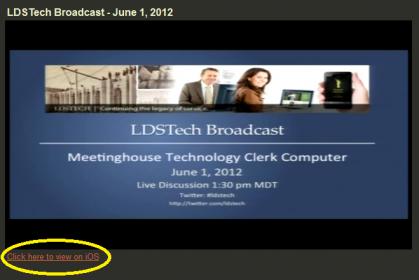
broadcast.jpg
broadcast.jpg (15.69 KiB) Viewed 2885 times
So perhaps your problem is related to the embedded player being blocked by your firewall or some other filtering. I don't know why the player would have been blocked in the meetinghouse -- it definitely uses the Brightcove player, not YouTube (which is blocked in meetinghouses), and Brightcove is supposed to play just fine in meetinghouses.
Questions that can benefit the larger community should be asked in a public forum, not a private message.
Senior Member
#5
I'm also thinking the firewall, and it could be some kind of error when it comes to content on lds.org, I've heard elsewhere that Android users have had problems with video on their devices while behind the firewall.

The best way to determine this is to go view other video content on lds.org. Especially content not as heavily used such as maybe some of the material in Serving in the Church. Mormon Messages and General Conference I would think see a lot of use on a regular basis.

See if you are not able to see the player regardless, see if you can see some content but not others. That will probably help find the issue and see if it is with the Brightcove player, or even with filtering. I would doubt it is the filtering unless there was an errant, unintentional setting there as to lds.org video content.
#6
After some more digging, I found that it is an issue with the Chrome Browser. Just not sure what yet. I was able to go to IE and Firefox and access the video on each.
Community Administrator
#7
showseason wrote:After some more digging, I found that it is an issue with the Chrome Browser. Just not sure what yet. I was able to go to IE and Firefox and access the video on each.
Thanks for reporting that. I was indeed using Chrome at the meetinghouse, so it sounds like it was the browser, and not filtering or firewall, that was the problem.
Questions that can benefit the larger community should be asked in a public forum, not a private message.

New Member
#8

Broadcast will not open

Hello, I am trying to open up the October 5, 2012 Broadcast for Clerk and Technology support training. It looks like it will open but then gives an error. It opened in IE Explorer9 two days ago but will not open with any browser now.

Thanks,
M. Rawle
