Best control options for Sony EVI-D70

16 postsstarted by KeithWilson 20,489 viewsoriginal topic

#1
Our stake is moving forward with the Sony EVI-D70, and the FM group has agreed to install it using his electrical contractor.

Since the camera has several connectors, I will ask them to install each, since they will be doing electrical and control, and video cables anyway.

The camera has these connections:
Composite Video: RCA (x1 Output)
S-Video: 4-Pin (x1 Output)
Control: RS-232C (x1 Input, x1 Output)
Control:RS-422 (x1 Input)
Power: Coaxial (x1 Input)

Video input will be easy, it's the control of the camera from the PC I need to nail down.

My plan is to have the contractor install a wall plate in the overflow with a serial cable, and I would plug that into the PC, and control it right there in the overflow. Power would be always on, the S-video and Composite Video would be an option too. I would also use the tripod camera that came with the building when it was completed two years ago. I will switch to the tripod camera for a wide angle view, while the Sony EVI-D70 moves into position, then move it back, avoiding the much discussed jerky movements of the camera.

Audio will plug directly into the webcaster from the building sound system, the video would go to the splitter, then the signal I chose will plug into the webcaster. The only thing left is displaying the words to the HYMNS?.....Any ideas on that one?

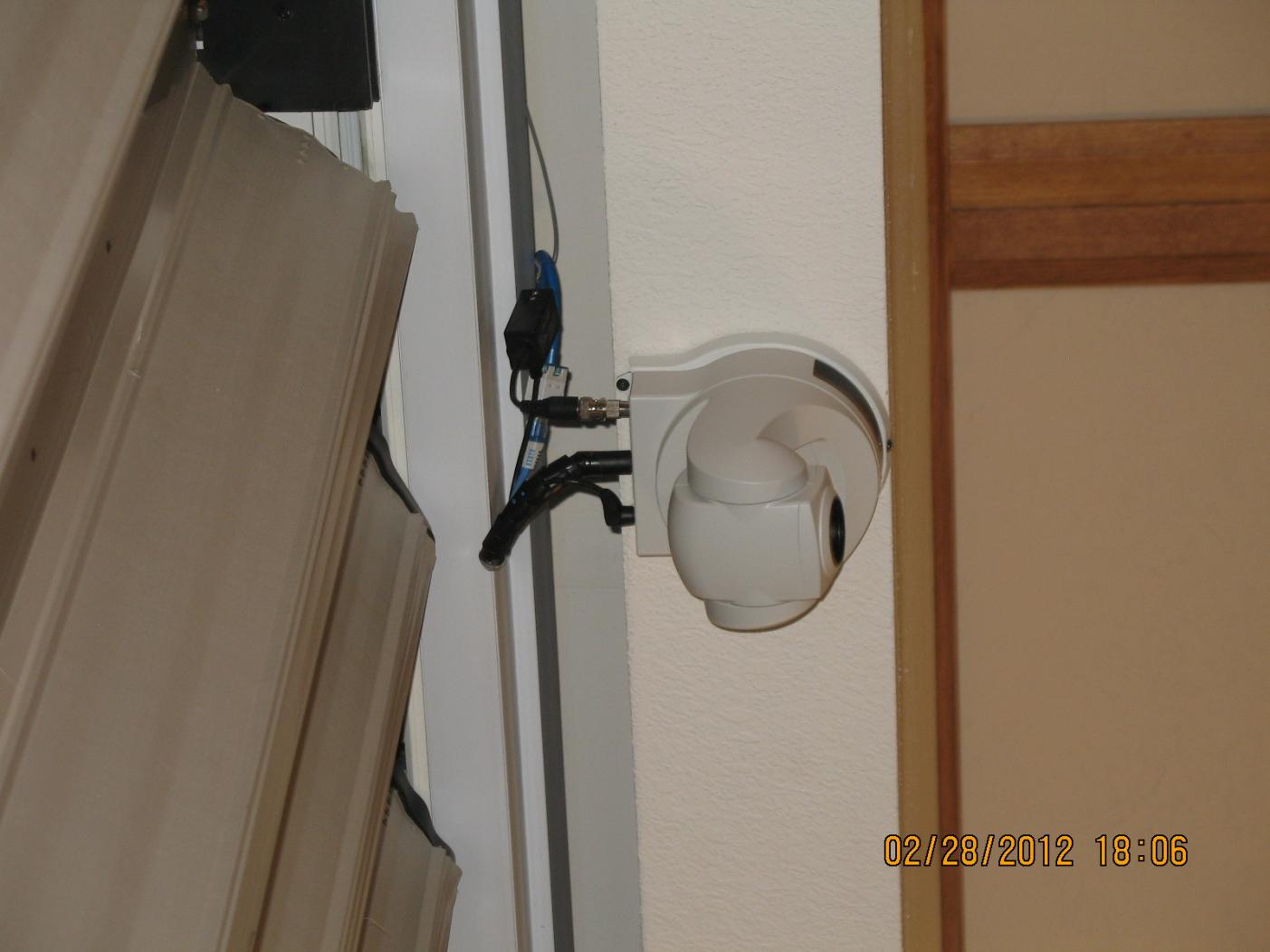
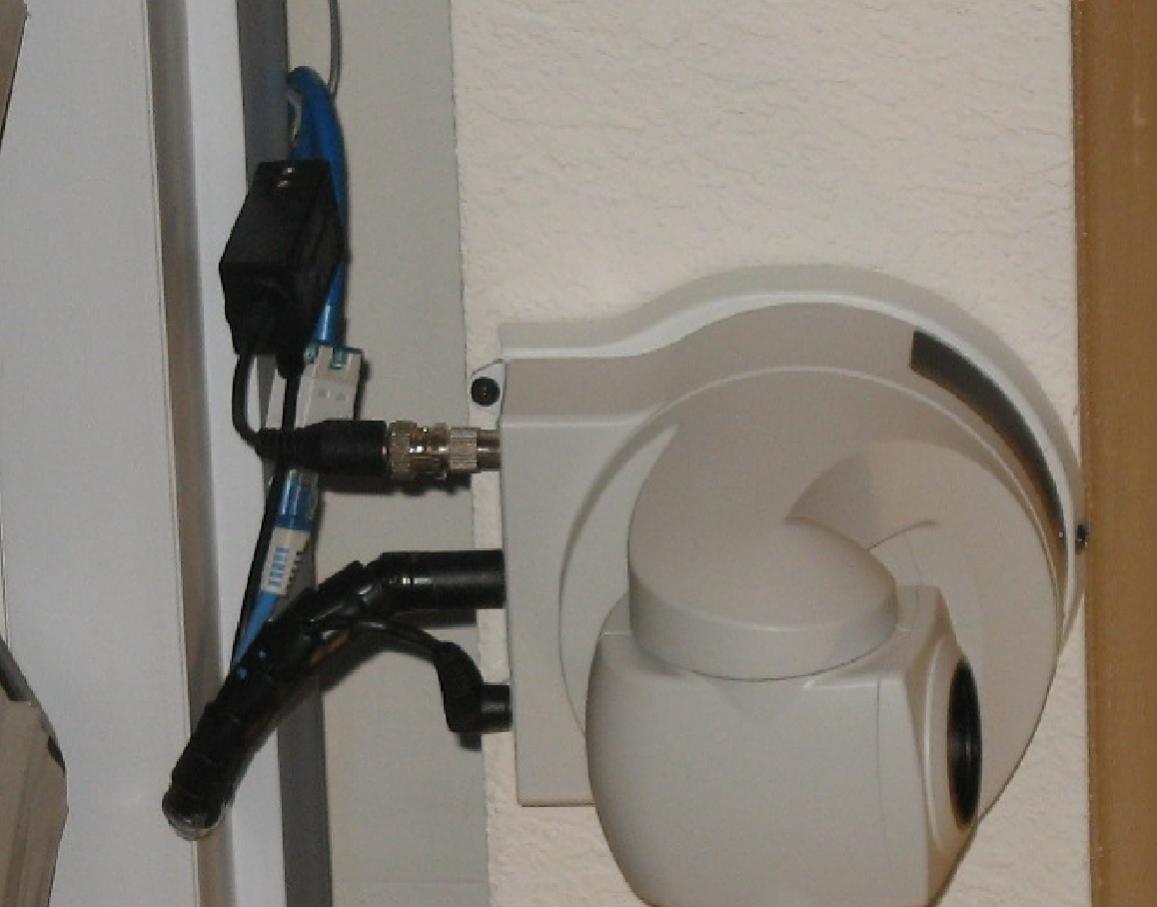
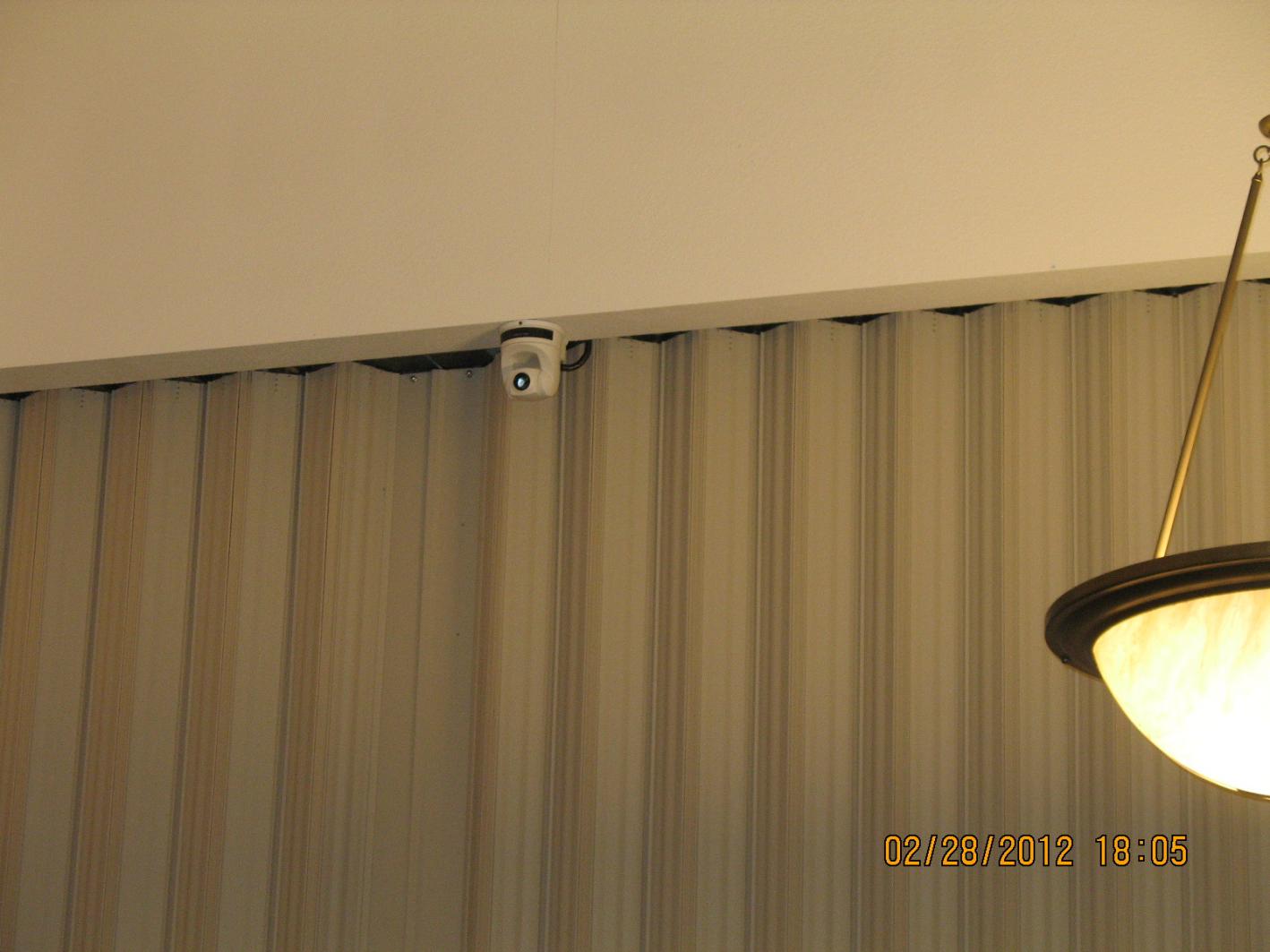
Attached is a photo of the location.
TopRIght.jpg
(88.18 KiB) Downloaded 2139 times
Closeup.jpg
(71.16 KiB) Downloaded 2144 times
CurtianMount.jpg
(108.58 KiB) Downloaded 2141 times
Thanks!
New Member
#2
I would also like to know the answer to your question. When we bought our camera, the hardware to control it was more than the camera, but the hardware would control several cameras.

Here are some links to the remote control units:

http://pro.sony.com/bbsc/ssr/cat-bro... ... t-RMBR300/

http://pro.sony.com/bbsc/ssr/cat-bro... ... CPITVD300/

Both of these devices are expensive.

My dream, however, for stake conference broadcasts are to have three cameras, a remote control for them, and a video mixer.

I will be interested to watch what others are doing.

Jerry
#3
Keith,

I have a couple of suggestions for you to consider.
Power would be always on

I would recommend some way of disconnecting power to the camera. If PTZ control stops working in the middle of a conference, you may have to reboot the camera to restore control. This would require a way to disconnect power from the camera.

In professional set ups, a CAT5 cable supplies power to the camera (using as many as all 8 conductors). It may be to your advantage to run an extra CAT5 for power instead of the expense of the contractor installing conduit and electric. CAT5 cables are now used for many types of signals including Ethernet, RS-232 serial, RS-422 VISCA, composite video, S-Video, HD Video (component, RGB, DVI and HDMI), power, etc. It does require adapters or baluns but these are cheaper than the parts/labor the contractor would charge for running conduit and installing an electrical outlet and allow you to disconnect power remotely.
the video would go to the splitter

Composite video signals are very complex and should not be split. Use a video distribution amplifier instead. If you meant to say "the video would go to the switch" instead of splitter, that would be OK.
The only thing left is displaying the words to the HYMNS?.....Any ideas on that one?

You have several options for that one. You could use a 3-way video switch, and iPad (or laptop and scan converter). Create a PowerPoint presentation with the hymns and connect the iPad video adapter (or laptop's VGA out to the scan converter and video from the scan converter) to the video switch. Then just switch from any camera to the PowerPoint with the video switch.

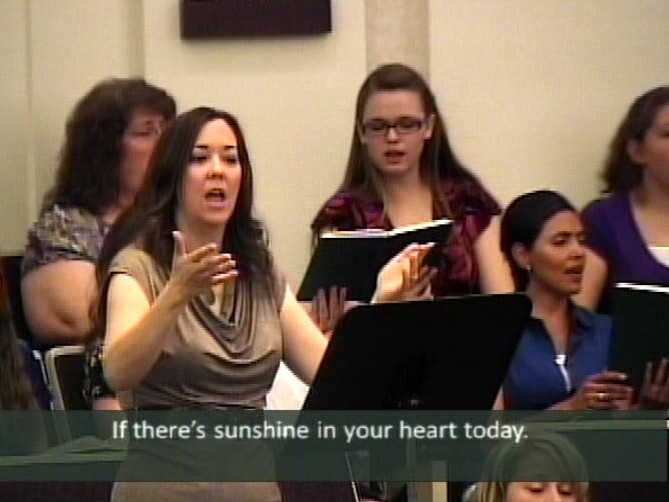
Or you could invest in a video switcher. You could then connect all cameras and scan converter to the switcher and cleanly switch or dissolve between angles, superimpose hymn lyrics or names/callings over video. For example, if you were to invest $350 in a Videonics MX-1 video mixer and $50 in a VGA scan converter, you could get the following results:

Superimposed hymn lyrics...
Song.jpg
(67.04 KiB) Downloaded 2174 times

Priesthood advancements...
advancement.jpg
(35.38 KiB) Downloaded 2166 times

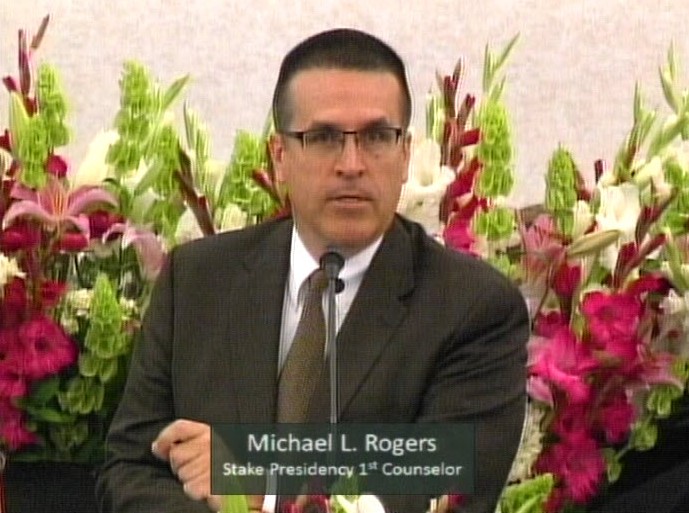
Name and calling...
Pres Rogers.jpg
(91.96 KiB) Downloaded 2169 times

These shots were made possible with an investment of $400 and we got comments like "I thought we were watching general conference..."
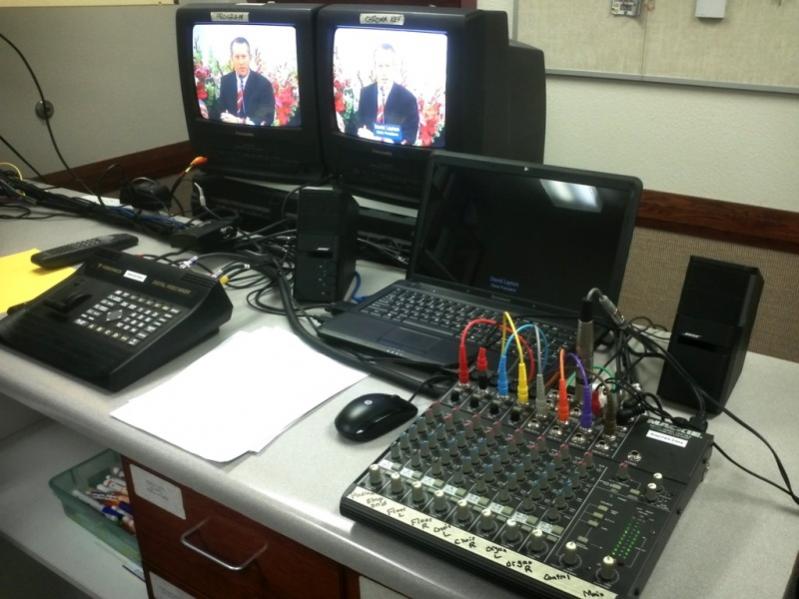
Setup.jpg
(62.35 KiB) Downloaded 2172 times

BTW, is there any possibility that the Webcast Communicator software would be able to do this in the near future?
#4
A couple things on running all that wire:

1) make sure on the RS-232 that you are not exceeding the maximum distance. I can't recall the max distance off the top of my head, but I know it's recorded in several places on this forum and wiki. If you're over the max distance, then it does no good to run the wire - you'll have to use the RS422.

2) you may want to look into video 'baluns'. these are devices that can carry the power, control, and video signal over one strand of cat5/6. again, greatly simplifying the cable running.

3) are you sure the overflow is the best place? I've done webcasts in new buildings and old buildings, and I always preferred to be in a foyer or clerk's office - some other room.

4) mounting the camera that high, you might want to check the angle before committing. You might be getting a fairly awkward top-of-head shot - and if that's your primary camera, it might be an awkward/distracting viewing experience for the receiving audience. Could be easily remedied by dropping a pole down a few feet.

Also - I bought my D70's off eBay and got 3 for the price of 1 new one. What I found is that a lot of churches are upgrading from SD to HD and they are getting rid of their SD equipment, so it's worth it to shop around.
#5
You know of churches that have moved to HD to broadcast Stake Conference to another building? That is the first mention I have seen for this. What setup do they have, and what is the cost? Does the Webcast Communicator support a HD signal?
Member
#6
You might want to consider using RS422 even if the cable length is 'close' to being too long, since it will be much more reliable.

Or you could use the suggestion I made in another thread and use a RS232 to Ethernet or RS232 to WIFI adapter and connect the control signal into the building network. This way, you could control it from anywhere via a laptop and WIFI or Ethernet connection.
#7

churches that have moved to HD to broadcast Stake Conference to another building?
I'm sure sammythesm meant non-LDS churches. I've noticed a tremendous drop in prices over the past couple of years for standard definition video equipment. A lot of TV studios are also upgrading to HD and selling off their old equipment.
What setup do they have, and what is the cost? Does the Webcast Communicator support a HD signal?

Ready for HD?...NOT
Since our stake enjoys 4-8 Mbps throughput with our private network to all three buildings, I've entertained the thought of broadcasting HD but several problems would need to be worked out first. We could broadcast HD just fine but the receiving buildings would need HD projectors. In addition, all overflow classrooms use regular TV's for viewing (SD over an RF channel) so the HD signal would need to be split and converted down to SD for distribution (our SlingCatchers at the remote buildings will not output both SD and HD at the same time). The webcast communicator software does support HD but the PC will need a $150+ HD capture card (BTW, the Black Magic Intensity Pro is not compatible with Dell computers) and you should upload with a speed of at least 3 Mbps. Add to that, distributing HD throughout the buildings (overflow) would be a huge expense and we don't have any HD TV's. Finally, we use a SD video mixer at the stake center for our cameras and for superimposing hymn lyrics over video, so if we went HD, we would be limited to one camera.
#8
Yup. That's what I meant; non-LDS churches are upgrading to HD for their in-house systems and getting rid of old EVI-D70s for cheap.
#9
Okay, I followed the advice here, and we had the electrician wire it, and we did a CAT 5 for the control. What ends should I use, can I have him just add an RJ-45 end, then plug in a converter like this one This way, I can use the network connection for the PC for the Internet, and the USB port will control the camera. Any downside to this option?
#10
The adapter you suggested is for running USB over CAT5 (not what I would choose).

The use of adapters or even whether or not you need to terminate the CAT5 cable will depend on what device you plan to use for control of the camera. For instance, if you plan to use RS422 and the Sony RM-BR300, no adapter is necessary. Just strip the CAT5 cable and terminate to the 9-pin Phoenix connectors.

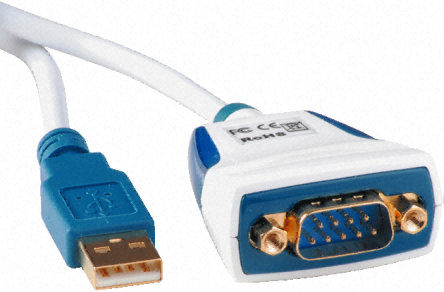
If you plan on using a computer, the RS232 signal may come from a DB9 connector(D shaped, 9-pin connector on old computers) or the USB port. If you are using a USB port on the computer, I recommend using an USB to RS232 converter (not USB to CAT5).

On the camera side, an RS232 to 8-pin mini din needs to be used to plug the RS232 signal into the camera.

Please let us know what you plan to use to control the camera with and if it will be RS422 (Phoenix connector) or RS232 (8-pin din)?
#11
I have not yet set this up, which do you recommend? The electrician will wire whatever I ask him to do. I would like to be able to control it from a laptop.

If I don't have to buy a Sony RM-BR300 I don't want to. That's one expensive controller.
#12
I would have the contractor terminate the CAT5 cable with RJ45 jacks and wall plates. Adapters can then be used for many types of connections.

If using a PC/Laptop to control the camera, a USB port on the computer could be connected to a USB-to-RS232 adapter (which converts from USB to RS232 serial communications and DB9 connector). Then use a DB9-to-RJ45 cordand plug into the RJ45 jack in the wall plate. (see Note)

For connecting to the camera, go straight from the RJ45 jack in the wall plate to a RJ45 plug to 8-pin mini din. Plug that into the camera.

Note: I've looked for USB-to-RS232 adapters with a RJ45 plug instead of a DB9 serial connector, but haven't located any yet.
New Member
#13
You mentioned that one option to mix graphics with the live video was to use an IPAD. Could you expand on that and detail the hardware and software requirements to make that happen?
michaelfish wrote:Keith,

I have a couple of suggestions for you to consider.


I would recommend some way of disconnecting power to the camera. If PTZ control stops working in the middle of a conference, you may have to reboot the camera to restore control. This would require a way to disconnect power from the camera.

In professional set ups, a CAT5 cable supplies power to the camera (using as many as all 8 conductors). It may be to your advantage to run an extra CAT5 for power instead of the expense of the contractor installing conduit and electric. CAT5 cables are now used for many types of signals including Ethernet, RS-232 serial, RS-422 VISCA, composite video, S-Video, HD Video (component, RGB, DVI and HDMI), power, etc. It does require adapters or baluns but these are cheaper than the parts/labor the contractor would charge for running conduit and installing an electrical outlet and allow you to disconnect power remotely.


Composite video signals are very complex and should not be split. Use a video distribution amplifier instead. If you meant to say "the video would go to the switch" instead of splitter, that would be OK.


You have several options for that one. You could use a 3-way video switch, and iPad (or laptop and scan converter). Create a PowerPoint presentation with the hymns and connect the iPad video adapter (or laptop's VGA out to the scan converter and video from the scan converter) to the video switch. Then just switch from any camera to the PowerPoint with the video switch.

Or you could invest in a video switcher. You could then connect all cameras and scan converter to the switcher and cleanly switch or dissolve between angles, superimpose hymn lyrics or names/callings over video. For example, if you were to invest $350 in a Videonics MX-1 video mixer and $50 in a VGA scan converter, you could get the following results:

Superimposed hymn lyrics...


Priesthood advancements...


Name and calling...


These shots were made possible with an investment of $400 and we got comments like "I thought we were watching general conference..."


BTW, is there any possibility that the Webcast Communicator software would be able to do this in the near future?
#14
You mentioned that one option to mix graphics with the live video was to use an IPAD. Could you expand on that and detail the hardware and software requirements to make that happen?
Superimposing text over video is not possible with a simple A/B video switch. However, the switch can be used to cut from a live video feed to Hymn text over a black background.
If you have a video mixer capable of producing a chroma-key or luminance-key, this is the hardware needed:
  1. Video mixer with chroma-key (Videonics MX-1 or equivalent)
  2. Live video feed from a camera
  3. Video output of white text over a solid color background (from an iPad, PC, laptop, video camera, etc.) You may need to purchase an A/V cable for the iPad.
Procedure:
  1. Use any program you wish (such as PowerPoint, Keynote or CloudOn) to create slides of a black background with white letters of the first two lines of a Hymn in the lower third portion of the screen. Create additional slides for all remaining lyrics.
  2. Plug the camera video into video input A of the MX-1
  3. Plug the PC/iPad video into video input D of the MX-1
  4. Connect the output of the MX-1 to the Webcast video input
  5. Play the slideshow
  6. Activate chroma-keying (select camera source on the top A-D row, the iPad/PC video source on the bottom A-D row, press Compose, Chroma-Key, OK)
From the MX-1 manual:
Chroma Key and Luminance Key. “Keying” replaces parts of one picture with another, based on their lightness (luminance key) or color (chroma key).
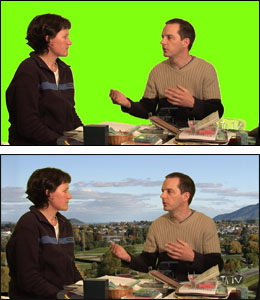
To use the chroma-key feature of the Videonics MX-1 and superimpose graphics (Hymns) over live video (example), all that is needed is a stable composite or s-video source with white letters over a solid color background (usually black) and a second video source (camera) for live video. When the MX-1 creates a chroma-key, the solid background color (black) is replaced with the live video from the camera and the white letters are superimposed over the live video. It's how TV stations show the weather map behind the talent (they use a green wall or screen to produce the solid color for the keying background).

We usually use a laptop and PowerPoint but any white text over a solid color background will work. Since the iPad has an option to output standard composite video, it could be used connected and connected to one of the MX-1's switcher inputs.
Member
#15
KeithWilson wrote:I have not yet set this up, which do you recommend? The electrician will wire whatever I ask him to do. I would like to be able to control it from a laptop.

If I don't have to buy a Sony RM-BR300 I don't want to. That's one expensive controller.
I had another suggestion earlier in this thread (May 29, 2012) to use a rs232 to Ethernet converter (about $100) at the camera. Then the laptop could be anywhere that the network (hard wired or WIFI) is available. I use those devices every day in my work and find them very reliable. The device is from GridConnect and is NET232-DCE or NET232_DTE. GridConnect also has one the connects directly to WIFI. You would still need to adapt the D9 connector to the DIN on the camera.
#16

Digi Connect SP Serial 10/100 Ethernet Console Device Server RS232

Here is another 10/100BaseT to RS232 adapter for $20 (eBay).

Digi Connect SP Serial 10/100 Ethernet Console Device Server RS232.

It is also available in a Wifi version.