Gospel Library Ideas\Suggestions

92 postsstarted by MiceNuts 38,365 viewsoriginal topic

New Member
#1
I have really enjoyed using this app good job and thank you.
But I have some ideas to help add features and especially when studying from my Android tablet

1. It would be nice to do multiple highlights using the different colors. Example say I would like to highlight the vision\story of the tree of light one color but then there are certain versus\sentences I would like to highlight a different color and annotations.

2. Custom links - It would be nice to be able to build custom links to different scriptures and content in the applicant ensign and study materials.

3. When in Gospel doctrine and other classes I have teachers that do a really good job of making study handouts and other material they pass around before there lessons that relate to a section of scriptures. It would be really nice to be able to use the camera and take a picture of the handout and then link or attach it to those scriptures so when studying those latter I could click on the link or attachment and it would bring up that handout.

4. It would be really nice in the study tools if you could add all the churches pictures and images to the list so they could be downloaded and then you could create links from scriptures to certain pictures. You can categorize the pictures so you can pic and choose what ones you would like to download.

Thanks for you time and talents

New Member
#2

My Study Notebook

I would really like to be able to use the My Study Notebook from lds.org. I notice it does sync the highlights and tags back and forth. But I have no way of viewing my notebook.
Community Administrator
#3
joey.skinner wrote:I would really like to be able to use the My Study Notebook from lds.org. I notice it does sync the highlights and tags back and forth. But I have no way of viewing my notebook.
Could you help us understand what the problem is? You said that you noticed that the highlights and tags are syncing back and forth. I would have thought that you could only see that if you went to My Study Notebook on lds.org, since that is where the highlights and tags from your mobile device sync. But you're saying that you can't view it. That doesn't make sense to me.
Questions that can benefit the larger community should be asked in a public forum, not a private message.
New Member
#4

Native Desktop Gospel Library Application

I love the lds.org scripture study applications, and am a dedicated user of Gospel Library for iOS. I would love it, though, if some amalgamation of the two were made available for offline use on Mac/PC. I don't have a ton of experience with programming myself, but using something like Xcode to port the iPad Gospel Library app seems like it would be a relatively simple start.
Member
#5
aebrown wrote:Could you help us understand what the problem is? You said that you noticed that the highlights and tags are syncing back and forth. I would have thought that you could only see that if you went to My Study Notebook on lds.org, since that is where the highlights and tags from your mobile device sync. But you're saying that you can't view it. That doesn't make sense to me.
The Android version of Gospel Library does not yet have integrated tags and notebooks like the Study Notebook on lds.org. A future release of the app will allow users to see their notebooks from the lds.org Study Notebook as well as the ability to add tags. Until that time, users will need to organize and tag their annotations on lds.org.
Jason Hyer
Member
#6
micenuts wrote:I have really enjoyed using this app good job and thank you.
But I have some ideas to help add features and especially when studying from my Android tablet

1. It would be nice to do multiple highlights using the different colors. Example say I would like to highlight the vision\story of the tree of light one color but then there are certain versus\sentences I would like to highlight a different color and annotations.

2. Custom links - It would be nice to be able to build custom links to different scriptures and content in the applicant ensign and study materials.

3. When in Gospel doctrine and other classes I have teachers that do a really good job of making study handouts and other material they pass around before there lessons that relate to a section of scriptures. It would be really nice to be able to use the camera and take a picture of the handout and then link or attach it to those scriptures so when studying those latter I could click on the link or attachment and it would bring up that handout.

4. It would be really nice in the study tools if you could add all the churches pictures and images to the list so they could be downloaded and then you could create links from scriptures to certain pictures. You can categorize the pictures so you can pic and choose what ones you would like to download.

Thanks for you time and talents
Please be aware that we have limitations in the app that we have no control over. For the annotations and links, we can only do what can be done on LDS.org. If we were to introduce features such as multiple colors or custom links before they are available on lds.org, we would have no way to sync them and we won't step ahead of lds.org on that type of development. We do appreciate your suggestions and I personally think they are great ideas but until such items are allowed by lds.org, we are unable to add them to the app.
Jason Hyer
New Member
#7

Any update?

I notice the last response to queries about when custom links might be available on the LDS.org site, was months ago. Any movement since toward making those available for the online scriptures?
New Member
#8
I think these types of things are getting closer, but, might still be a little ways out as the church expands the infrastructure and as we get more volunteers to help out programming etc.
New Member
#9
micenuts wrote:1. It would be nice to do multiple highlights using the different colors. Example say I would like to highlight the vision\story of the tree of light one color but then there are certain versus\sentences I would like to highlight a different color and annotations.

Actually, you can do this, but I do not think it is meant to work: you need to start your highlight outside of the content which is already highlighted, then drag the selectors over the content you want to cover with the second color.
New Member
#10
Please add save to external sd card functionality....its a must to save space on our phone/tablet memory.......
New Member
#11
There are a lot of great suggestions.

Personally I would love to be able to write a talk or prepare a lesson on my tablet directly in the Gospel Library app. I would like to include bookmarks that pulled up the scripture/article in the right column like the footnotes do currently.

It would be nice if the note/journal edit box was bigger.

I know some of that was probably already covered. I just wanted to second it.
New Member
#12
also....i've used the reveal reader app (yanceyware back in the day) for a long time and have loved the format....one thing i miss is page numbering in the gospel library app that corresponds with the page number of the physical book....
so when a teacher says "can some read the first paragraph on page 203?" we can see where pg. 203 begins and even in the reveal at the begining of an individual lesson it would have the page numbers that would jump you to that page. it all helps to keep you following along and literally "on the same page" as everyone with a physical book.
New Member
#13
I think the ability to share a scripture or note would be nice. Maybe via link or something.
New Member
#14
I am just starting to really use the full functions of the gospel library and I am really enjoying this app. I was wondering if there are plans to have more color options when it comes to
underlining scriptures? It would make coding my scriptures much easier.
Thanks so much!!
Tammy
New Member
#15

Multiple Highlighting Trick

I have found a way to do multiple highlights. First highlight the entire section that covers the area for the overall topic. Second, press and hold the area outside the sighted area, just to the left or right of the specific line or word you wish to set an additional highlight for. Third, configure the additional highlight by using the color options at the bottom of the screen.

The additional highlights show up in the order of most recent on the top. ;)
New Member
#16
I have this app on a few devices, and love it, but it would be greatly appreciated if we could make annotations in all the manuals and guides. I teach in the Teachers Quorum, and cannot make any annotations in the manual Youth: Come Follow Me. I've noticed that there are a number of other books which don't allow annotations as well.
I hope this is something that can be changed, but I will continue to use this app no matter what.
New Member
#17
Thank you all for the hard work on this app. It is truely great. One suggestion I have is that of being able to hightlight, link, tag, etc., chaper headings. For instance, I would like to link the heading in the book of Matthew "The Gospel According to St. Matthew" to the Bible Dictionary "gospels" where it talks about what it appears was Matthew's intention in writting his gospel. Currently I can't create a link unless it is something that is not part of the chapter heading or summary. I don't want to link this to a specific verse, but rather to the whole book of Matthew, which to me would be the book heading. Hope this is a valuable suggestion.

Thank you again. I love the app, and I'm very appreciative that the ability to link is available even if we can't link to the chapter headings yet. It is a valuable tool.
Member
#18
Edited 2 times, last by jasonhyer on
TBMonsen wrote:it would be greatly appreciated if we could make annotations in all the manuals and guides.
Huhenyo wrote:One suggestion I have is that of being able to highlight, link, tag, etc., chapter headings... Currently I can't create a link unless it is something that is not part of the chapter heading or summary.
In order to allow annotations to sync between mobile device content and LDS.org, each section of content must contain a unique identifier called a URI. When the content was created on LDS.org most content was given URI's but there were some exceptions, such as chapter headings, chapter summaries, bulleted lists and some other miscellaneous content. The mobile library content requires the same URI's in order to be able to sync the annotations to the correct spots in other mobile devices and on LDS.org. We couldn't assign URI's to content that didn't already have them in other platforms.

Because of the missing URI's in some content, that content cannot be highlighted or have notes associated with it. We are aware that this is a problem and have the mobile and LDS.org content teams working on a strategy to resolve the problem. Due to the scope of the change to fix all of the content though, the solution will not be simple and will require a lot of coordination to make it work.

We don't know how or when this will be fixed but hopefully it helps you understand why all content can't be annotated in Gospel Library or on LDS.org.
Jason Hyer
Member
#19
tambur8 wrote:I was wondering if there are plans to have more color options when it comes to underlining scriptures?
Because we sync highlighting with LDS.org, we are limited in the number of colors that we can offer by the number of colors that are available on LDS.org. If at some point more colors become available to highlight in on LDS.org, we will include those colors in Gospel Library.
Jason Hyer
Member
#20
karlifullmer wrote:one thing i miss is page numbering in the gospel library app that corresponds with the page number of the physical book.
Unfortunately adding page numbers to the mobile content is a very manual process that requires much more time and effort that we can currently give. We have added page numbering to the last couple of the Teachings of the Prophets manuals but just don't have the resources to do more. If we find a way to automate the process we will definitely add more page numbers.

As more people begin to use the mobile formats of the scriptures and other content, we will need to work with instructors to find ways to help those with and without paper copies of the material better so all can fully participate. Though this isn't going to be easy, if we try, it can work for all no matter what format they content is in.
Jason Hyer
New Member
#21
Thanks, Jason, for you response, and yes, I better understand now. It's nice to know that it is being worked on.
New Member
#22

Go to feature

I was just wondering if there is a feature similar to the one in the iOS version, to jump to a specific book, chapter and verse. I have not been able to find it. If there is not, is there a chance that it could be added?
Community Moderators
#23

Re: Go to feature

jdye wrote:I was just wondering if there is a feature similar to the one in the iOS version, to jump to a specific book, chapter and verse. I have not been able to find it. If there is not, is there a chance that it could be added?
I don't recall seeing such a feature in iOS. Are you talking about bookmarks? Or search?

Or was there a way to type in a reference and go directly to it? (If there was, I never found it.)
New Member
#24
lajackson wrote:
jdye wrote:I was just wondering if there is a feature similar to the one in the iOS version, to jump to a specific book, chapter and verse. I have not been able to find it. If there is not, is there a chance that it could be added?
I don't recall seeing such a feature in iOS. Are you talking about bookmarks? Or search?

Or was there a way to type in a reference and go directly to it? (If there was, I never found it.)

In the bookmarks section there is an option at the bottom called go to. You can then type in the reference you want and go directly to it.
New Member
#25
I would just like say that I too am looking forward to being able to add tags, highlights, notes and links to book and chapter headings, chapter summaries, and section headings in the D&C. You guys are doing a great job and I like to see when updates come out to find out what progress you folks are making. Thanks for all your hard work.
Community Moderators
#26
jasonhyer wrote:
karlifullmer wrote:one thing i miss is page numbering in the gospel library app that corresponds with the page number of the physical book.
Unfortunately adding page numbers to the mobile content is a very manual process that requires much more time and effort that we can currently give. We have added page numbering to the last couple of the Teachings of the Prophets manuals but just don't have the resources to do more. If we find a way to automate the process we will definitely add more page numbers.

As more people begin to use the mobile formats of the scriptures and other content, we will need to work with instructors to find ways to help those with and without paper copies of the material better so all can fully participate. Though this isn't going to be easy, if we try, it can work for all no matter what format they content is in.
Is there a way volunteers can be used to do things like add page numbers? I'm on the LDS Music team and one thing I've learned is that people are always willing to join in and contribute to improving content, even when they don't know anything about the programming. If we could get it out on Helping in the Vineyard or even just within an LDSTech project and let volunteers contribute more to formatting content, the work would progress a lot more quickly and at much lower cost...
Samuel Bradshaw • If you desire to serve God, you are called to the work.
Member
#27
At this time there is not a way for volunteers to participate in adding page numbers to content. It has been suggested many times including making a project available through the vineyard. I don't know the reasons why but for some reason those over content have not accepted the offers for help in improving it by adding page numbers. We can hope that somebody with influence can help push this idea but until then we have to live with what is available.
Jason Hyer
New Member
#28

Suggestion: Make G.L. more e-ink device friendly‏

I have a Sony PRS-T1 ebook reader. It's my favorite device for reading, and thanks to the Android OS under the covers, it can be rooted and side-load apps such as Gospel Library and Mormon Channel.

Other e-Ink devices such as the Nook Simple Touch and various Kindles can be hacked to allow apps to be loaded, but because of their e-Ink screens they do not handle certain screen intensive operations very well, such as video or snazzy screen effects like the "momentum effect" when scrolling a page that initially scrolls quickly but slows down and eventually comes to a stop. Any screen refresh takes "resetting" the effected area of the screen to black before making the change on the display.

I think Gospel Library is a perfect fit for these devices - they are usually small, lightweight, and lend themselves well to storing and reading the published text from the Church. However, they take a little getting used to with the way the Gospel Library application is currently working.

My device does have some hardware buttons, and I have tweaked them to use the DPAD_UP and DPAD_DOWN keymappings, but every key press only moves the screen a few lines but takes a cycle of 5 screen redraws and 3.5 seconds before the text is done moving. Switching to fullscreen mode takes about 6 screen refreshes and 4 seconds. Navigation within a chapter is anything but precise and requires a good deal of fiddling to get to the verse you want.

I would like to suggest an "e-Ink Mode" feature. This would disable any of the screen "motion effects" that look so fluid on devices with a fast refresh rate, and would configure screen "flicks" and d-pad navigation to go page-by-page instead of verse-by-verse. Screen dragging would still work the same way in order to fine-tune the exact position of a verse within the chapter.

Another feature which I would like to see implemented, (which I believe is already on the list of features to code), is the ability to determine exactly where the content is downloaded to on the device. My device has a "sdcard" directory, but it is mounted to the limited internal memory of the device, and an "extsd" directory which is mounted to the microSD card slot. I have to be very careful with how much content I download from Gospel Library because I have limited space, but if I could change where the content was stored I would be able to download as much as my microSD card can handle.

I know this is a low priority request, and I can live with the way Gospel Library functions on my ebook reader now, but I think with a few minor changes this program could be much more user-friendly for those of us who love their e-Ink readers and like to extend the functionality of their devices a little beyond what the manufacturer had intended.
Member
#29

Re:

jasonhyer wrote:Please be aware that we have limitations in the app that we have no control over. For the annotations and links, we can only do what can be done on LDS.org. If we were to introduce features such as multiple colors or custom links before they are available on lds.org, we would have no way to sync them and we won't step ahead of lds.org on that type of development. We do appreciate your suggestions and I personally think they are great ideas but until such items are allowed by lds.org, we are unable to add them to the app.
Is this still the case? I ask because I am now able to add links to my study scriptures via the GLA app, but not in the online scriptures. It appears that the app development leads, rather than follows, that of lds.org.
Church Employee
#30

Re: Re:

GrasseDD wrote:
jasonhyer wrote:Please be aware that we have limitations in the app that we have no control over. For the annotations and links, we can only do what can be done on LDS.org. If we were to introduce features such as multiple colors or custom links before they are available on lds.org, we would have no way to sync them and we won't step ahead of lds.org on that type of development. We do appreciate your suggestions and I personally think they are great ideas but until such items are allowed by lds.org, we are unable to add them to the app.
Is this still the case? I ask because I am now able to add links to my study scriptures via the GLA app, but not in the online scriptures. It appears that the app development leads, rather than follows, that of lds.org.
He was referring to the services that back both the mobile apps and the online version of the scriptures. Once the feature is supported there (in the services) so that they can be persisted then each team can implement them at there own speed. In this case it looks like the mobile team got there sooner than online team.
Member
#31

Re: Re:

jonesrk wrote:He was referring to the services that back both the mobile apps and the online version of the scriptures. Once the feature is supported there (in the services) so that they can be persisted then each team can implement them at there own speed. In this case it looks like the mobile team got there sooner than online team.
Thanks, Ryan--that's good information. So, would you be in a position to address this question: Does this mean that the lds.org version will soon have this feature, or does it indicate that the focus for development is now on the mobile apps? Ie, is it possible that the lds.org version may never see this feature? :(
Church Employee
#32
I'm not sure what the lds.org version roadmap looks like so I can't answer that. I work near the services team so I understood how the annotation data is synced.
New Member
#33
I recently found out this forum existed and thought I'd post in this thread that I added these items to the Wish List on the wiki.

[*]Ability to pinch zoom on pictures.
Currently you can't make pictures any bigger that I know of.

[*]Ability to send audio/video to a Chromecast.
If you don't know a Chromecast is you can read about it here www.google.com/chromecast This would also be good for the Mormon Channel app it would be amazing to cast from these apps to our TVs with ease.

[*]Ability to go to complete full screen using the Android 4.4 Immersion Mode API.
You can read about the Immersion mode that they added into Android 4.4 KitKat on the Developer page. http://developer.android.com/about/versions/kitkat.html

[*]Interactive games and puzzles for the friend magazine.
I'm not sure how feasible of an idea this is but I thought it would be cool to make the friend magazine even more fun for kids on smart devices. Currently it's only text and not very kid friendly.

Hopefully we can see some of these in future versions of the LDS Gospel Library once I get further in learning how to program I'm hoping to be able to help with the project.
New Member
#34
Edited 1 time, last by Lore9018 on
Hello everybody :)
I love the application, however i'd like to know if there's some way to add your own books to the library. For example, My Personal Progress isn't in the library but I downloaded it from the Church page, so I'd like to have it inside the app's library or syncronize my downloads from the Church page as well as the notes highlights etc. Maybe there's a way to do it and I can't find it.
Thank you for your effort, this app rocks.
I hope you'll understand my English.
Lore
Member
#35
There is not a way to add your own books to the app. An update is due soon that will include personal progress though.
Jason Hyer
New Member
#36
Thank you :)
It would be nice if we could have camping manuals too :)
New Member
#37
I would love it if we could add pictures to our notes. And possibly voice recordings as well, but mostly just the pictures.

And thanks for all you do! The Gospel Library has come a long way, and it is really mazing what can be done now!
New Member
#38

Re: Go to feature

jdye wrote:I was just wondering if there is a feature similar to the one in the iOS version, to jump to a specific book, chapter and verse. I have not been able to find it. If there is not, is there a chance that it could be added?
I had a new member ask me this same thing today (as many know, you get asked these questions when people know you are tech-savvy). He asked, if I wanted to jump to Matthew Ch 13 in the Gospel Library App on my Kindle, and I don't know which book Matthew belongs to (i.e. Old Testament, New Testament, Book of Mormon, etc)... how do I find it?

On the iOS Gospel Library, you type "Matthew 13" and "Matthew 13:1" shows up as the first item with the heading "Quick Find".

On the Android Gospel Library, there is no "Quick Find" or simple way to search for and find Matthew 13. You get a lot of references to Matthew 13, but not the book itself.
New Member
#39
I wish there was a way to add my own documents/books like my Patriarchal Blessing and Priesthood line of authority. This way I don't have to completely switch apps.
New Member
#40
The Chromecast SDK is now avaliable for Android/Chrome/iOS developers I would love to see this feature added to the Gospel Library and LDS.org now that it's publically useable by developers!

https://developers.google.com/cast/docs/developers
New Member
#41
Any progress in adding physical page numbers to digital content? This is one of the main barriers to weaning our High Priests group away from paper manuals.
Community Administrator
#42
rmhilton68 wrote:Any progress in adding physical page numbers to digital content? This is one of the main barriers to weaning our High Priests group away from paper manuals.
I'm guessing you're asking about the Ezra Taft Benson manual specifically. The answer to your general question is that all sorts of digital content has physical page numbers, and those page numbers are visible in the Android Gospel Library app. For example, last year's Joseph Fielding Smith manual has page numbers. But this year's Ezra Taft Benson manual doesn't yet have physical page numbers.
Questions that can benefit the larger community should be asked in a public forum, not a private message.
New Member
#43
But this year's Ezra Taft Benson manual doesn't yet have physical page numbers.
Any idea why this is the case? Do you think the page numbers will be added at some point? They are extremely helpful; it is much more challenging to follow / volunteer to read when you don't know the page number.
New Member
#44
Looks like page numbers have now been added to the Ezra Taft Benson manual. Hooray!
New Member
#45
Dear brothers and sisters who have developed the fantastic Gospel Library

Thank you for your great service.

Some time in the recent past I started to get the error that comes up every time I open the App. It cannot download Young Women Personal Progress.
"An error occurred while downloading Young Women Personal Progress"

I had it downloaded as I serve as bishop and use it with the young women, then this error arose, possibly when I started with a new device (Samsung Tab4).

I tried to remove the document, but it still gives the error every time.

Please check the document and perhaps upload a new copy? I see the Windows forum says they cannot do anything as that is up to the content managers. Who can contact the content managers? I don;t know how?

Then see if there might be compatibility issues with the device?

Everything else works wonderfully, thanks.
Samsung SM-T231 ANDROID 4.4.2
same error on Samsung sm-A300fu android 4.4.4

thanks
Les
Community Moderators
#46
les.w.powrie wrote:Some time in the recent past I started to get the error that comes up every time I open the App. It cannot download Young Women Personal Progress.
"An error occurred while downloading Young Women Personal Progress"
This is a known issue and the developers are working to identify the problem. The document normally downloads but the error message still appears. The name of the book changes from time to time. Not too long ago it was a Seminary handbook that triggered the error.
New Member
#47
I have a ring with 2 embedded NFC chips and would like to use one for a shortcut to content in the Gospel Library app. Is anyone aware of how to code an NFC link to launch the app to specific content within the app? I can program the chip, I just need help with the URI string.

Examples might include the current lesson in Priesthood / Primary or a scripture (I can do a scripture to lds.org, just not the Gospel Library app).

Thanks :)
Community Moderators
#48
For the iOS Gospel Library app you can use a link like gospellibrary://content/bofm/1-ne/3.7. I don't know if that kind of link works on Android.
Samuel Bradshaw • If you desire to serve God, you are called to the work.
New Member
#49
I was thinking it would be SOO nice if in the notes we could take or save a picture. That way if in class they pass something around that you want to note for future study you can just snap a pic & it would be so easy to just pull it up in the gospel library app, I am always digging around in my photos folder while trying to pull something church related up. I use my camera all the time to snap photos of handouts & lessons the teachers share. I take pictures of the chalkboards when they've written things that I would like I go home & reflect on. I'd love to be able to put them where I will use them rather than in my endless pit of photos in my forgotten, unorganized photo app. Thanks!
New Member
#50
I tried a bunch of variations (thanks for the starting point :) ), but none of them worked.
sbradshaw wrote:For the iOS Gospel Library app you can use a link like gospellibrary://content/bofm/1-ne/3.7. I don't know if that kind of link works on Android.
New Member
#51
I think that you should be able to export all your nnoet as tools and be able t oo have them printed up for you

I also think that being able to attach pictures to various scriptures could be vary useful in seminary

Another suggestion would be to have the abilability to stream confrence though gospel library.

Maybe you could have a notification that could be set to help you get your 10 min of reading a day.

A journal could also be added into the library.
Member
#52
MDF512 wrote:A journal could also be added into the library.
This feature already exists in the Gospel Library. Home screen > Notes > Journal.

FWIW,

Liz
New Member
#53
Now I haven't looked at any of the other suggestions, so I'm sorry if this is a repeat, but I think it would be awesome if there was a widget for the gospel library app that could help you ponderize the scriptures. So like you would put the widget on the page and then you would choose a scripture to use so it will display it on that widget so you can always see it! Also another cool function would be a banner, of either the same scripture or a different, where you just pull down your screen and then you can see the scripture whenever you are doing anything so you can always ponderize!

That is all, thank you for your time :)

Jake
Member
#54
Jrgarn wrote:Now I haven't looked at any of the other suggestions, so I'm sorry if this is a repeat, but I think it would be awesome if there was a widget for the gospel library app that could help you ponderize the scriptures. So like you would put the widget on the page and then you would choose a scripture to use so it will display it on that widget so you can always see it! Also another cool function would be a banner, of either the same scripture or a different, where you just pull down your screen and then you can see the scripture whenever you are doing anything so you can always ponderize!
Jake,

That is a fabulous idea! There's a bookmark widget, surely it couldn't be too hard to make this widget. This is easily in the top 5 best ideas for GL!

Liz
Member
#55
The JST selections in the appendix should indicate differences from the KJV in italic type.
(I assume it is available, since the online scriptures include that feature, and that it is possible, since the headings in GLA are in italics.)
New Member
#56
I would really like to see the list of notebook topics created by the user alphabetized. I have dozens if not more topics created from my study and have found that when I want to go back to a topic that I have studied, it is sometimes very difficult to find the desired notebook. I can not figure out the current method for listing the notebook topics as it is very inconsistent and does not seem to follow any particular logic. Thank you for considering my request.
Community Administrator
#57
For all those posting suggestions here, please note that no one who can actually consider your request is likely to see these posts. Use the Feedback option in the Gospel Library app (under Help) to submit your suggestions.

Making suggestions here can lead to valuable discussions among community members, but if you want any decision makers to see them, use the Feedback option.
Questions that can benefit the larger community should be asked in a public forum, not a private message.
New Member
#58
I wish there was a way to add LDS books, like Jesus the Christ, to Gospel Library. That way we could use the highlight, cross reference, an notes functions all on one place. That would tremendously help gospel study.

Thank you.
David Kleven
Member
#59
David,

When you say "like Jesus the Christ", I assume you mean "the way they added Jesus the Christ" (as opposed to "add books such as Jesus the Christ") - because Jesus the Christ actually is in there.

I tend to agree, though - I wish they had more such books in there. What I've done is add comments referencing external books, including where to find them on my device / computer (e.g. PDF, Deseret Bookshelf, etc.). I actually note which app / form the book is in, and the page number or some similar reference. I've also copied quotes from the external source and pasted them into notes in GL, so that if there was something specific, I wouldn't have to leave the GL to see it.

FWIW,

Liz
New Member
#60
I really wish that Gospel Library was more bi-lingual friendly. For many of us who serve in Spanish speaking callings (or other languages I am sure) we are caught between two worlds. I have years of highlighted scriptures and personal notes that go with them in the English scriptures on Gospel Library, but none of those verses are marked when I switch to Spanish. Also, switching back and forth from Spanish (or some other language) and English requires me to go out of where I am reading and then navigate back to that same spot in the other language. I wish I could seamlessly switch back and forth.

These two things would be GAME CHANGERS.
Community Moderators
#61
I use the screens feature to have a chapter open in two languages at the same time. It's true that switching between them isn't instant, but at least I don't have to close one when I'm looking for the other. True side-by-side probably won't happen anytime soon.

Also, it would be impossible, or very difficult from a development standpoint, to have highlights apply themselves simultaneously in multiple languages, unless in every case you were highlighting an entire verse or paragraph. For example, if I highlight just the words "go and do" in 1 Nephi 3:7, it would take sophisticated machine translation intelligence to highlight the equivalent words in Spanish (or other languages).
Samuel Bradshaw • If you desire to serve God, you are called to the work.
New Member
#62
So my idea would be for a language learning tool. It can also be bi lingual friendly. But one of the best ways to learn a language is to read the book of mormon in that language with the english version right there for when you don't know a word. Why not make a quick reading app that has the language you want to read in, and then you set your native language, and if you come to a word you don't know, simply tap that word and the native translation shows up for you to see, then you can go on with your reading.
Community Moderators
#63
Sounds like a good idea!
Samuel Bradshaw • If you desire to serve God, you are called to the work.
New Member
#64
Hey All:

I know this is tough but I was hoping that we could include a time/date stamp on each entry available through the Android Gospel Library. Right now I prefix the title with a time/date.

Sincerely,
Jacob
Community Moderators
#65
jacob.metro wrote:Hey All:

I know this is tough but I was hoping that we could include a time/date stamp on each entry available through the Android Gospel Library. Right now I prefix the title with a time/date.

Sincerely,
Jacob
The best way to suggest new features is by using the in-app feedback, which goes more directly to the developers.
Samuel Bradshaw • If you desire to serve God, you are called to the work.
New Member
#66
I agree. I am in the same situation and would really like to have my English notes and markings move to Spanish or even be able to show English and Spanish side by side. With the growth of the church in Spanish language branches and wards, many of us are ministering in 2 languages and the switch is very difficult and could be much easier with more robust language tools. Please put something like this in the development queue. I would be happy to help provide requirements. Thanks!
Community Moderators
#67

Re: Gospel Library Ideas/Suggestions

lynnhalterman wrote:Please put something like this in the development queue. I would be happy to help provide requirements. Thanks!
As sbradshaw said in the post prior to yours, the best way to suggest new features is by using the in-app feedback. The developers rarely visit this Forum, which is mostly for user-to-user assistance. When you submit feedback through the app, it goes directly to the developers for their consideration and is then prioritized by the priesthood leaders who set the requirements.

That said, I believe other languages are on the radar for Gospel Library, and I think I heard that split screen is coming also, because of new improvements in the underlying operating system.
Community Moderators
#68
Gospel Library 4.0 for Android will support having two instances/windows of the app side-by-side in split screen mode, if you're using an Android device with Android 7 (Nougat) or higher. That means you can have one thing open on the left (like the English Book of Mormon) and something else on the right (like the Spanish Book of Mormon). Unfortunately, iOS and older versions of Android won't support this.

There are also improvements to language switching in Gospel Library 4.0 for Android (Android 4 and up) to allow you to switch to the same location in a different language, without having to navigate back to the main library screen, if content is downloaded in both languages. I don't think it will make it into the 4.0 release of Gospel Library for iOS, unfortunately, just Android for now.

It's not perfect for two-language study, but it's a great start! Gospel Library 4.0 will most likely be out before the end of the 2016.
Samuel Bradshaw • If you desire to serve God, you are called to the work.
#69
My institute class and I have found we desire custom footnotes to link two ways. that way when you make a note not only does it link to the verse or passage you linked it your marked scripture to, but also the scripture you linked to links back to the custom footnote you started with. Right now to do this you have to mark one scripture linking it to another then go to the other scripture and create a second link going back to the first. It works but it's alot more tedious than an automatic link.
Member
#70
marcalthersiamallari wrote:My institute class and I have found we desire custom footnotes to link two ways. that way when you make a note not only does it link to the verse or passage you linked it your marked scripture to, but also the scripture you linked to links back to the custom footnote you started with. Right now to do this you have to mark one scripture linking it to another then go to the other scripture and create a second link going back to the first. It works but it's alot more tedious than an automatic link.
While I understand and sometimes share this desire, I hope that if they add it, it's added as an option (e.g. a prompt to link back, and/or a setting to always link back), because sometimes I want to do a chain, where I link from A to B to C to D and back to A. And I do NOT want all those linking back to each other - I want a loop.

Just something to consider. (Yes, I know the developers aren't likely to see this post, just pointing out an alternate use of links.)

Liz
#71
When I mark my physical scriptures I can see the markup. Gospel library does this.

When I write a note in my physical scriptures I can see the note. Gospel library hides the note.

Yes, you can click into each note, but the that's a break in the thought process that interferes with assimilating the information.

I'd love the option to display my notes inline above or below verses. This is crucial for actually organizing lessons, reviewing prior study, pondering, etc.

Imagine filling your scriptures with line upon line of personal revelation interspaced between the text. Whatever argument for hiding the note in the icon you have to click on could equally apply to the highlighting and underlining. By the same token, you should have to click the annotation icon to view the highlights. :roll:

Of course, that would be silly to hide the highlights unless you want to stop on each verse and click them, and it is equally silly to hide the note.

The inability to view all notes inline with the text really limits using app as a the sole tool for teaching. And it reduces what we can gain from our study as well. When you can see your notes inline with the text you will ponder and write more.

I'd love to hear if this is under consideration for the future.
Member
#72
christianwilliams wrote:When I write a note in my physical scriptures I can see the note. Gospel library hides the note.

Yes, you can click into each note, but the that's a break in the thought process that interferes with assimilating the information.

I'd love the option to display my notes inline above or below verses. This is crucial for actually organizing lessons, reviewing prior study, pondering, etc.
In version 3.2.14.0 for Android, you can see the full text of your notes in the footnote window. So while it's not in the middle of the original text, it can be seen on the same screen, and as you scroll through the original text, the footnotes scroll too, so you'll see it come up when you reach the highlight where the note is.

I've gone back to this version on my phone, because I couldn't stand the new "Related Content" pane that replaces the footnote pane, but I'm installing 4.0 on my tablet now (ugh) so I can check... OK, the text I put in as a note is still visible in the "Related Content" pane, it's just that you have to scroll the "Related Content" pane separately...

So, are you really requesting that your comments appear in-line with the original content, or am I misunderstanding something?
Member
#73
I agreed with you Liz. But looks like the programmers didn't. However, creating a link has become far too difficult in 4.0 for me, so I won't have to worry much.
D.G.
#74
I did a quick search and didn't find anything on a shared bookmarks feature. My wife and I were talking about the ability to have a shared bookmark so that either person's device is capable of keeping track of where the family is in their scripture reading. Is a feature like this this even on the radar for a future release of the Gospel Library? Thanks!
New Member
#75

Chapter header written in dark blue with black background and hard to read

When I click on a chapter of a book, such as Jacob 6 and then go to that chapter, "Jacob" at the top is now in dark blue on a black background and it is very difficult to read. Then if I click on the chapter heading to go back to other books and it gives me other options, those options are also in dark blue surrounded by black. I liked it the old way where the chapter heading was written in white. People who were getting old eyes like mine are going to have a really hard time reading those headings. Please change it back to white writing. Thanks.
Community Moderators
#76

Re: Chapter header written in dark blue with black background and hard to read

kholmb wrote:When I click on a chapter of a book, such as Jacob 6 and then go to that chapter, "Jacob" at the top is now in dark blue on a black background and it is very difficult to read. Then if I click on the chapter heading to go back to other books and it gives me other options, those options are also in dark blue surrounded by black. I liked it the old way where the chapter heading was written in white. People who were getting old eyes like mine are going to have a really hard time reading those headings. Please change it back to white writing. Thanks.
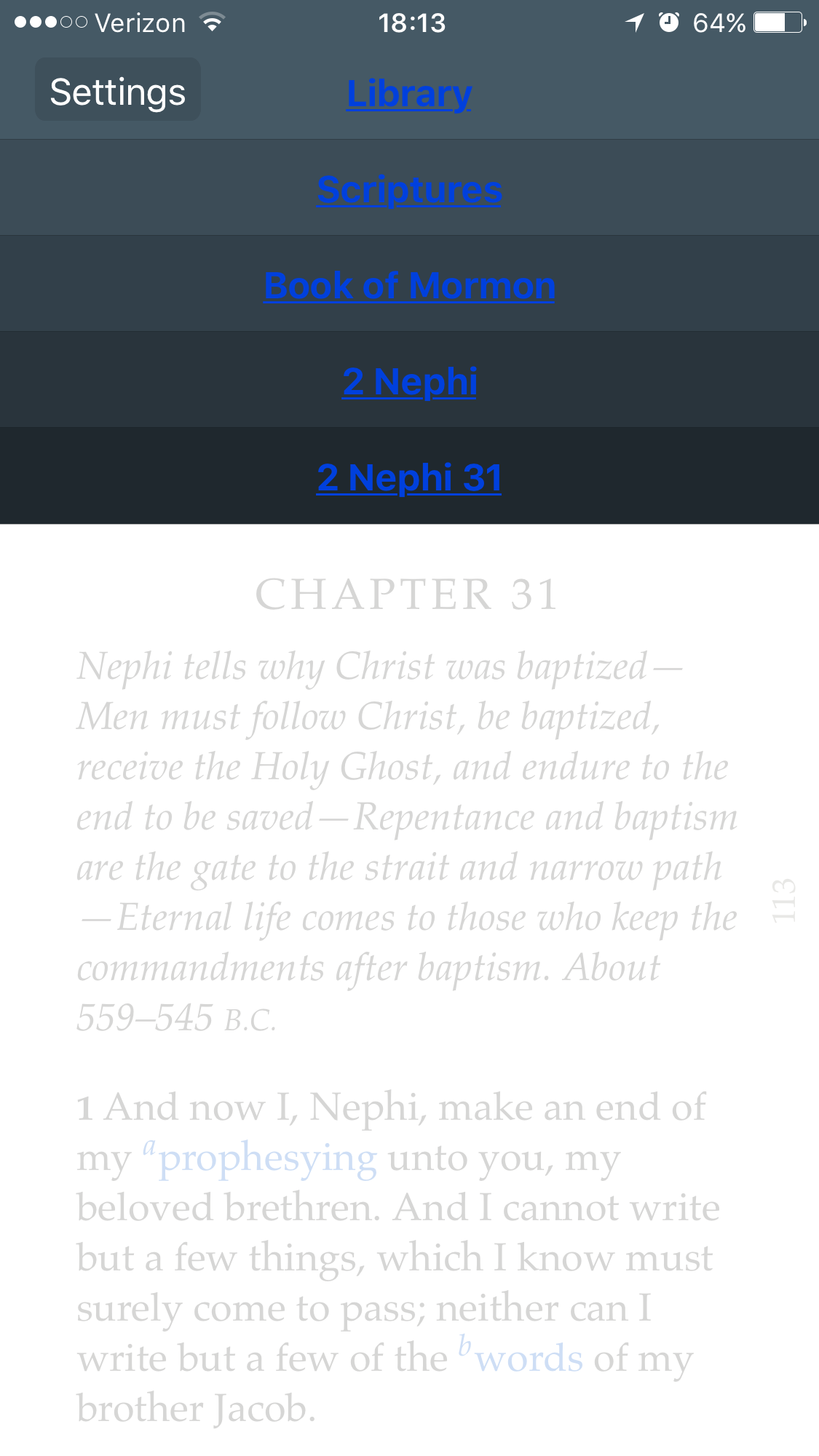
If you're seeing blue text instead of white, it's because you have accessibility settings turned on. Go to Settings > General > Accessibility and switch off "Button Shapes." You may have to force (swipe) close and reopen the app for the change to take effect.
📎 GL menu blue links.png (217.31 KiB)
Samuel Bradshaw • If you desire to serve God, you are called to the work.
#77
lmcguire wrote:
christianwilliams wrote:When I write a note in my physical scriptures I can see the note. Gospel library hides the note.

Yes, you can click into each note, but the that's a break in the thought process that interferes with assimilating the information.

I'd love the option to display my notes inline above or below verses. This is crucial for actually organizing lessons, reviewing prior study, pondering, etc.
In version 3.2.14.0 for Android, you can see the full text of your notes in the footnote window. So while it's not in the middle of the original text, it can be seen on the same screen, and as you scroll through the original text, the footnotes scroll too, so you'll see it come up when you reach the highlight where the note is.

I've gone back to this version on my phone, because I couldn't stand the new "Related Content" pane that replaces the footnote pane, but I'm installing 4.0 on my tablet now (ugh) so I can check... OK, the text I put in as a note is still visible in the "Related Content" pane, it's just that you have to scroll the "Related Content" pane separately...

So, are you really requesting that your comments appear in-line with the original content, or am I misunderstanding something?
Yes absolutely the note should be inline. That's where notes go, right? You highlight a verse you can see it any time you scroll by. You right a note and it should be there inline.

Long notes can just resort to showing the first X number of characters and you tap the note to expand it (inline!).
Member
#78
christianwilliams wrote:Yes absolutely the note should be inline. That's where notes go, right? You highlight a verse you can see it any time you scroll by. You right a note and it should be there inline.

Long notes can just resort to showing the first X number of characters and you tap the note to expand it (inline!).
Interesting. I like my notes in the old footnote pane. (Time will tell whether they restore that level of functionality to the new footnote pane.) Your idea is interesting though. I suppose they could anchor comments the same way they anchor highlights. I recommend sending this in via the in-app feedback, since that's the recommended way to get suggestions to the development team (this forum doesn't guarantee they ever get it).

As for "that's where notes go" - only if you have a microscopic pen or have managed to find scriptures printed with wider line spacing than I've ever seen. :) (In other words, the norm prior to technology would have been to use margins and such for notes, so it's not surprising that the electronic version handles notes in the same way.)
Senior Member
#79
Yes absolutely the note should be inline. That's where notes go, right? You highlight a verse you can see it any time you scroll by. You right a note and it should be there inline.

Long notes can just resort to showing the first X number of characters and you tap the note to expand it (inline!).
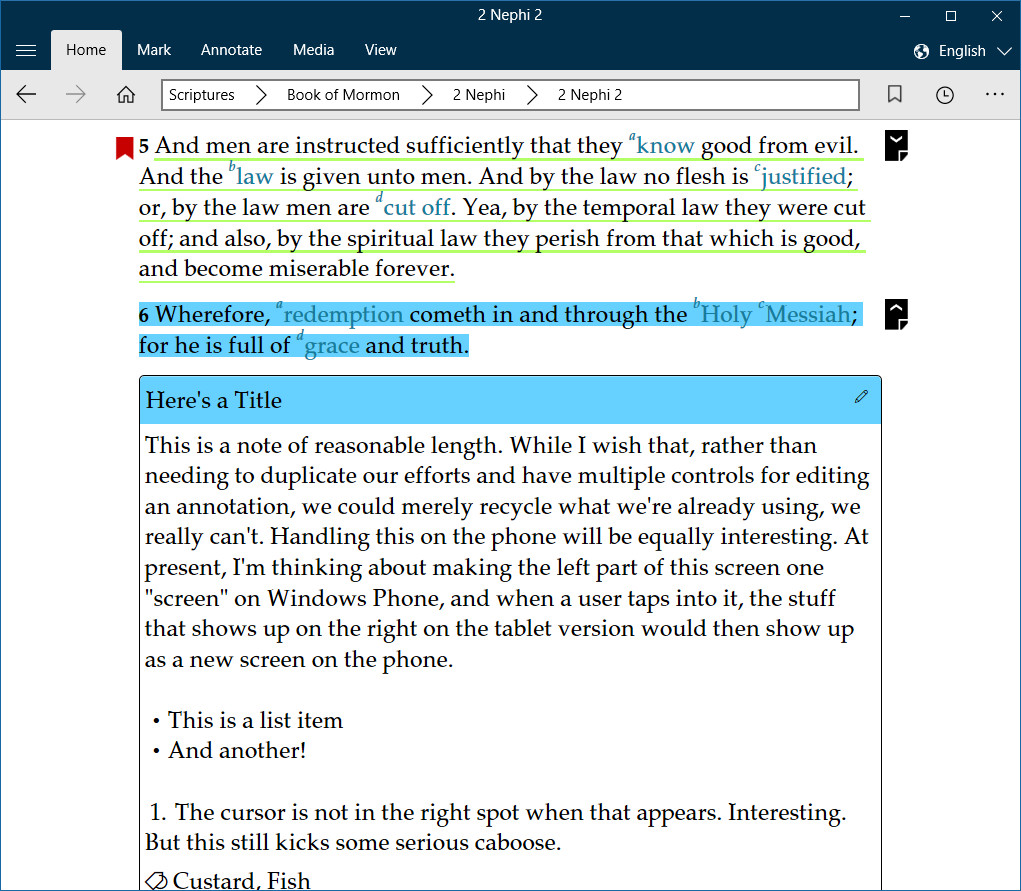
It may interest you to know that Gospel Library for Windows handles notes by showing them inline, both in its stable version and in its beta for Windows 10.
w10betass.jpg
(307.03 KiB) Not downloaded yet
Learn more about Gospel Library for Windows 10 Beta at the link below:
https://tech.lds.org/wiki/Gospel_Library_for_Windows_10
New Member
#80
I just thought that it might be a nice option to have push notifications we could enable to remind someone like myself to read the scriptures or to check out new content. I'm sure this may not be a popular idea, but if games and other kinds of apps do it, l why not have it as an option on LDS Gospel Library?
#81
You guys should add a feature where you can see all the scriptures from a certain tag. Sometimes I want to find a scripture about baptism, so it would be easier to click tags and click on baptism and have all the scriptures I have tagged "Baptism". Thanks!
Church Employee
#82
You can. From the Library page select Notes, then tags and click on your tag and it will show all the references you have tagged.
New Member
#83

Re: Gospel Library Ideas/Suggestions

I would love to see a feature where we can add specific study topics. Let me provide an example.

Elder Bednar counseled with our Stake President, to take a copy of the Book of Mormon, and with one idea, read through highlighting each point. Then at the end, write a page summary about what you learned. Label the binding with the topic and place the page and book on the shelf. Keep doing this.

So, if we could provide context for our highlighting notes, that way we can start a fresh with highlighting and such. That would be great!

Thanks!
Senior Member
#84
mrbright,

While this doesn't help you on Android, if you have access to a device running Windows 10, Gospel Library for Windows does offer a comparable feature in its Visible Notebooks feature. Basically, you can create a notebook for your studies (let's say you called it "First Read: Hope") and set it as your default notebook. You could then go through The Book of Mormon, mark, tag, link, and note to your heart's content, then when you finished, you could "put it on the shelf" by turning off the notebook. You could then create new notebook for the next round (perhaps Second Read: Atonement), set it as your default and continue as though you had a fresh copy of the Book of Mormon. If ever you wanted to see your notes from whichever read through, you'd simply turn the notebook back on in Visible Notebooks.
Learn more about Gospel Library for Windows 10 Beta at the link below:
https://tech.lds.org/wiki/Gospel_Library_for_Windows_10
New Member
#85
ToManyLetters,

I am running on iOS, apple. I would love to see something like that hit the iOS platform. Thank you for letting me know about the windows platform.
New Member
#86
Hello!

Someone noted in Sunday School today that you can click on words to define them in the gospel library app. This is super helpful, and much appreciated, but I noticed it just takes you to a Google search of 'define word', with word here standing for the word in question. In some of my institute classes the teacher has had us use a 19th century dictionary to look up words for the Book of Mormon and Doctrine and Covenants, and that has provided some good insights, since the meaning of some words have evolved even in the last 200 hundred years. So it might be good to look at having the definition feature go to a definition source that's contemporary to the source of the text rather than to a modern definition.
New Member
#87
I would really like to have a translate button like the define button. That way i would be able to quickly know what a word in spanish
Community Moderators
#88
jhell3 wrote:I would really like to have a translate button like the define button. That way i would be able to quickly know what a word in spanish
I'd recommend sending this as a feature request using the Send Feedback button in Gospel Library settings. It's a good idea – though it would need to be done in a way that doesn't clutter the UI too much for users reading in their native language.
Samuel Bradshaw • If you desire to serve God, you are called to the work.
New Member
#89
Hi,

I have used gospel library for many years and I have hundreds of tags, highlights, links and notes throughout my english scriptures. I also likr to study my spanish scriptures, but it would be nice if I could copy my tags, etc. from my English to my Spanish books and manuals...

Thanks,

Russ
Community Moderators
#90
scribner wrote:Hi,

I have used gospel library for many years and I have hundreds of tags, highlights, links and notes throughout my english scriptures. I also likr to study my spanish scriptures, but it would be nice if I could copy my tags, etc. from my English to my Spanish books and manuals...

Thanks,

Russ
Notes, notebooks, tags, and bookmarks are independent of language, and can be found under the Notes section of the app no matter which content language you're in. However, highlights and links are tied to specific pieces of content, in specific languages. With current technology, there's no way for the app to translate between languages at the highlight level – for example, if you have "I, Nephi, said unto my father" highlighted in English, the app would have to translate on the fly and know what the equivalent phrase is in Spanish so it could highlight the same phrase in Spanish. It won't be words 7, 8, 9, 10, and 12 in the paragraph like it is in English. The word you highlight might not even exist in the translation (for example, the word "came" in "it came to pass" doesn't exist in the Spanish translation). I'll bet it will be possible to do a close approximation 5–10 years down the road, but currently it's not feasible.
Samuel Bradshaw • If you desire to serve God, you are called to the work.
New Member
#91
So recently I have been reading some Gospel supporting books I purchased through other apps like nook and Kindle. These apps have support for a font called "Open Dyslexic" which is an open source font that frequently helps those who suffer from dyslexia to more easily read things. Unfortunately it doesn't appear that Gospel Library currently has font options for this type of thing, so I figured I'd make the recommendation/request
Community Moderators
#92
Jardaine wrote:So recently I have been reading some Gospel supporting books I purchased through other apps like nook and Kindle. These apps have support for a font called "Open Dyslexic" which is an open source font that frequently helps those who suffer from dyslexia to more easily read things. Unfortunately it doesn't appear that Gospel Library currently has font options for this type of thing, so I figured I'd make the recommendation/request
Please go ahead and make a recommendation/request. This is a user-to-user discussion forum, not an official channel for making recommendations or requests. The forum is not monitored by official personnel for purposes of gathering feature requests. Please use the 'Feedback' or similar feature in the app or on the Church website to register your request via an official channel.